58
IMPORTANT
• Select “Text/Photograph/Text and Photograph Mode” before starting platemaking.
○○○○○○○○○○○○○○○○○○○○○○○○○○○○○○○○○○○○○○○○○○○○○○○○○○○○○○○○○○○○○
Proceed with steps 1 to 4 of the sequence described in “Basic Printmaking” (
aa
aa
a page 32).
○○○○○○○○○○○○○○○○○○○○○○○○○○○○○○○○○
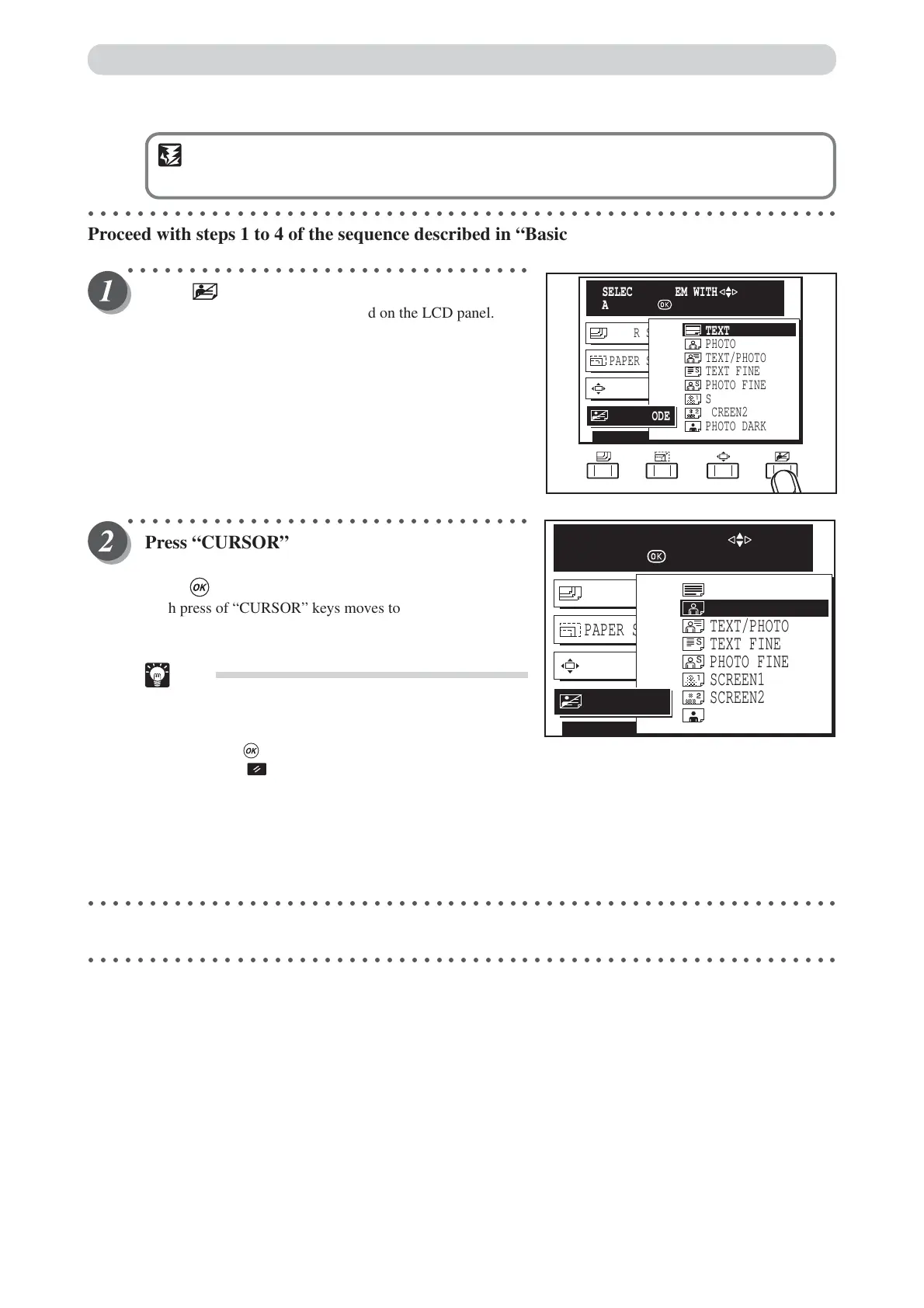
Press (IMAGE MODE) key.
A list of the image items is displayed on the LCD panel.
○○○○○○○○○○○○○○○○○○○○○○○○○○○○○○○○○
Press “CURSOR” keys to select one item in
“TEXT, PHOTO, TEXT/PHOTO”, and then
press (OK) key.
Each press of “CURSOR” keys moves to a different item.
The image mode is set when the cursor is moved to one item.
Tips
•To exit image mode, select one of the following
two methods:
• Select TEXT using “CURSOR” keys, and
press (OK) key.
• Press (ALL CLEAR) key. In this case, all
settings are reset to standard mode
(a page 26). However, that when initial
settings have been changed in user setting, the
currently set print density is returned to.
○○○○○○○○○○○○○○○○○○○○○○○○○○○○○○○○○○○○○○○○○○○○○○○○○○○○○○○○○○○○○
Start platemaking and printing. (
aa
aa
a See steps 5 to 8 of “Basic Printmaking” page 32.)
○○○○○○○○○○○○○○○○○○○○○○○○○○○○○○○○○○○○○○○○○○○○○○○○○○○○○○○○○○○○○
PRINT POS. 0.0mm 0.0mm
PAPER SIZE A3
PAPER SIZE A3
TEXT/PHOTO
TEXT FINE
PHOTO FINE
SCREEN1
SCREEN2
PHOTO DARK
TEXT
PHOTO
IMAGE MODE
SELECT AN ITEM WITH
AND PRESS
PRINT POS. 0.0mm 0.0mm
PAPER SIZE A3
PAPER SIZE A3
PHOTO
TEXT/PHOTO
TEXT FINE
PHOTO FINE
SCREEN1
SCREEN2
PHOTO DARK
TEXT
IMAGE MODE
SELECT AN ITEM WITH
AND PRESS
Printing Photographs and Color Documents






 To Next Page