66
○○○○○○○○○○○○○○○○○○○○○○○○○○○○○○○○○
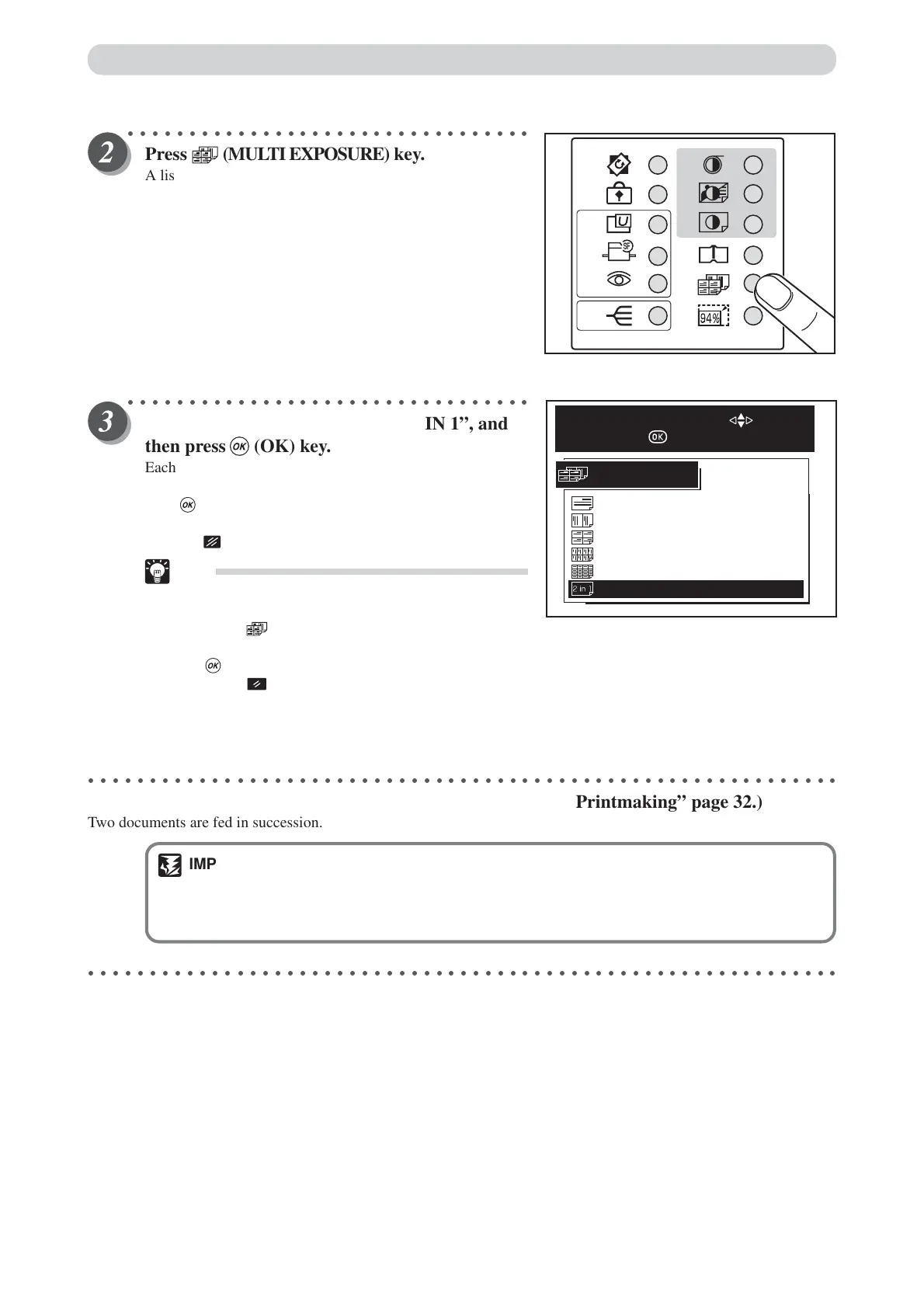
Press (MULTI EXPOSURE) key.
A list of the multi exposure is displayed on the LCD panel.
○○○○○○○○○○○○○○○○○○○○○○○○○○○○○○○○○
Press “CURSOR” keys to select “2 IN 1”, and
then press (OK) key.
Each press of “CURSOR” keys moves to a different item that
is displayed highlighted. After moving to the 2 IN 1 item,
press (OK) key to select the 2 IN 1. The selected 2 IN 1 is
set.
Pressing (CANCEL) key redisplays the main screen.
Tip
•To exit “Multi Exposure Mode”, use one of the
following teo methods:
• Press (MULTI EX POSURE) key and select
OFF with “CURSOR” keys, and then press
(OK) key
• Press (ALL CLEAR) key. In this case, all
settings are reset to standard mode
(a page 26).
○○○○○○○○○○○○○○○○○○○○○○○○○○○○○○○○○○○○○○○○○○○○○○○○○○○○○○○○○○○○○
Start platemaking and printing. (
aa
aa
a See steps 5 to 7 of “Basic Printmaking” page 32.)
Two documents are fed in succession.
IMPORTANT
• Check the following if you experience problems with layout:
• Document orientation
• Document size, paper size, zoom ratio
○○○○○○○○○○○○○○○○○○○○○○○○○○○○○○○○○○○○○○○○○○○○○○○○○○○○○○○○○○○○○
Multiple Printing on One Page
16
OFF
8
2
4
2 IN 1
MULTI EXPOSURE
SELECT AN ITEM WITH
AND PRESS






 To Next Page