3
Printing With Various Functions
83
Collating Prints
○○○○○○○○○○○○○○○○○○○○○○○○○○○○○○○○○○○○○○○○○○○○○○○○○○○○○○○○○○○○○
Proceed with steps 1 to 3 of the sequence described in “Basic Printmaking” (
aa
aa
a page 32).
○○○○○○○○○○○○○○○○○○○○○○○○○○○○○○○○○○○○○○○○○○○○○○○○○○○○○○○○○○
Open the panel cover.
○○○○○○○○○○○○○○○○○○○○○○○○○○○○○○○○○
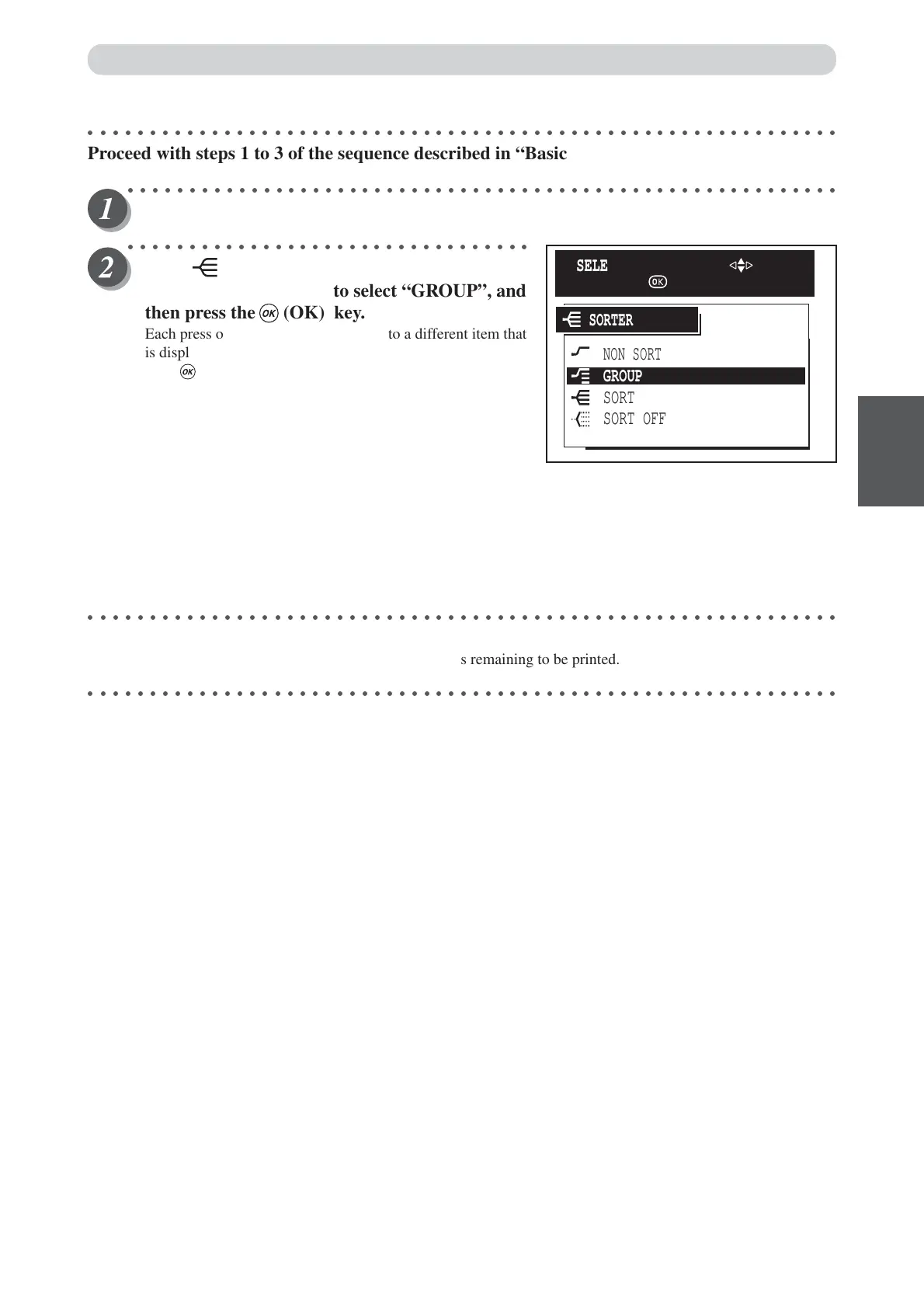
Press (SORTER) key.
Press “CURSOR” keys to select “GROUP”, and
then press the (OK) key.
Each press of “CURSOR” keys moves to a different item that
is displayed highlighted. After moving to the group item,
press (OK) key to select the group. The selected group is
set.
○○○○○○○○○○○○○○○○○○○○○○○○○○○○○○○○○○○○○○○○○○○○○○○○○○○○○○○○○○○○○
Proceed with steps 4 to 6 of the sequence described in “Basic Printmaking” (
aa
aa
a page 32).
During the print run, the counter indicates the number of sets remaining to be printed.
○○○○○○○○○○○○○○○○○○○○○○○○○○○○○○○○○○○○○○○○○○○○○○○○○○○○○○○○○○○○○
NON SORT
SORT OFF
SORT
GROUP
SORTER
SELECT AN ITEM WITH
AND PRESS






 To Next Page