36 / 97
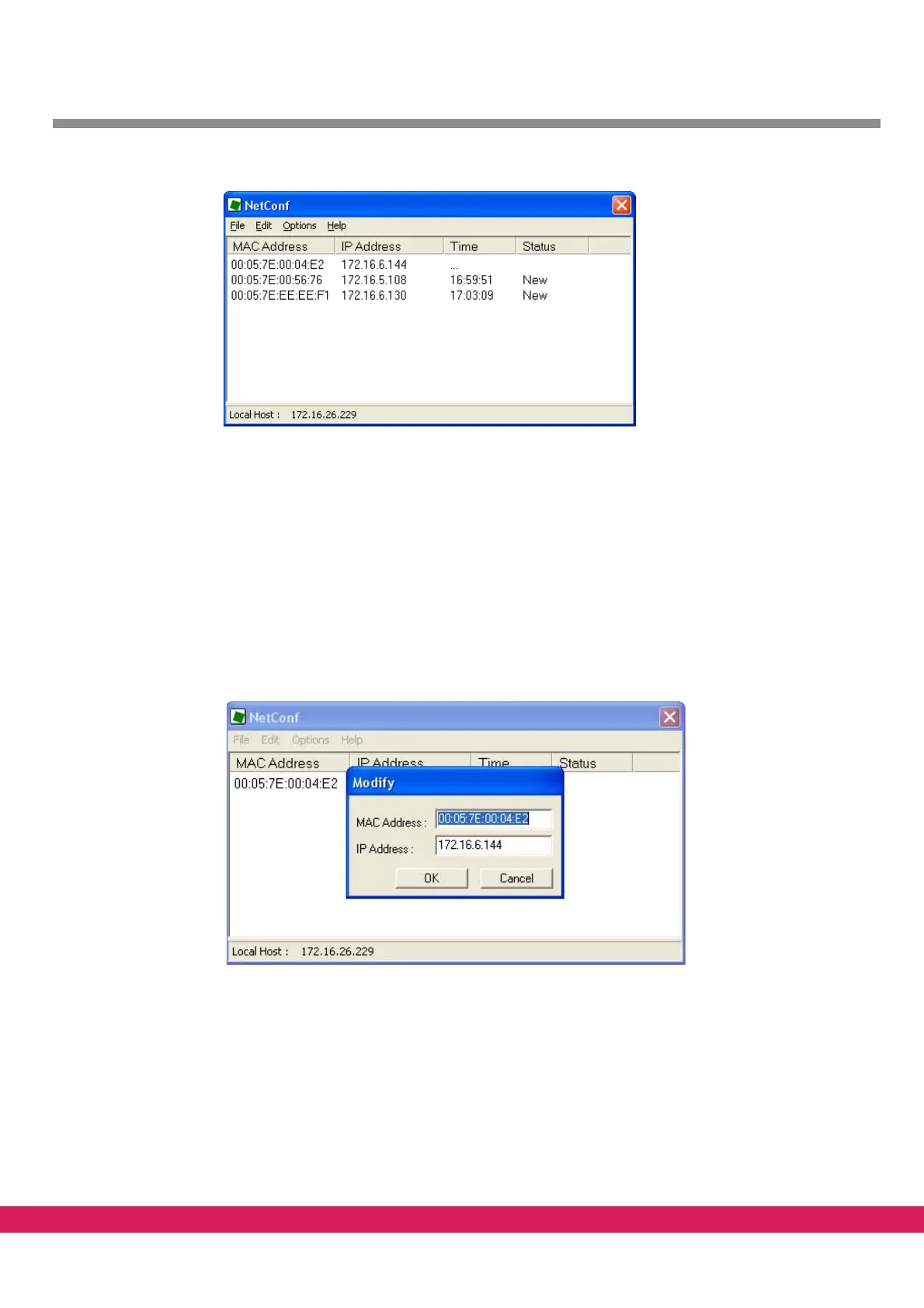
Abbildung 20:
Figure 20: NetConf displaying controllers in the network
4.2.2 Change the IP address of a controller with NetConf
Existing entries in the controller list can be modified in the following way:
• The IP address of a selected controller can be modified with the menu entry „Edit->
E
dit Item“. Alternatively, you can reach this function with a right mouse button click
on the controller.
• The entered IP address is stored in the controller with the appropriate MAC address
a
nd overwrites the previously stored IP address.
Abbildung 21:
Figure 21: Modifying an IP address with NetConf
• The controller has to be restarted after this procedure.
All changes are saved automatica
lly in the file NetConf.ini.



 To Next Page