86 / 97
used for the monitor interface in chapter 3.
Abbildung 61:
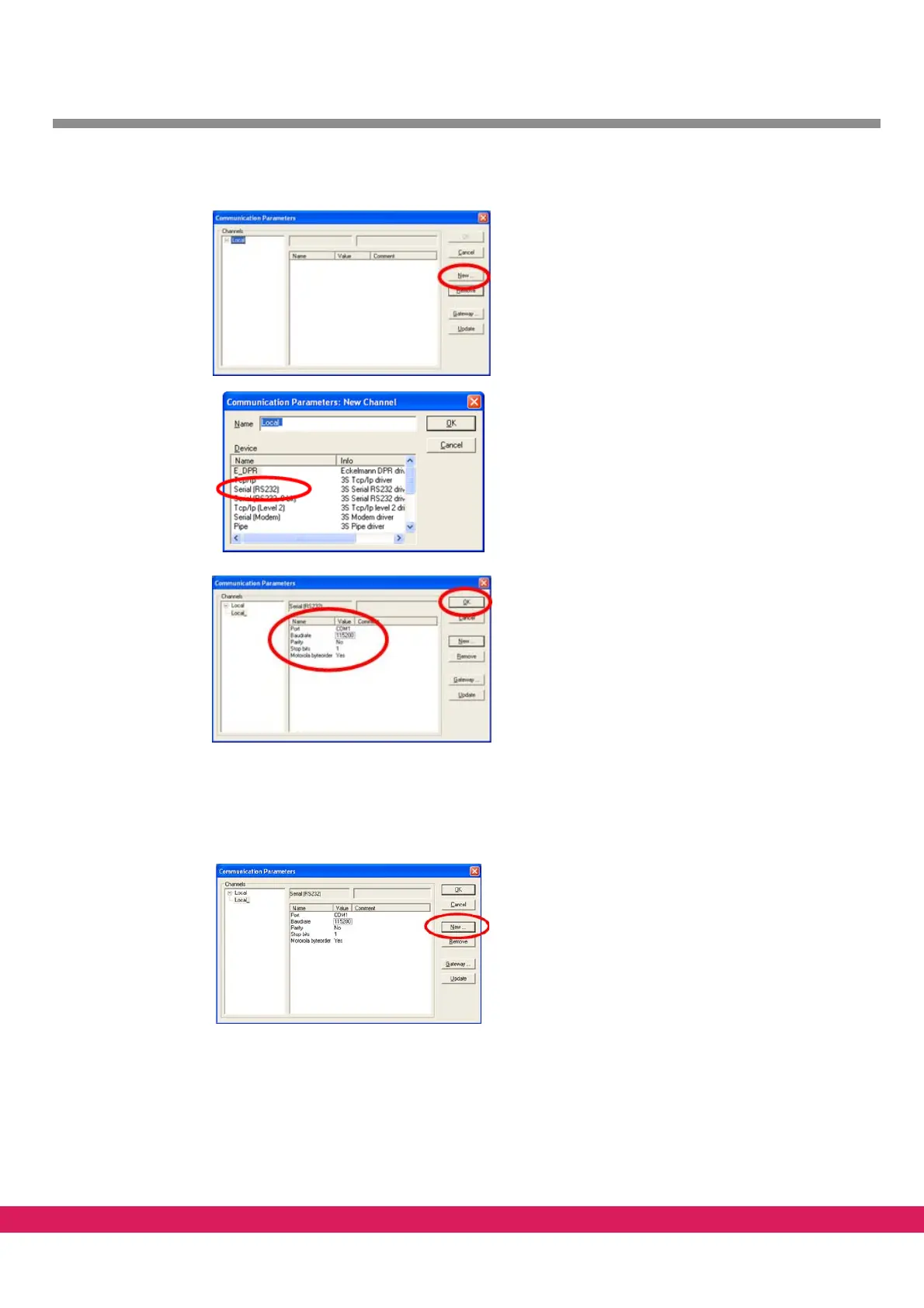
•Select online - communication parameters
•Click on New
•Select serial driver „Serial RS232“
•The connection includes a name (e.g. local_)
•Acknowledge by clicking on OK
•Upon clicking on OK, the parameters of the
interface (e.g. COM1 with baud rate, parity and
stop bit) are to be input. By a double click, the
parameters are included into the respective win-
dow pane.
•Since the controller includes
a Motorola proces-
sor, the entry „Motorola byteorder“ is to be set
to Y
es.
Figure 61: Configuration of the serial connection
10.11.2 Network connection
• Select online - communication parameters
•This connection includes a name (e.g. network)
an
d the TCP/IP protocol as parameter.
• Acknowledge by clicking on OK



 To Next Page