82 / 97
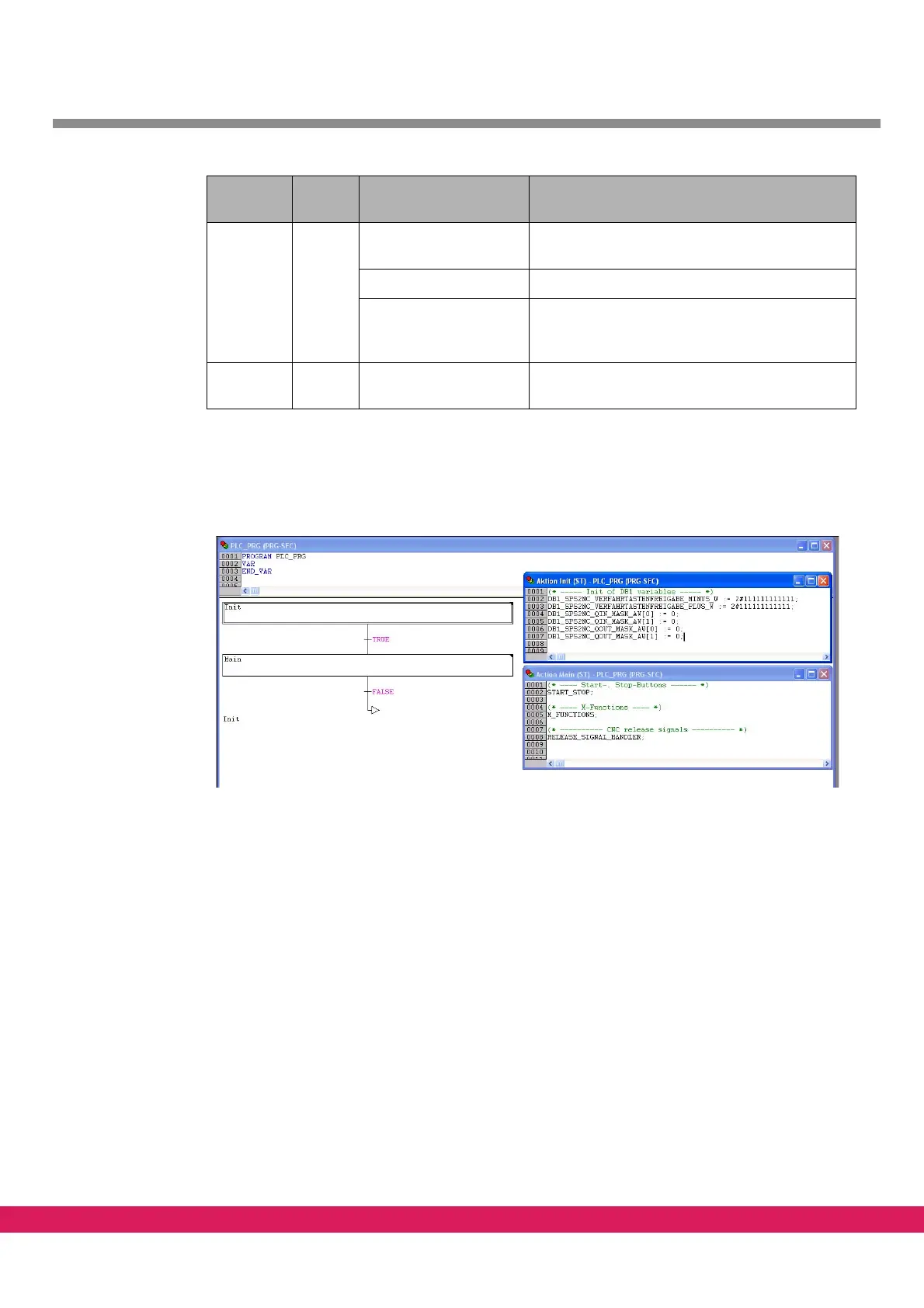
Upon a double-click on a step, a screen opens in which the respective action of the step is
included.
Abbildung 59:
Figure 59: Sequential function charts with opened steps
10.7 Definition of inputs and outputs
• Select tab „Resources“
• Select „global variables“ and then „Ein_Ausgänge“
• The inputs and outputs are defined as bits in the respective words of the process
ima
ge
Step Main Block START_STOP Evaluation of the system variables for Start and
Stop
Block M_FUNCTIONS Editing of the M-function
Block
RELEASE_SIGNAL_HAN
DLER
Enabling of the system variant,
Evaluation of the input „Emergency stop cir-
cuit“ (I_NoEStop)
Transition False No switching to the next step, since FALSE.
The program remains in step „Main“
Element Name contents of the
element
Comment
Table 47: Elements of the sequential function chart



 To Next Page