61 / 97
Introduction Manual ENC66
eckelmann.de
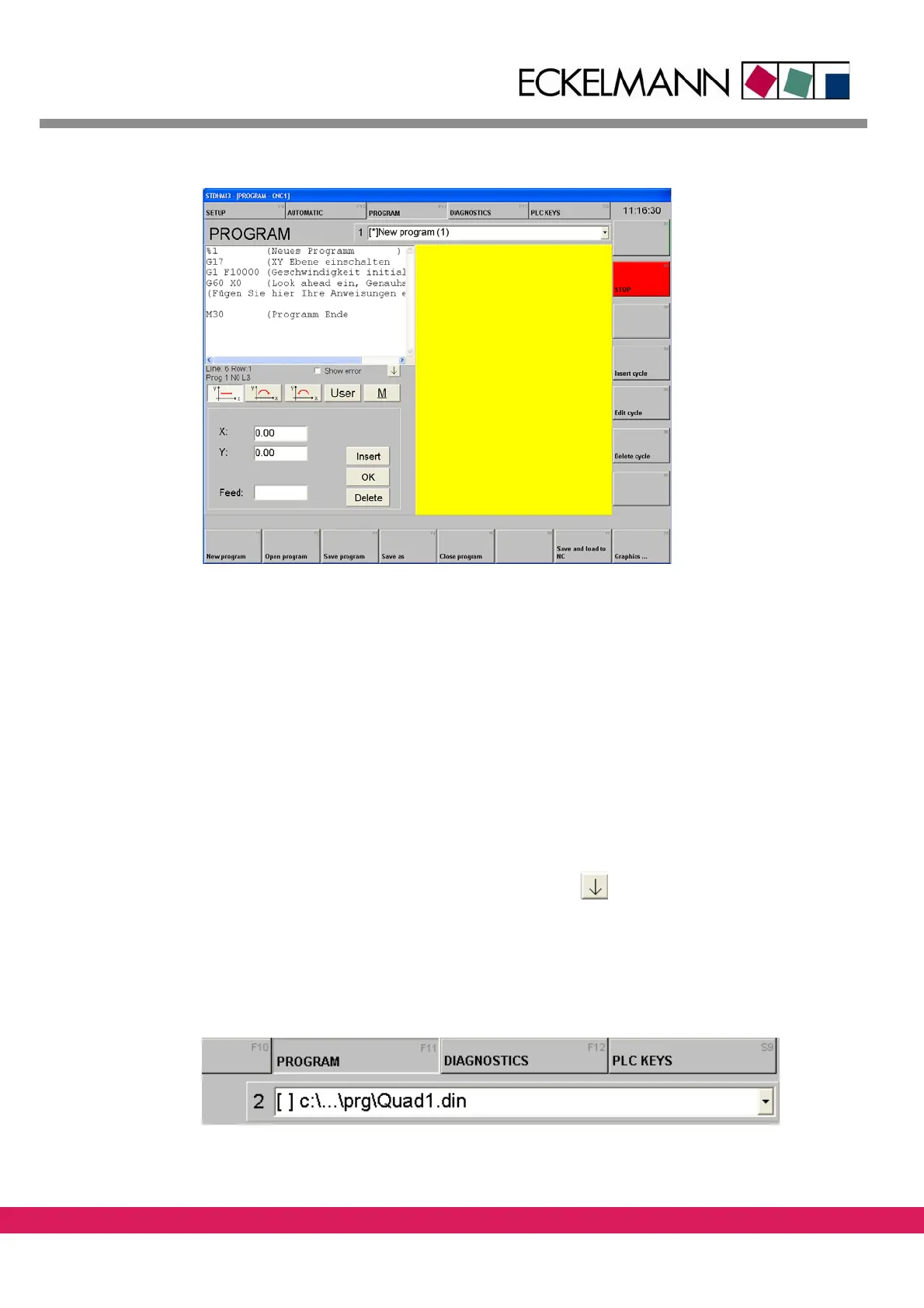
Abbildung 38:
Figure 38: Programming in stdHMI
8.6.1 The program editor
The editor helps you to setup simple DIN programs.
StdHMI uses a predefined framework DIN program, that assures that each new program
h
as the necessary initialization sequence. The framework program „neu.tmp“ can be found
in the „cfg“ folder of your StdHMI installation.
The editor supports programs that are in a cartesian plane (orthogonal axes).
The screen is divided into three parts:
• The program listing
• the Input for G-functions (can be hidden with
)
• The graphical display of the program (zoom can be changed with the mouse)
A DIN program is displayed both in text and graphically after the editor is opened. Up to 8
d
ifferent files can be opened at the same time. The current file can be selected with the
combo box below:



 To Next Page