63 / 97
Introduction Manual ENC66
eckelmann.de
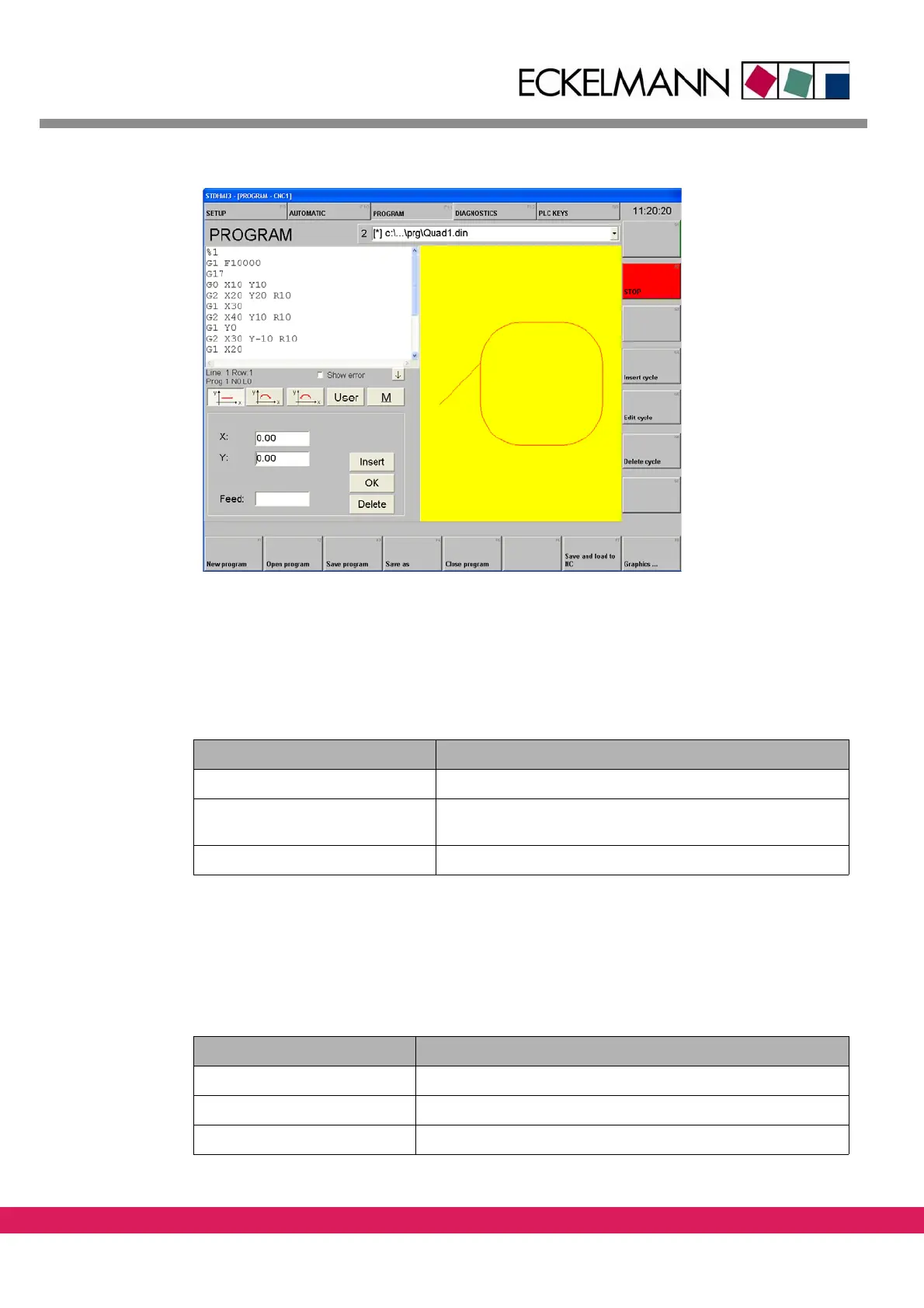
Abbildung 39:
Figure 39: DIN example program in the StdHMI program editor
8.6.3 Saving the DIN program
The input program is to be saved as Quad1.din
Starting point: Program editor is active
Tab elle 35:
Table 35: Saving a DIN program
Steps in stdHMI Description
Save as F4 The screen displays a dialog screen
Input „Quad1.din“ in the dialog
screen
Save program as „Quad1.din“
8.6.4 Loading a program into the controller
The stored program test.din is to be loaded into the controller.
Starting point: Program editor is active
Tab elle 36:
Table 36: Load a DIN program into the controller
Steps in stdHMI Description
Program to NC F7 The screen displays a dialog screen
Select „Quad1.din“ The square contour is displayed
Accept F7



 To Next Page