30 / 97
3.3 Configuration of an Ethernet connection
The ENC66 controller also makes it possible to connect to the monitor interface via ether-
net. This connection uses the telnet protocol and can be established with a terminal pro-
gram. In the example the Hyperterminal program is used.
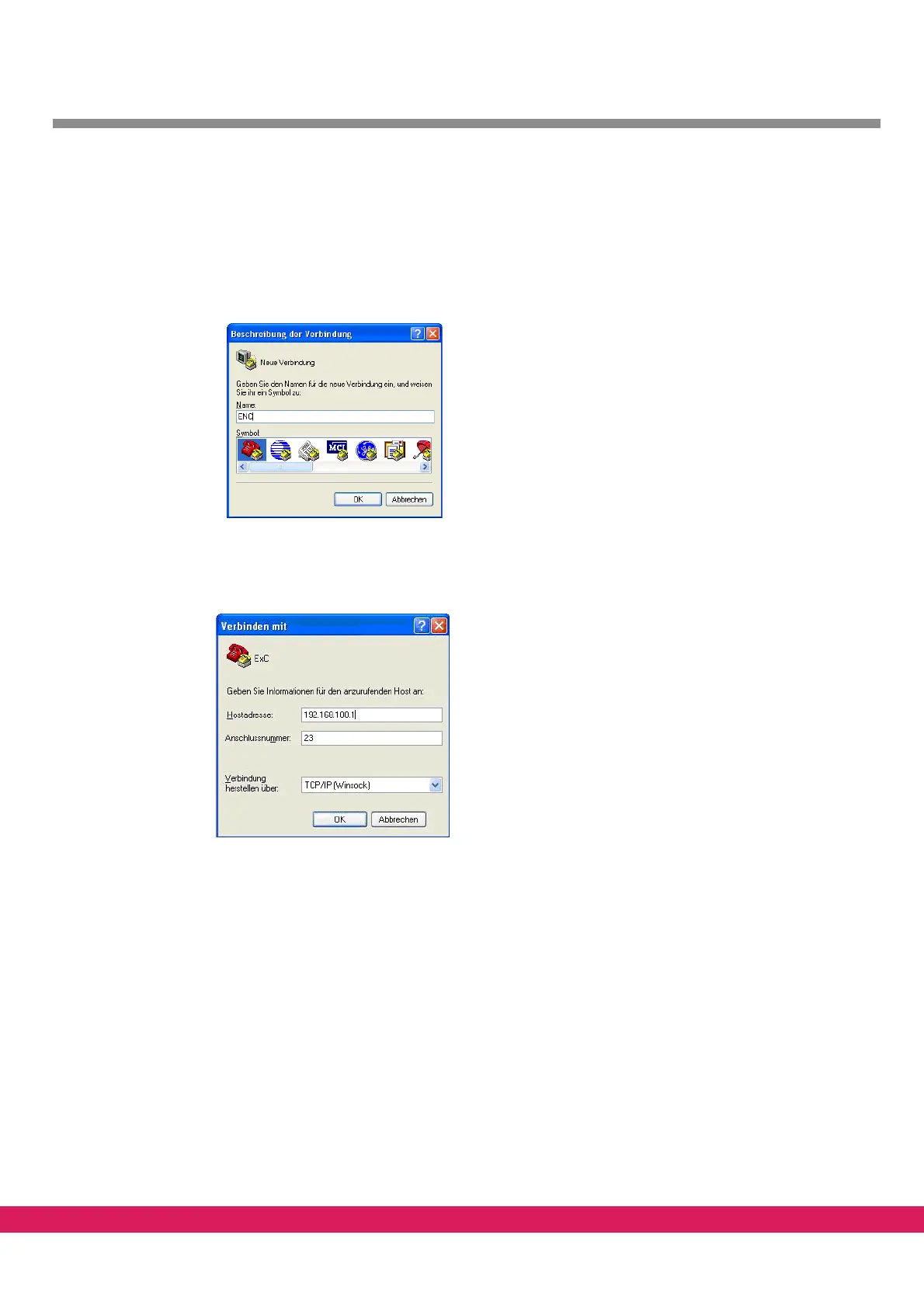
After starting the program type a name for the connection (e.g. ENC)
Abbildung 14:
Figure 14: Naming a connection
To connect to the monitor interface of the controller via the ethernet port the configured
IP address must be known. In this case an TCP/IP connection can be made to the port 23.
Abbildung 15:
Figure 15: Configuring a telnet connection
If the IP address is unknown, it can be configured as described in chapter 4, „Setting of the
IP address in the controller“
After the connection is established, you have to enter a user name and a password.
You can use the following access information:
user name: admin
password: wizard



 To Next Page