41 / 97
Introduction Manual ENC66
eckelmann.de
bootmonitor. The following steps are required (with Hyperterminal as the terminal pro-
gram):
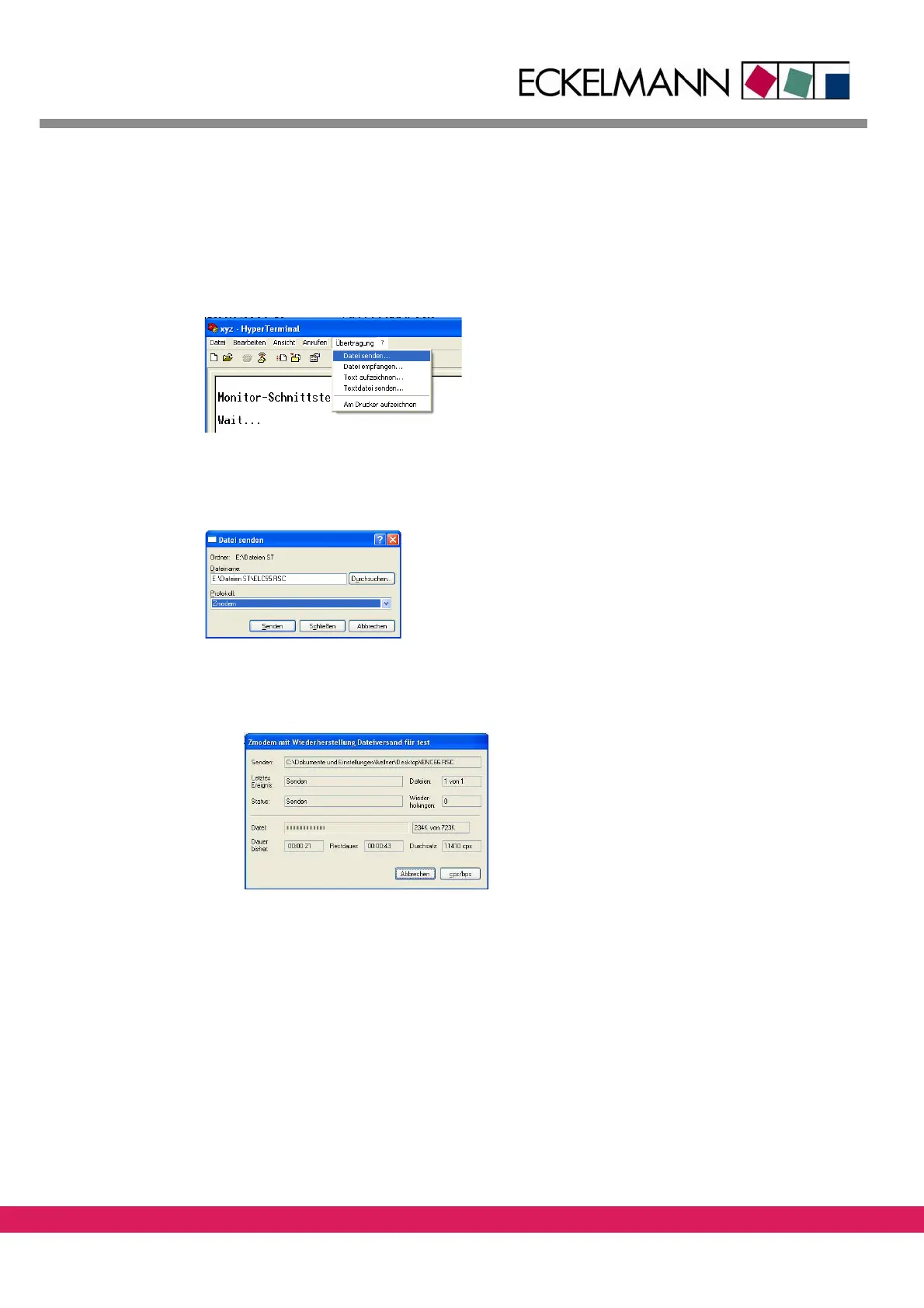
• Specify the location of the requested file
of the firmware with the menu item Trans-
mission – Send file (the possible files *.rsc are described in chapter 1.3, „Variants
„Stand-Alone“ and „With PC-HMI““).
Abbildung 29:
Figure 29: Accessing the file transfer function in the terminal program
• Select Z-modem as the protocol and start the transfer with the „send“-button.
Abbildung 30:
Figure 30: Selecting the zmodem protocol
• A dialog box shows the progress of the file transfer
Abbildung 31:
Figure 31: Transferring the firmware to the controller
• The loading procedure takes several seconds. Two adjacent segments rotate in clock-
wise direction on the 7-segment display.
• The following messages are displayed, if the file ENC66.rsc is
transferred as a
firmware to be used for the stand-alone operation:



 To Next Page