Input of values and text
Selecttherequiredlineusingthecursorbuttons(↑)and(↓)andthentaptheENTERbutton(↵). The
cursorjumpstotheinputfield.Valuescannowbeenteredandchangedusingthecursorbuttons(↑)and(↓)
ordigitbuttons.
Ifthecursorbuttons(↑)and(↓)arekeptpressed,theadjustmentismadeinhighspeedmode.
Deleting input text
TheMODEbuttonand-mustbepressedsimultaneouslytodeletethecompletetextline.Acharacterisdeleted
usingthebuttoncombinationMODEand,.
Cancelling of an entry
TheentryofavaluecanbecancelledbytappingtheESCbutton.Thevalueisnotapplied.
Entering text
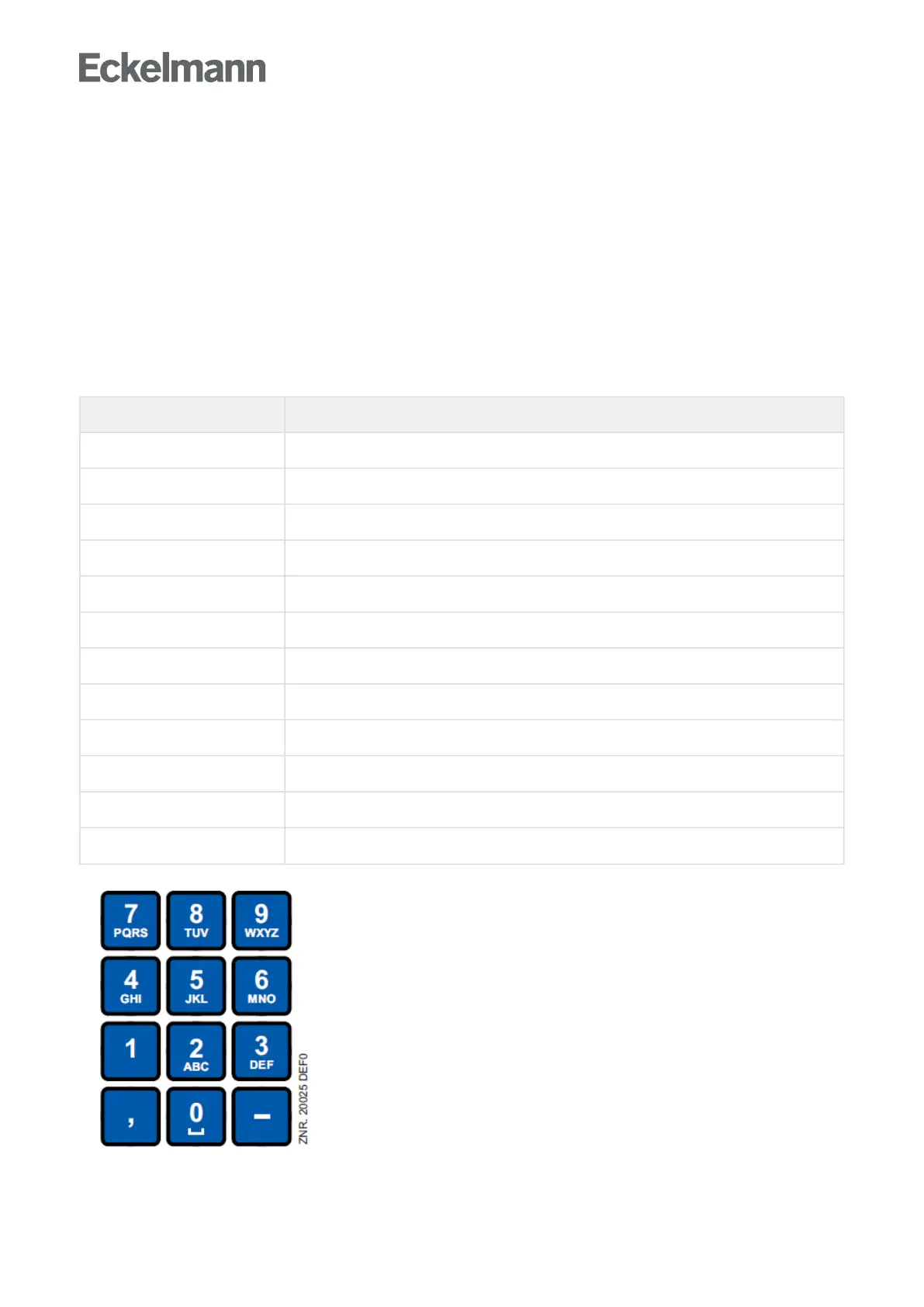
In fields that allow text entry, text can also be entered by the alphanumeric keypad. Repeatedly press the
numerickeystogenerateletters.PresstheENTERkey(↵) to confirm the entered value or text.
Key Letter/Character
0 äöüß0, space character
1 1
2 2ABC
3 3DEF
4 4GHI
5 5JKL
6 6MNO
7 7PQRS
8 8TUV
9 9WXYZ
- . _ -
, Insert space character



 To Next Page