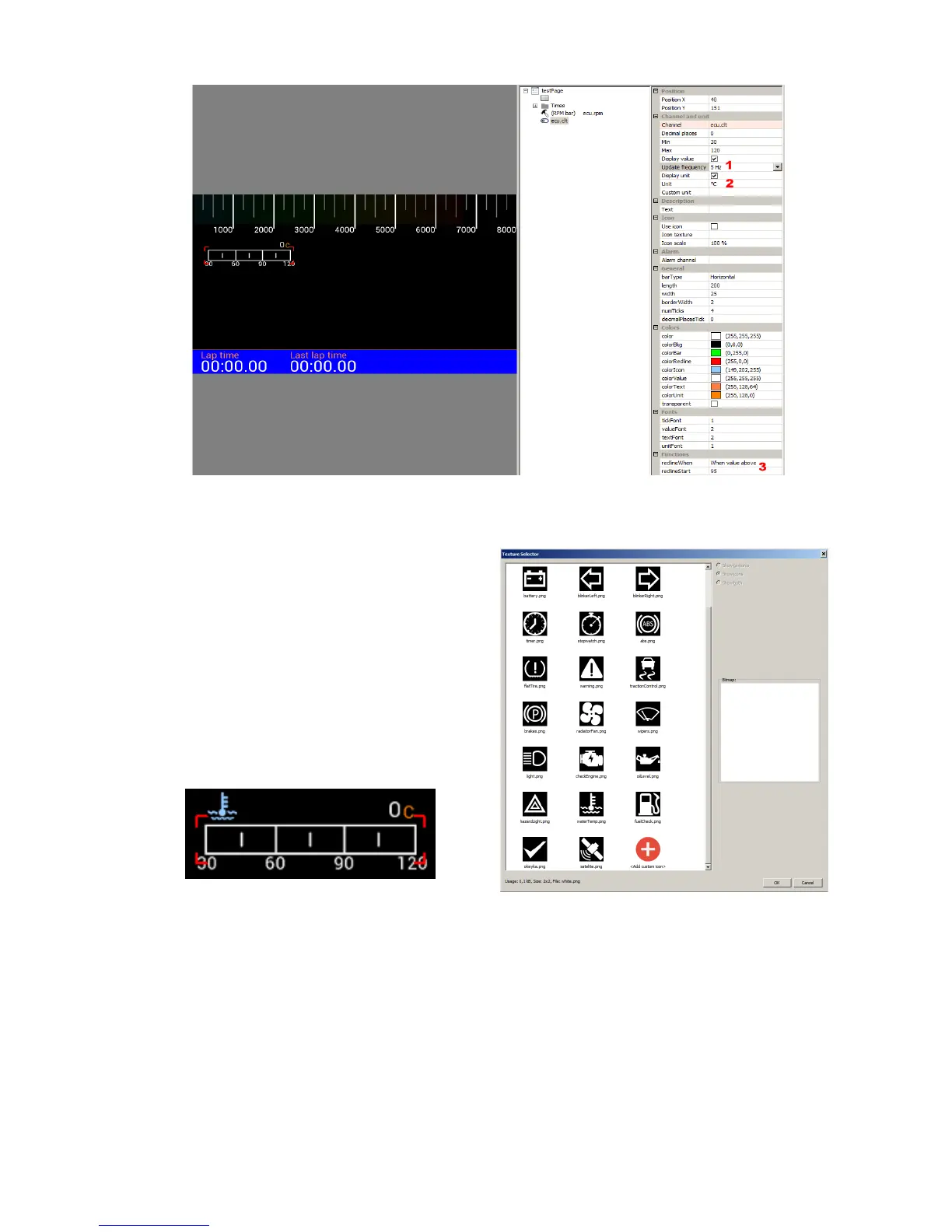
You may display an icon to identify a Bar graph indicator field. To apply an icon, select the Use
icon option and select the desired icon from the
Icon texture field (by left-clicking the ‘...’ icon).
A graphics selection pane will pop up. Select or
load your own icon (you will find more information
on icons further in the manual). After selecting the
waterTemp.png icon, the indicator will look like the
example below.
Next we will copy the created indicator twice in order to create a fuel level and oil pressure
indicator. After copying, set their new position, select the appropriate icons and assign the
appropriate channels in the Channel field. These will be ecu.fuelLevel for fuel level and
ecu.oilPress for oil pressure, respectively. It is also worthwhile to group the indicators to facilitate
their editing in the future. After copying the page your screen will look like the example below.
Page 44/137


 To Next Page