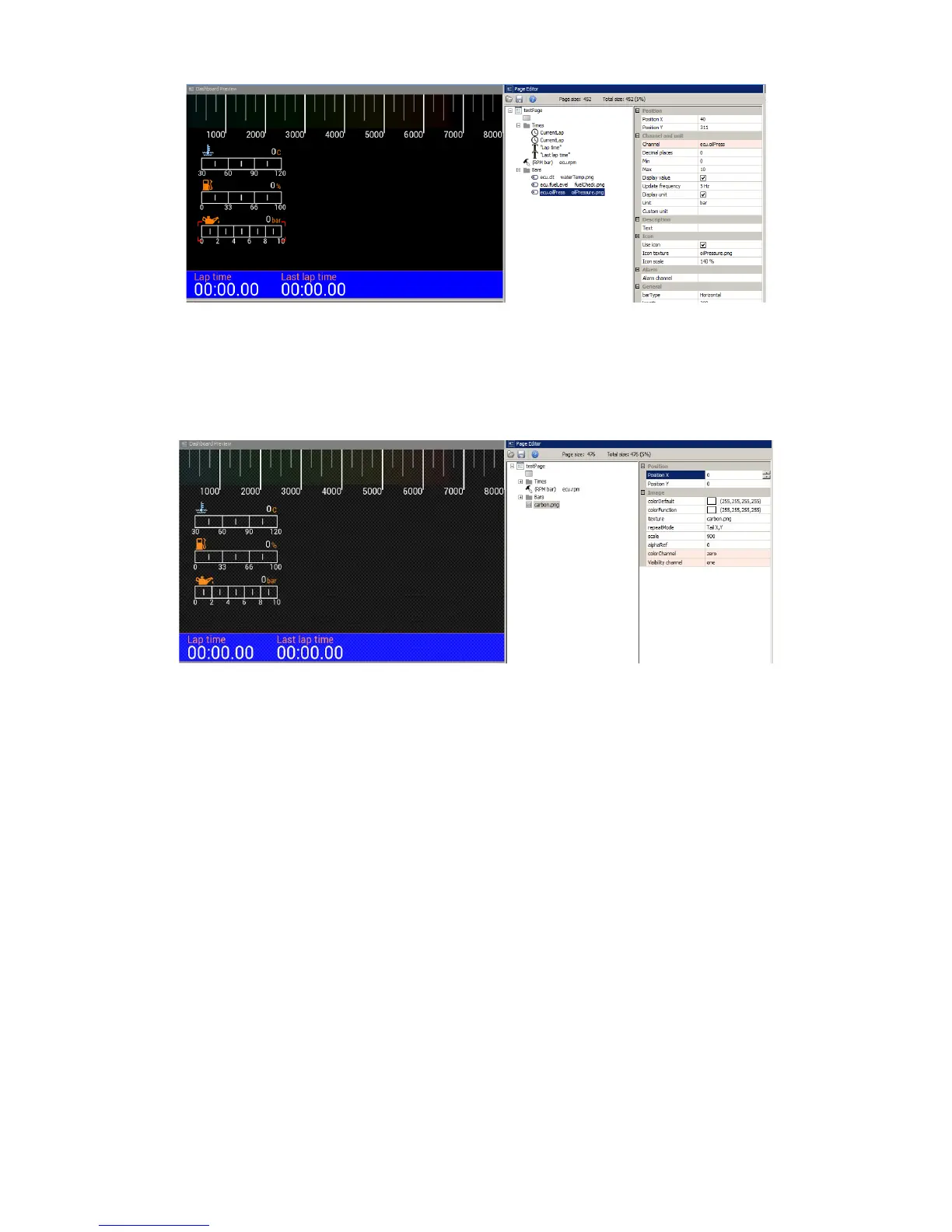
You may also add a background texture. For our example we will create a carbon fibre-style
background. To do this, use the Image item and choose carbon.png. To cover the entire screen
background, select Repeat mode Tile X, Y option and set Scale to 900%.
Note that our texture is displayed “over” the existing elements. To move it “underneath” we should
rearrange it as the first element on the page. The order of application of elements is determined by
their order on the list. To change their position on the list, select an element and move it by holding
ALT + up arrow or ALT + down arrow. Let’s change the colour of our background to dark blue, too.
Page 45/137



 To Next Page