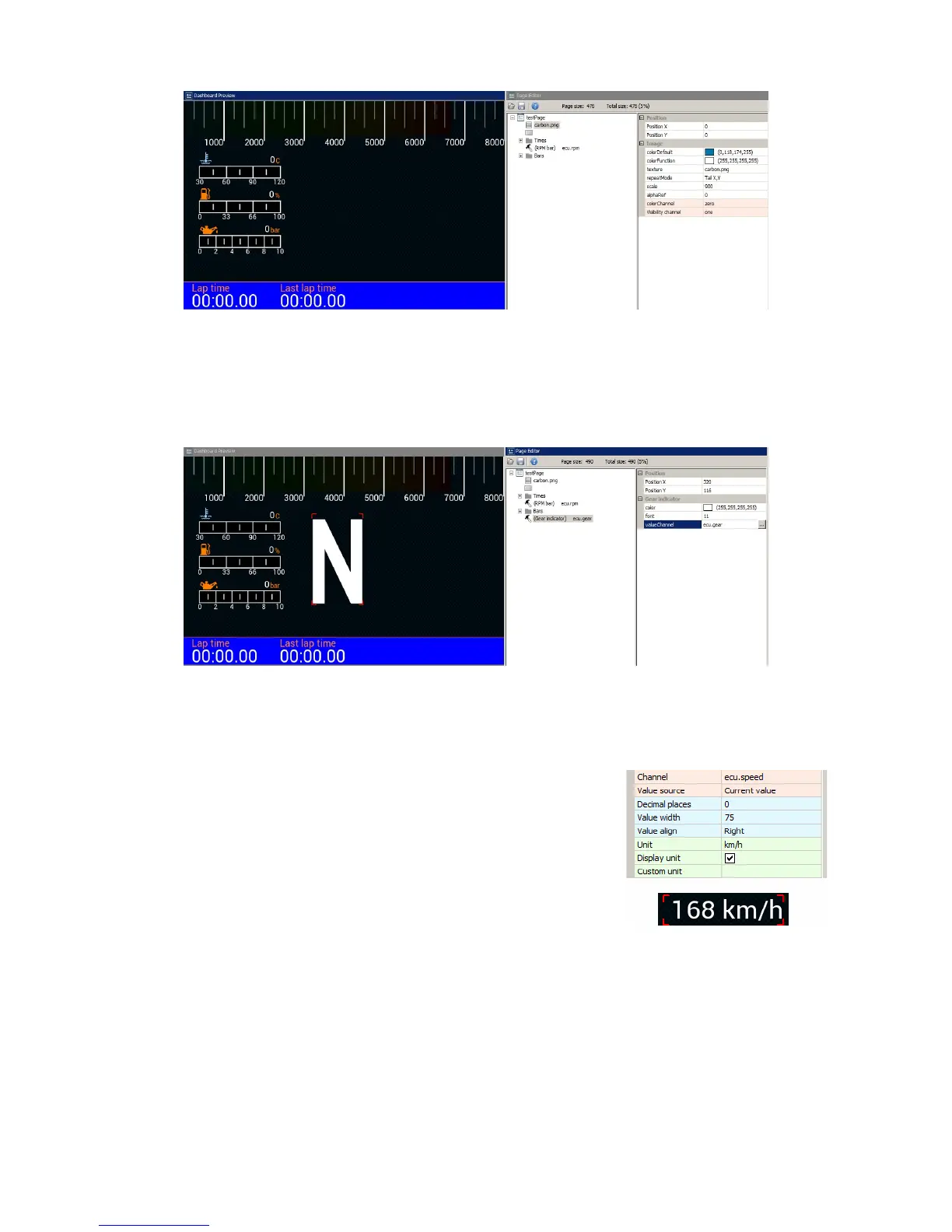
To insert an indicator for the current gear use Gear indicator. You should select a channel
(ecu.gear in our case) and a font size. The indicator for the currently selected gear has a special
font allowing to display large digits.
Under the gear indicator we will now display a numerical value representing the speed of the
vehicle. We will use the Text indicator for this purpose. In addition to displaying static text, you
may use a Text indicator to show values of channels and variables.
Enter the name of a channel or variable in the Channel field. In
addition to the current value of the channel, the measurement unit
may also be displayed. Pay careful consideration to the width given
to Text indicators. To prevent the text from shifting as the displayed
value increases (e.g. From 7 km/h to 11km/h) we have set the text
width at 75 pixels to allow for 2 and 3 digits to be displayed. To change the unit from km/h to mph
choose your desired unit from the Unit field. Under speed we will also add a Text indicator
showing “Vehicle Speed” as the channel description.
Page 46/137


 To Next Page