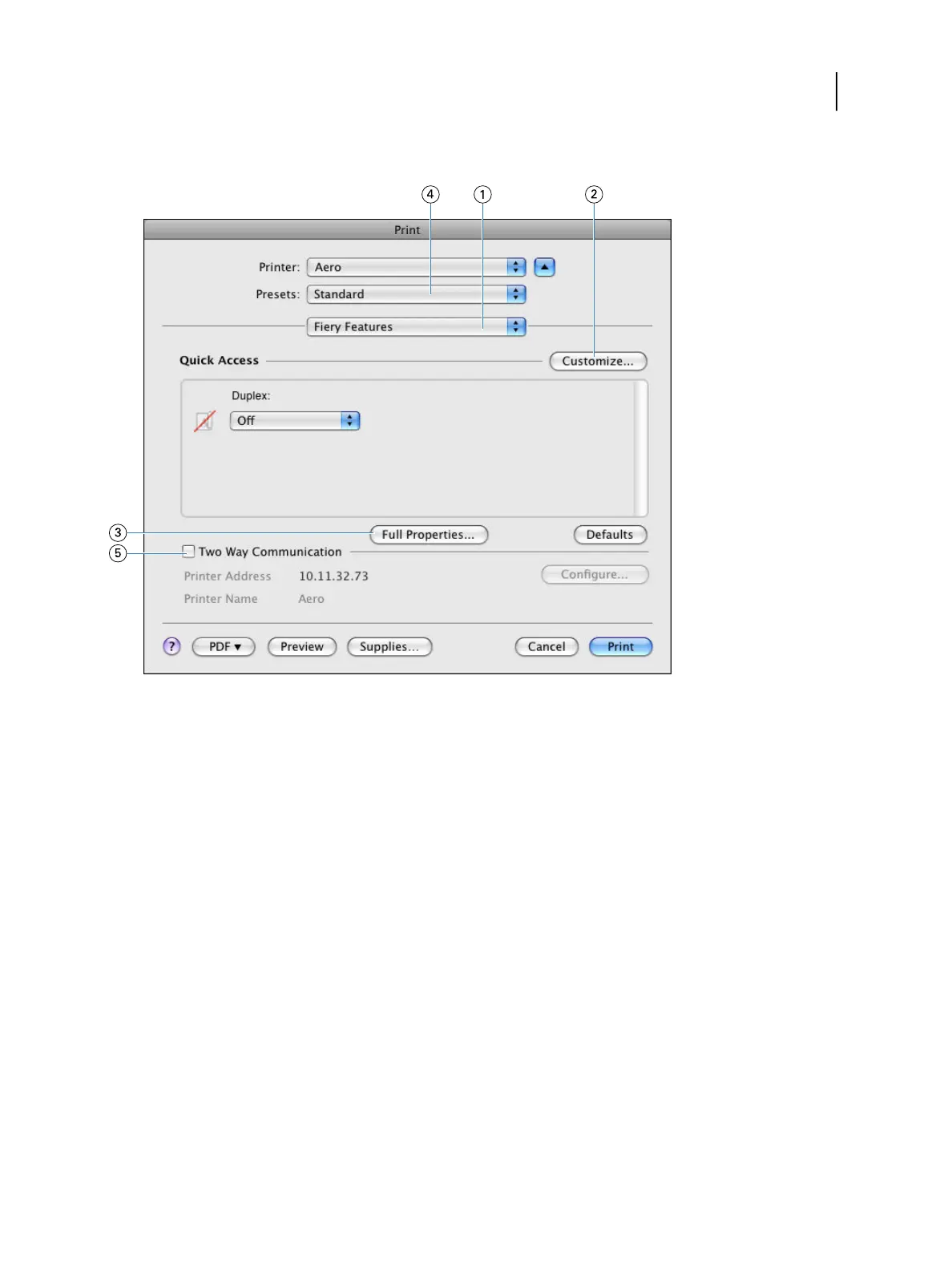
2 Select Fiery Features from the drop-down list.
1 Fiery Features
2 Customize (Shortcuts), see Help
3 Full Properties
4 Presets (Job Templates), see Help
5 Two-Way Communication
When you save the print options in a preset, the following option settings are not reflected:
• Job Info options: Job notes > Secure print, User authentication > Password, Account track > Department name,
Account track > Account password, Server authentication > Authentication server name, Project code, and
Project password
• Layout option: Impose
For information about using presets, see printer driver help.
For a list of print options, see Print options and default settings on page 63.
3 Click Full Properties in the Quick Access pane to specify print options and settings for your job.
Printing
Mac OS for Fiery ES
48



 To Next Page