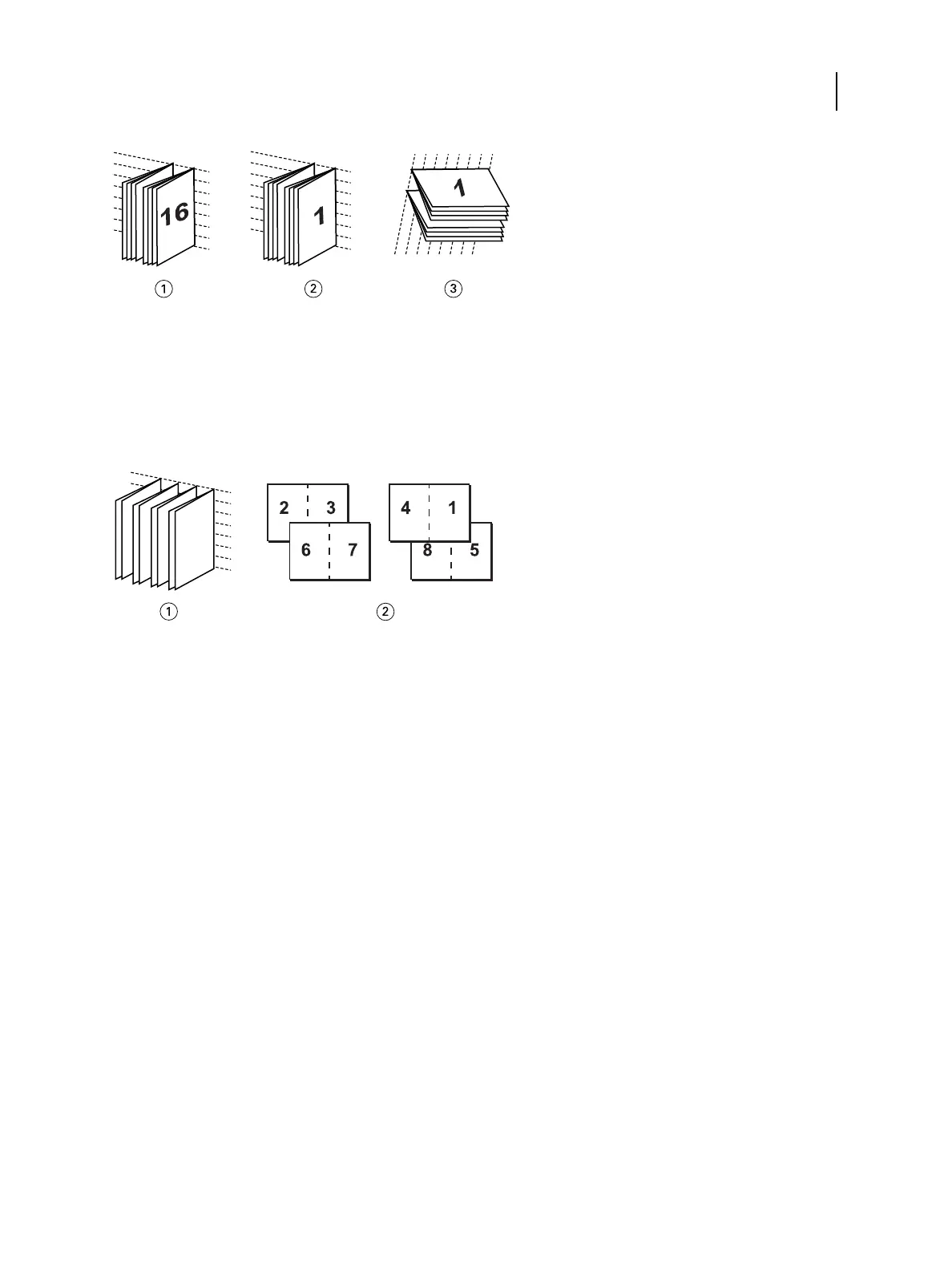
1 Nested Saddle (left) binding
2 Nested Saddle (right) binding
3 Nested Saddle (top) binding
•
Perfect binding: Separate, folded pages are printed and stacked in booklet order. Finished pages are stitched
adjacent to one another for trimming or gluing.
1 Perfect booklet
2 Front (2, 3, 6, 7) and Back (4, 1, 8, 5)
For more information, see Booklet Maker Help.
For more information, see Booklet options in the printer driver and Job Properties on page 74.
Booklet Maker in the printer driver and Command WorkStation Job Properties
You can access Booklet Maker from the Layout tab in the printer driver and Command WorkStation Job Properties
when you print a job.
You can work with Booklet Maker as follows:
•
Using the Booklet Maker wizard.
Recommended for first-time or novice users.
•
Specifying settings in the main Booklet pane.
Recommended for experienced or advanced users.
For more information, see Booklet options in the printer driver and Job Properties on page 74.
Access Booklet Maker from the Windows printer driver
1 In your application, select File > Print.
Printing
Print Options
94



 To Next Page