Printer driver tab Option Driver Win Driver Mac CWS
Enable enhanced FreeForm
X X
Stamping (Watermark) Watermarks
X X
Print Watermarks: First Page Only
X X
Booklet Maker layouts in the printer driver and Command WorkStation Job Properties
Booklet Maker is the imposition tool that allows you to quickly print documents in booklet format, without the need
for more involved page imposition programs.
Booklet Maker provides advanced settings, while streamlining the booklet-making process by displaying only the
options and controls relevant to your selections. Booklet Maker is capable of imposing jobs from nearly any
application.
Access Booklet Maker in the printer driver when you print a job, or in Command WorkStation Job Properties.
Note: Mixed Media jobs and variable data printing jobs are not supported by Booklet Maker.
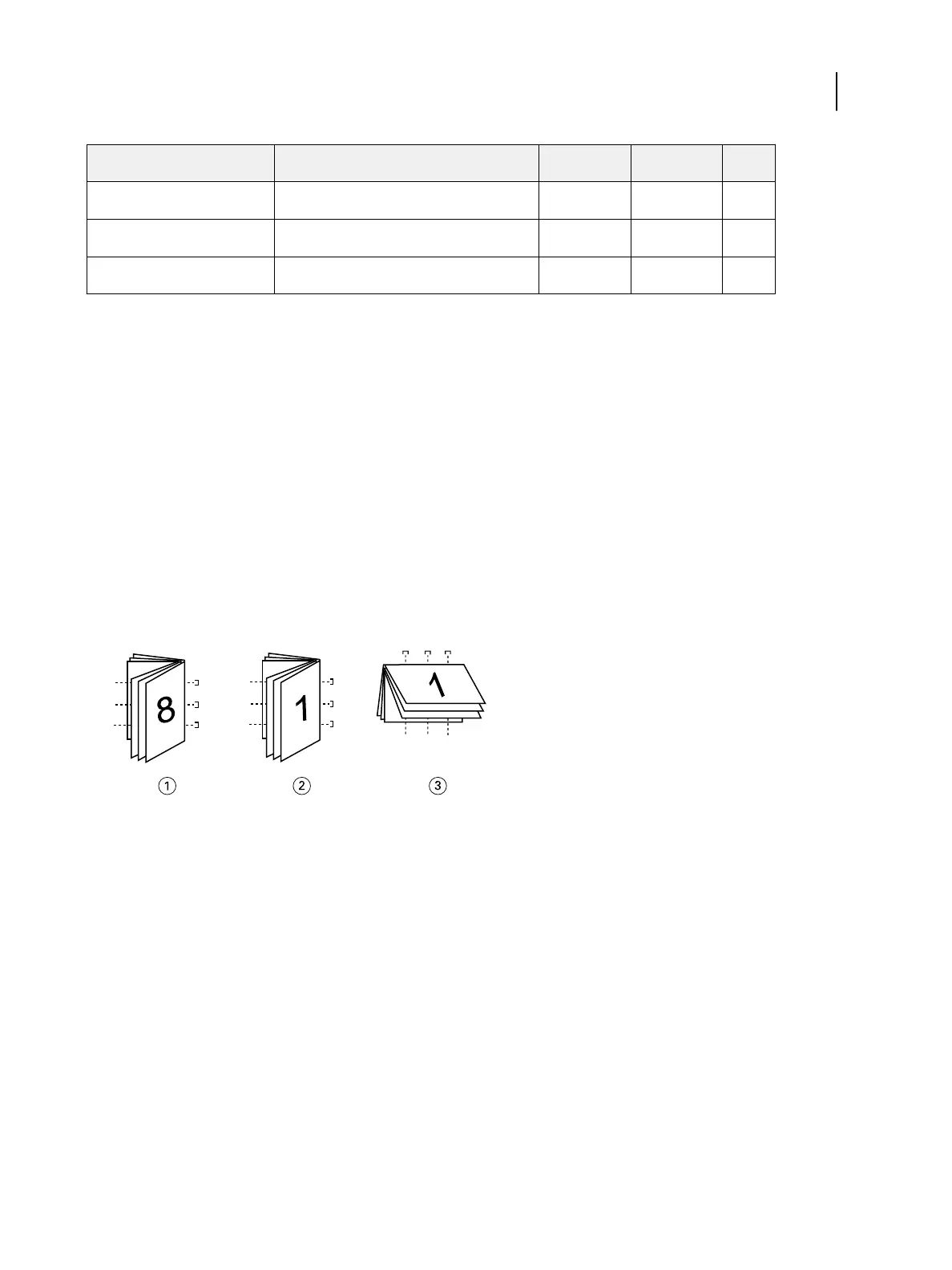
The following booklet layouts are available:
•
Saddle binding: Signatures are folded together as a group, and then stapled or stitched along the center fold,
which forms the spine of the booklet.
1 Saddle (left) binding
2 Saddle (right) binding
3 Saddle (top) binding
•
Nested Saddle binding: Combines saddle and perfect binding methods by stacking two or more saddles (also
called “groups” or “subsets”) together along the common fold, then gluing them together at the fold to form the
spine.
Printing
Print Options
93



 To Next Page