Titanium Interfaces User Guide
Signal Direction Description
RWDS_OUT_HI [1:0] Input
RWDS_OUT_LO [1:0] Input
Read/write data strobe input ports for data mask during
write operation. Registered in normal mode/resync mode
of DDIO.
RWDS_OE [1:0] Input Read/write data strobe output enable port.
RWDS_IN_HI [1:0] Output
RWDS_IN_LO [1:0] Output
Read/write data strobe output ports for latency indication,
also center-aligned reference strobe for read data.
Registered in normal mode/resync mode of DDIO.
DQ_OUT_HI [15:0] Input
DQ_OUT_LO [15:0] Input
DQ input ports for command, address and data.
Registered in normal mode of DDIO.
DQ_OE [15:0] Input DQ output enable port.
DQ_IN_HI [15:0] Output
DQ_IN_LO [15:0] Output
DQ output ports for data.
Using the HyperRAM Interface
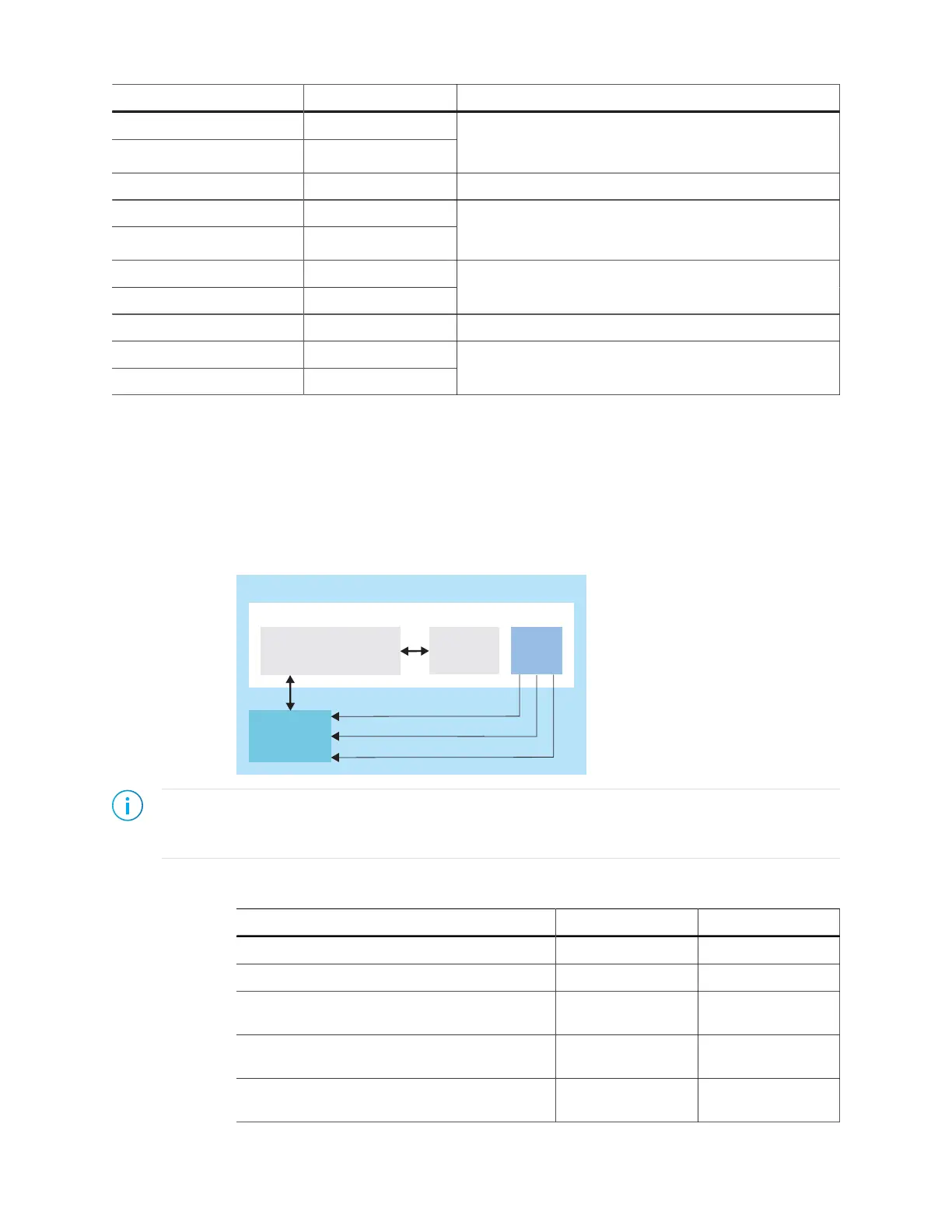
To use the HyperRAM block, you add the block, choose the resource and specify the
instance and pin names. Then, add a HyperRAM Controller IP core instance to your project
to connect it to the HyperRAM. A PLL generates the control signals.
Figure 30: Example System with HyperRAM Block
hbramClk
hbramClk90
hbramClk_cal
HyperRAM
Controller IP Core
Note: You can generate an example design with the IP Manager. Open the wizard for the HyperRAM
Controller IP core and select Deliverables > Example Design (Ti60F100_pll_cal) and generate. Refer to
the HyperRAM Controller IP Core User Guide for a description of this example.
Table 46: HyperRAM Properties
Option Values Notes
Instance Name User defined
HyperRAM Resource HYPER_RAM0
HyperRAM Controller Clock Pin Name User defined Must come from PLL
output
Calibration Clock Pin Name User defined Must come from PLL
output
90 Degree Phase-Shifted Clock Pin Name User defined Must come from PLL
output
www.efinixinc.com 87



 To Next Page