Titanium Interfaces User Guide
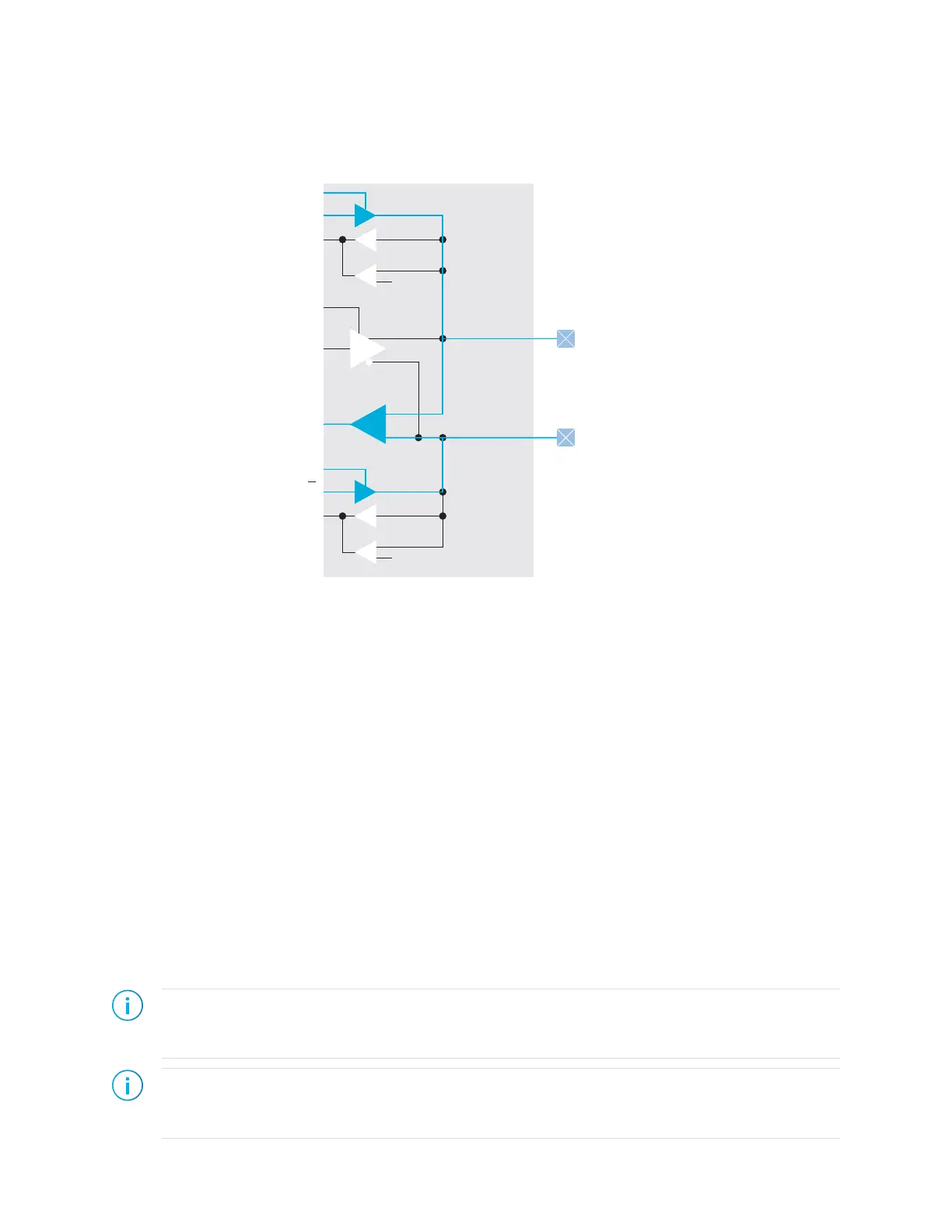
When using an HSIO with the differential HSTL or differential SSTL standard, you must
use both GPIO resources in the HSIO. You use the core interface pins associated with the P
resource.
Figure 19: I/O Buffer Path for Differential HSTL and SSTL
Using the GPIO Block
This block defines the functionality of the general-purpose I/O (GPIO) pins. The mode you
select determines the GPIO capabilities and which settings you can configure. GPIO modes
are: input, output, inout, clkout, and none.
You can assign GPIO to HVIO or HSIO resources. These resources support different I/O
standards and have different features. When you check the interface design, the software
compares your selections to the resource you assigned to the GPIO block. If the resource
does not support your selection(s), the software reports it.
Create a GPIO
To create a new GPIO block, select GPIO in the Design Explorer and then click the Create
Block button.
1. Specify the instance name.
2. Choose the Mode (input, output, inout, clkout, or none).
3. Set the options as described in the following sections.
4. Assign a resource for the signal using the Resource Assigner.
Note: You can set the default state of unused GPIO. Click the GPIO(n) category under Design Explorer.
In the Block Editor to the right, select the unused state (input with weak pull up or input with weak pull
down).
Note: When using HSIO pins as GPIO, make sure to leave at least 1 pair of unassigned HSIO pins between
any GPIO and HSIO pins in the same bank. This separation reduces noise. The Efinity software issues an
error if you do not leave this separation.
www.efinixinc.com 50



 To Next Page