EasyManua.ls Logo

Endress+Hauser Proline Prosonic Flow P 500 - User Manual

Endress+Hauser Proline Prosonic Flow P 500
224 pages
Print Icon
To Next Page IconTo Next Page
Loading...
Products Solutions Services
Operating Instructions
Proline Prosonic Flow P 500
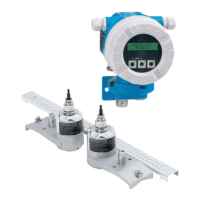
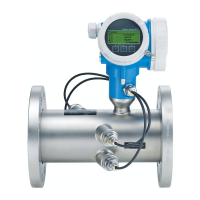
Ultrasonic time-of-flight flowmeter
HART
BA02025D/06/EN/02.24-00
71633399
2024-01-31
Valid as of version
01.02.zz (Device firmware)

Table of Contents

Other manuals for Endress+Hauser Proline Prosonic Flow P 500

Questions and Answers

  • J
    John RobinsonSep 12, 2025
    Why is connection via HART protocol not possible on Endress+Hauser Measuring Instruments?
    • S
      Shelby SmithSep 12, 2025
      If the connection via HART protocol is not possible with your Endress+Hauser Measuring Instruments, it may be due to a missing or incorrectly installed communication resistor. Install the communication resistor (250 ?) correctly, observing the maximum load. The issue could also be related to the Commubox, which may be incorrectly connected or configured, or have a driver that is not installed correctly, or the USB port on the PC may be incorrectly configured. Refer to the documentation on Commubox FXA195 HART for guidance.
  • S
    sheliagutierrezSep 12, 2025
    Why can't I operate FieldCare or DeviceCare via service interface CDI-RJ45 on Endress+Hauser Proline Prosonic Flow P 500 Measuring Instruments?
    • L
      Lorraine FrancoSep 13, 2025
      If the operation with FieldCare or DeviceCare via service interface CDI-RJ45 is not possible on your Endress+Hauser Measuring Instruments, it is likely that the firewall of the PC or network is blocking communication. Depending on the settings of the firewall used on the PC or in the network, the firewall must be adapted or disabled to allow FieldCare/DeviceCare access.
  • P
    perezstephanieSep 14, 2025
    Why is content incomplete in the web browser on Endress+Hauser Proline Prosonic Flow P 500 Measuring Instruments?
    • M
      Mrs. Ann HigginsSep 15, 2025
      If you are experiencing incomplete or no display of content in the web browser of your Endress+Hauser Measuring Instruments, it could be because JavaScript is not enabled or cannot be enabled. Enable JavaScript or enter the provided IP address.
  • C
    candicehillSep 17, 2025
    Why can't I flash the firmware with FieldCare via service interface CDI-RJ45 on Endress+Hauser Proline Prosonic Flow P 500?
    • M
      Mrs. Yolanda White MDSep 17, 2025
      If flashing the firmware with FieldCare or DeviceCare via service interface CDI-RJ45 is not possible on your Endress+Hauser Measuring Instruments, it is likely that the firewall of the PC or network is blocking communication. Depending on the settings of the firewall used on the PC or in the network, the firewall must be adapted or disabled to allow FieldCare/DeviceCare access.
  • H
    Heather MaxwellNov 21, 2025
    What to do if the local display is dark and there are no output signals on Endress+Hauser Proline Prosonic Flow P 500?
    • J
      Jean KerrNov 21, 2025
      If the local display of your Endress+Hauser Measuring Instruments is dark and there are no output signals, there could be several reasons. First, the supply voltage might not match the voltage specified on the nameplate; ensure you apply the correct supply voltage. Second, the supply voltage could have incorrect polarity; reverse the polarity if necessary. Third, there might be no contact between connecting cables and terminals; ensure electrical contact. Fourth, the terminals might not be plugged into the I/O or main electronics module correctly; check the terminals. Fifth, either the I/O or main electronics module could be defective, in which case you should order a spare part. Finally, the connector between the main electronics module and display module might not be plugged in correctly...

Summary

About This Document

Symbols in Documentation

Defines various symbols used in the document for clarity, including safety, electrical, and communication symbols.

Safety Symbols Explained

Explains safety symbols like DANGER, WARNING, CAUTION, and NOTICE for hazard identification.

Safety Instructions

Personnel Requirements for Safe Operation

Outlines qualifications and authorizations for personnel working with the device.

Intended Use and Operational Safety

Specifies the device's purpose and conditions for safe operation, including media and environmental limits.

Product Description

Product Design Overview

Details the physical components and system design of the measuring device.

Incoming Acceptance and Product Identification

Incoming Acceptance Procedures

Procedures for checking the device upon delivery for damage and order accuracy.

Product Identification Methods

Methods for identifying the device, including nameplates and serial numbers.

Storage and Transport Guidelines

Storage Conditions for Device

Guidelines for storing the product to maintain its condition and prevent damage.

Mounting Procedures

Mounting Requirements and Considerations

Essential requirements and conditions for device installation, including position and orientation.

Mounting Position Details

Specifies the correct and incorrect mounting orientations for the device.

Electrical Connection

Electrical Safety Guidelines

Covers electrical safety requirements in accordance with national regulations.

Connecting Requirements

Details tools, cable requirements, and terminal assignments for electrical connections.

Operation Options

Overview of Device Operation Methods

Provides a summary of different ways to operate the device, including local and remote access.

Operating Menu Structure

Describes the hierarchy and logic of the device's operating menu for operators and experts.

System Integration

Device Description Files Overview

Lists available device description files and their sources for various operating tools.

Commissioning the Device

Pre-Commissioning Checks

Emphasizes the importance of post-mounting and post-connection checks before commissioning.

Setting the Operating Language

Details how to set the device's display language for user interaction.

Device Operation

Reading Device Locking Status

Explains how to check the device's active write protection status via the locking status parameter.

Diagnosis and Troubleshooting

General Troubleshooting Steps

Provides common troubleshooting steps for local display and output signal issues.

Maintenance Information

Maintenance Tasks Overview

States that no special maintenance work is required for the device.

Device Repair Procedures

General Repair and Conversion Notes

Covers the concept of repair and conversion, and notes for performing them safely.

Spare Parts Identification and Ordering

Guides users on how to find and order spare parts using the Device Viewer.

Available Accessories

Device-Specific Accessories for Transmitter

Lists accessories specific to the transmitter, like WLAN antennas and mounting sets.

Technical Data

Application Scope and Limitations

Specifies the intended use and media compatibility of the device.

Function and System Design

Describes the measuring principle and system components of the Proline Prosonic Flow P 500.

Endress+Hauser Proline Prosonic Flow P 500 Specifications

General IconGeneral
Device TypeUltrasonic flowmeter
Protection ClassIP66/IP67
Measurement PrincipleTransit time difference
Accuracy±0.5% of measured value
Process Temperature-40°C to +80°C
Process PressureMax. 40 bar
Output4...20 mA, pulse output, frequency output
Communication ProtocolsHART
Power Supply24 V DC
Wetted materialsStainless steel
Transmitter housingAluminum
DisplayLCD
ApprovalsATEX, IECEx
WeightApprox. 5 kg

Related product manuals