ES910.3-A - User’s Guide 26
ETAS Functional Description
4.3.2 ON/AUTO Switch in Position „AUTO“
If the ON/AUTO switch is set to "AUTO", the module is powered on and off
automatically.
4.4 Operational States
Possible operational states of the supply of the ES910.3-A with operating voltage
are “Off”, “Standby” and “On”.
4.4.1 Operational State: “Off”
The ES910.3-A is not connected to the external power supply and is completely
powered off. All interfaces are disabled. The “Wake Up” function (see chapter
4.5 on page 26) is disabled.
4.4.2 Operational State: “Standby”
If the ON/AUTO switch is set to "AUTO", the module remains on "Standby"
until the module is switched to "On" with the "Wake Up" function or when the
ON/AUTO switch is switched to ON.
In this operating mode, the modules connected to the interfaces are not stimu-
lated. The LED ON flashes green (flash code 3).
4.4.3 Operational State: “On”
With “On”, the power supply of the ES910.3-A and all interfaces are activated.
The "Wake Up" function is enabled. The LED ON does light up green.
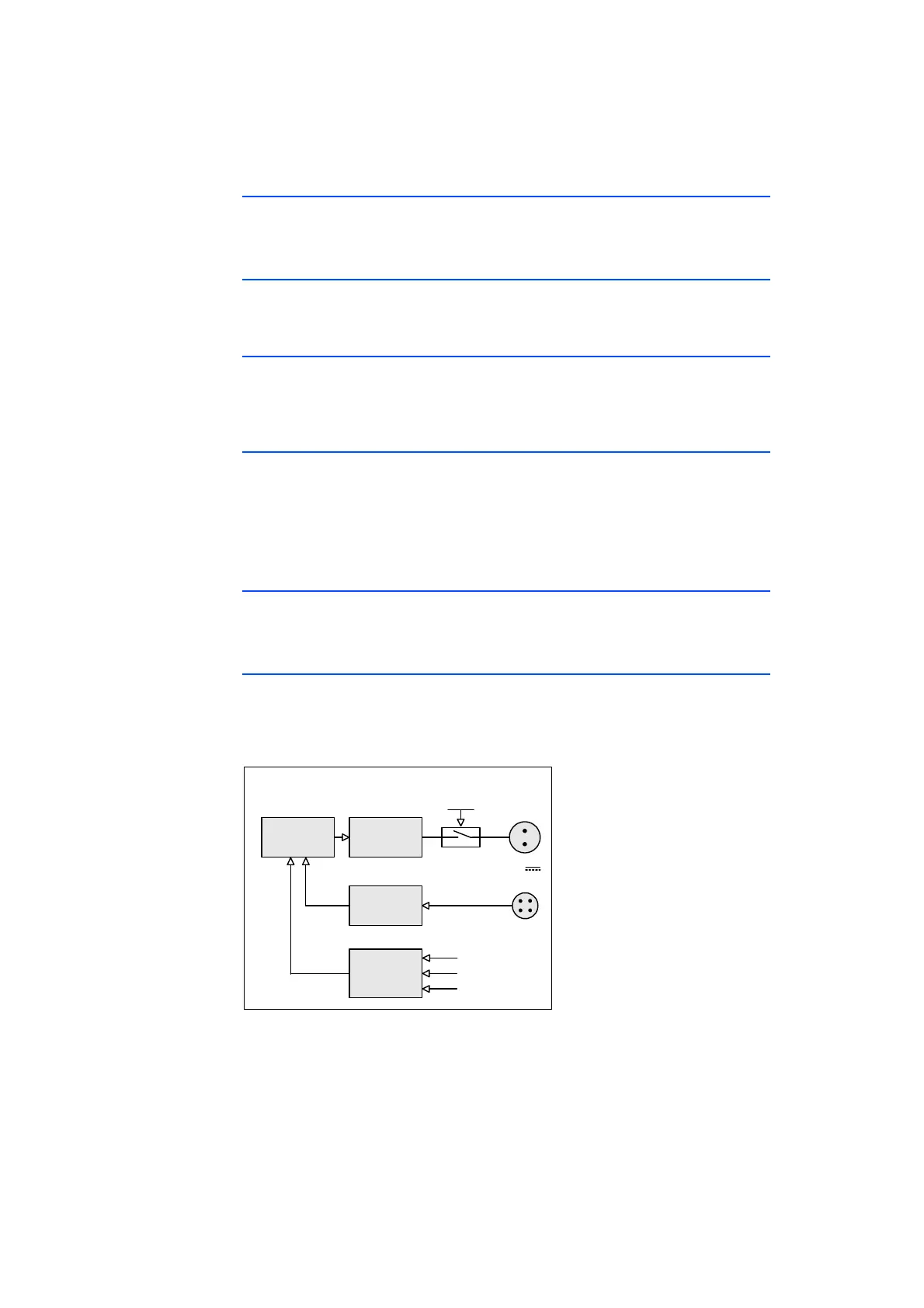
4.5 “Wake-Up” Function
The “Wake-Up” function is enabled when the ON/AUTO switch is switched to
“AUTO”. The module can automatically switch between the operational states
“Standby” and “On” via the “Wake-Up” function.
Fig. 4-2 “Wake-Up” Function
If the ES910.3-A is on “Standby”, the module switches to “On”
• after data exchange at the PC interface (Ethernet) or
• after data exchange at at least one CAN interface (only High-Speed CAN)
or
“Wake‐UpControl“
Wake‐Up
&Standby
Controller
SP
ES910.3‐A
7..29V
DC
Power
Supply
Glitch
Filter
PC
CAN1/CAN2
ExtensionSlot
withModule
Detection
Traffic
ONAUTO



 To Next Page