94 Eos Operations Manual
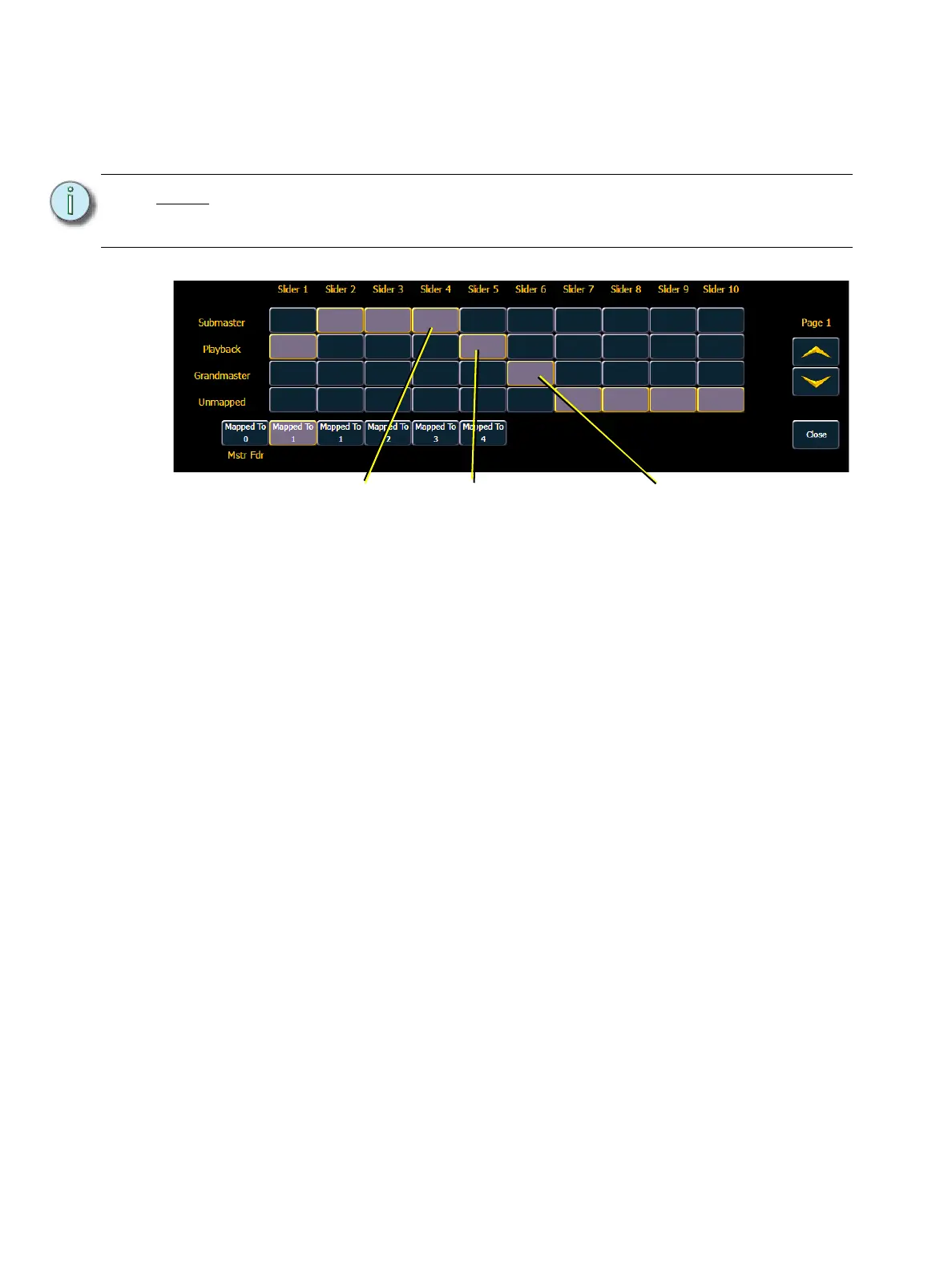
Fader Configuration
This screen allows you to specify what your faders are assigned as: playbacks, submasters, or
grandmasters.
To change the configuration of any fader, use the {Page} buttons to access the fader page you wish
to alter. For the desired fader, press the appropriate button (playback, submaster, or grandmaster)
for the configuration you desire. Then press the {Mapped to} button and enter the number you
want to map the fader to (see Mapped to...below). When you are done making changes, press
{Close}.
To leave this screen at any time without saving changes, you must press {Close}.
Mapped to...
This button is used to specify the action target of any fader. It allows you to define the fader target
that a slider is assigned to. Mapping is specific to the type of fader configuration (playback,
submaster, or grandmaster).
Submaster - A maximum of 300 submasters can be recorded. {Mapped to} defines the
submaster number that will be controlled by the specified slider. If a submaster slider is
mapped to 10, when submaster 10 is recorded it will appear on that slider.
Grandmaster - A maximum of 1 grandmaster may be assigned. A grandmaster inhibits all
live intensity values. If the GM is set at 50%, all live intensities will be at 50% of their actual
values. Inhibited levels from the grandmaster do not impact data storage.
Playback - A maximum of 200 playbacks can be assigned. {Mapped to} can allow you to
have the same playback appear on multiple pages as it represents a playback number, not
a specific fader or cue list number. To change the mapped location of any playback, press
the {Mapped to} button for that slider and enter the number you wish to assign it to.
Unmapped - Selecting unmapped for any fader leaves that fader open and unoccupied.
Note:
Unless you need a grandmaster or a cue list loaded to more than one fader, it is
generally not necessary to use the fader configuration screen. Assigning cue lists
and submasters can all be done from live.
Defined as Submaster Defined as Grandmaster
Defined as Playback



 To Next Page