96 Eos Operations Manual
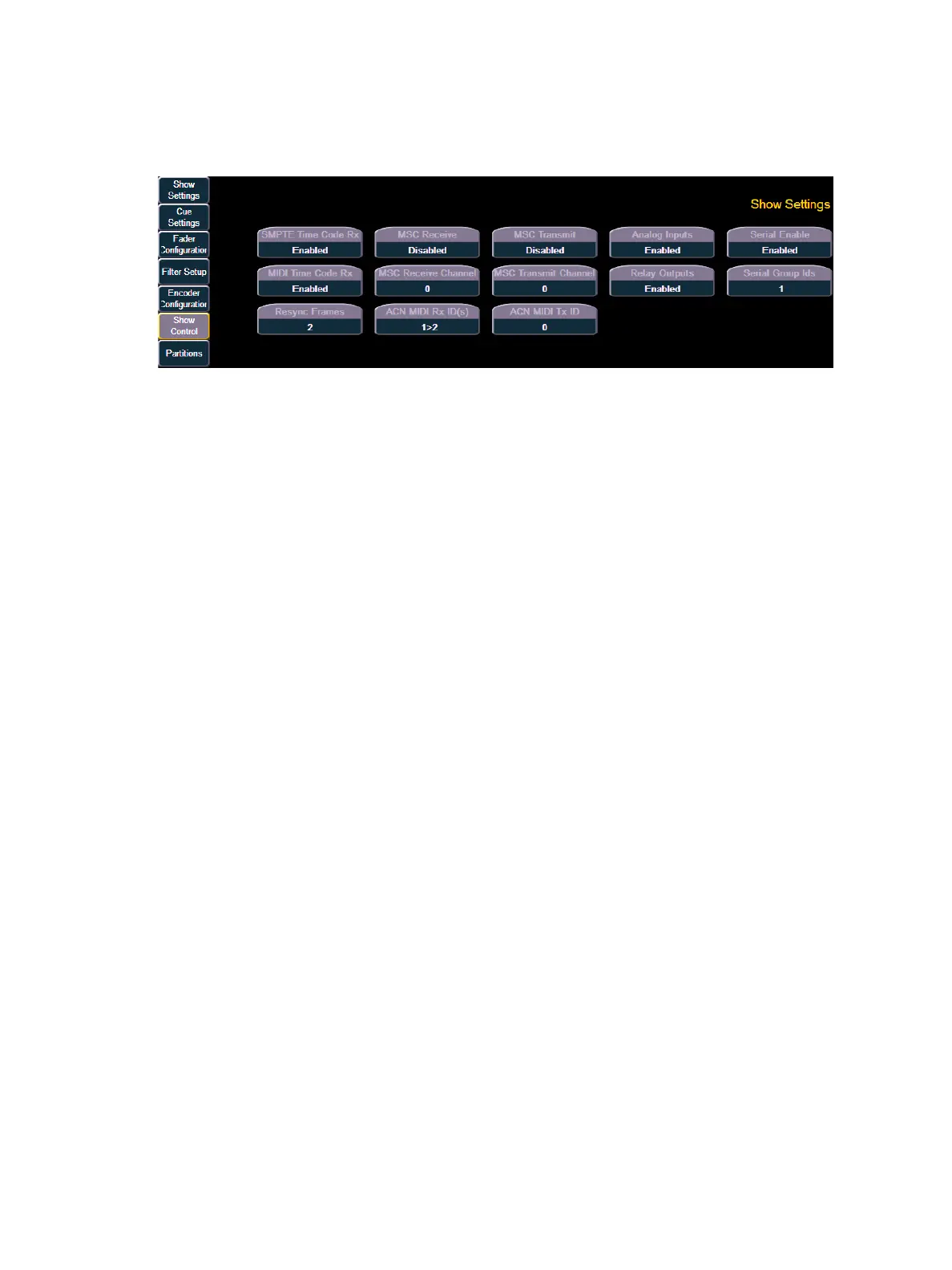
Show Control
This section allows you to adjust settings for MIDI show control, time code (MIDI or SMPTE),
analog, and serial functions
{SMPTE Time Code Rx}
This touchbutton is used to toggle SMPTE time code between “Enabled” and “Disabled”, thereby
controlling whether Eos can receive SMPTE time code. Choosing “Disabled” will disable all
timecode lists that have a SMPTE source. The default for this setting is “Enabled”.
{MIDI Time Code Rx}
As above, but for MIDI instead of SMPTE. The default for this setting is “Enabled”.
{Resync Frames}
This touchbutton allows you to configure how many frames need to be synced before timecode
starts running. Frames can be from 1-30. Default is 2 frames.
{MSC Receive}
This touchbutton toggles the setting for receiving MIDI Show Control from an external source
between “Enabled” and “Disabled”. The default setting is “Disabled”.
{MSC Receive Channel}
Also known as "Device ID" this setting allows you to establish the MIDI Show Control device ID for
Eos. The device ID can be set from 0-126. Eos will process commands sent to the matching Device
Id. Eos will also process commands sent to Device Id 127 (All Call). For example:
• {MSC Receive Channel} [5] [0] [Enter]
{ACN - MIDI Rx ID(s)}
This setting allows you to specify the MIDI Show Control data that Eos will receive when transmitted
over the Advanced Control Network (ACN). When set, Eos will receive MSC data from any gateway
that has its “MIDI In Stream ID” set to the same number. ACN_MIDI Receive ID can be from 1-32.
ID ranges may be used. For example:
• {ACN_MIDI Receive ID} [2] [5] [Enter]



 To Next Page