3025SW Master Control Switching & Channel Branding
Revision 1.0 Page 99
4.17. TEMPERATURE
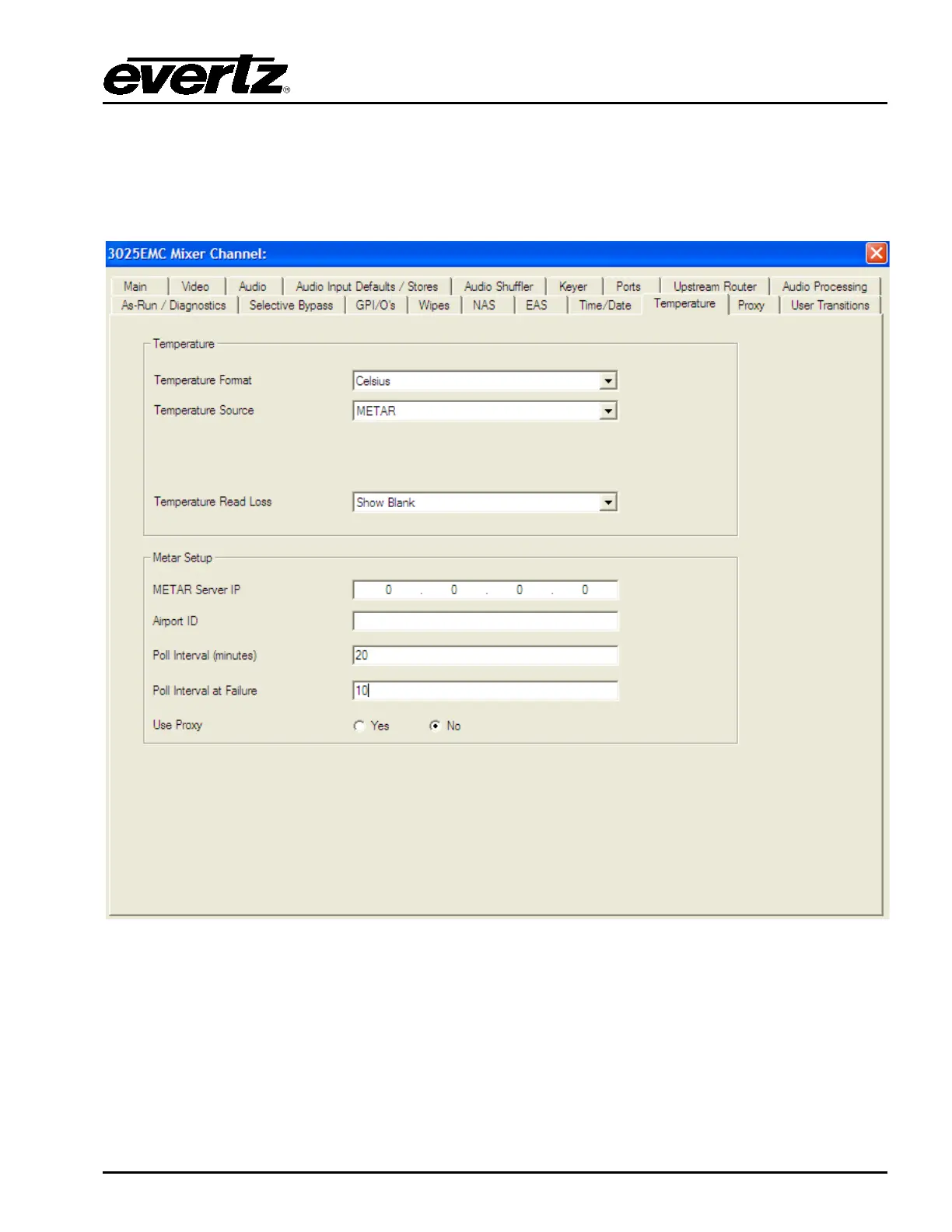
This section configures the temperature parameters. This is the source used for temperature graphics
that are used on the 3025SW. An optional air temperature probe is available (+TP) and can be used as
a source for the temperature. Please refer to section 8.1 to set up the temperature probe.
Figure 4-34: Temperature Tab
4.17.1. Temperature Format
This drop-down menu is used to set the format of the temperature.
Fahrenheit: Select Fahrenheit if the temperature entered is in degrees Fahrenheit.
Celsius: Select Celsius if the temperature entered is in degrees Celsius.



 To Next Page