3025SW Master Control Switching & Channel Branding
Page 152 Revision 1.0
8. CONFIGURATION
8.1. SETTING UP THE TEMPERATURE PROBE (+TP OPTION)
The 3025SW is available with an optional temperature probe that is used to input data for display in a
temperature logo. Consult the temperature probe manual for information on installing the temperature
probe. Connect the temperature probe power adapter to the probe unit. Connect the temperature probe
to an available RS-232 port (AUX-IO1 DB3 or DB4, AUX-IO2 DB3) of the breakout panel connected on
the 3025SW.
The temperature probe ships with an adapter cable to convert its RJ45 connector to a standard 9 pin D
connector. The RJ45 plugs into the temperature probe. You will need to create a straight-through 9 pin
male to female cable of the desired length according to the diagram in Table 8-1 to connect the probe to
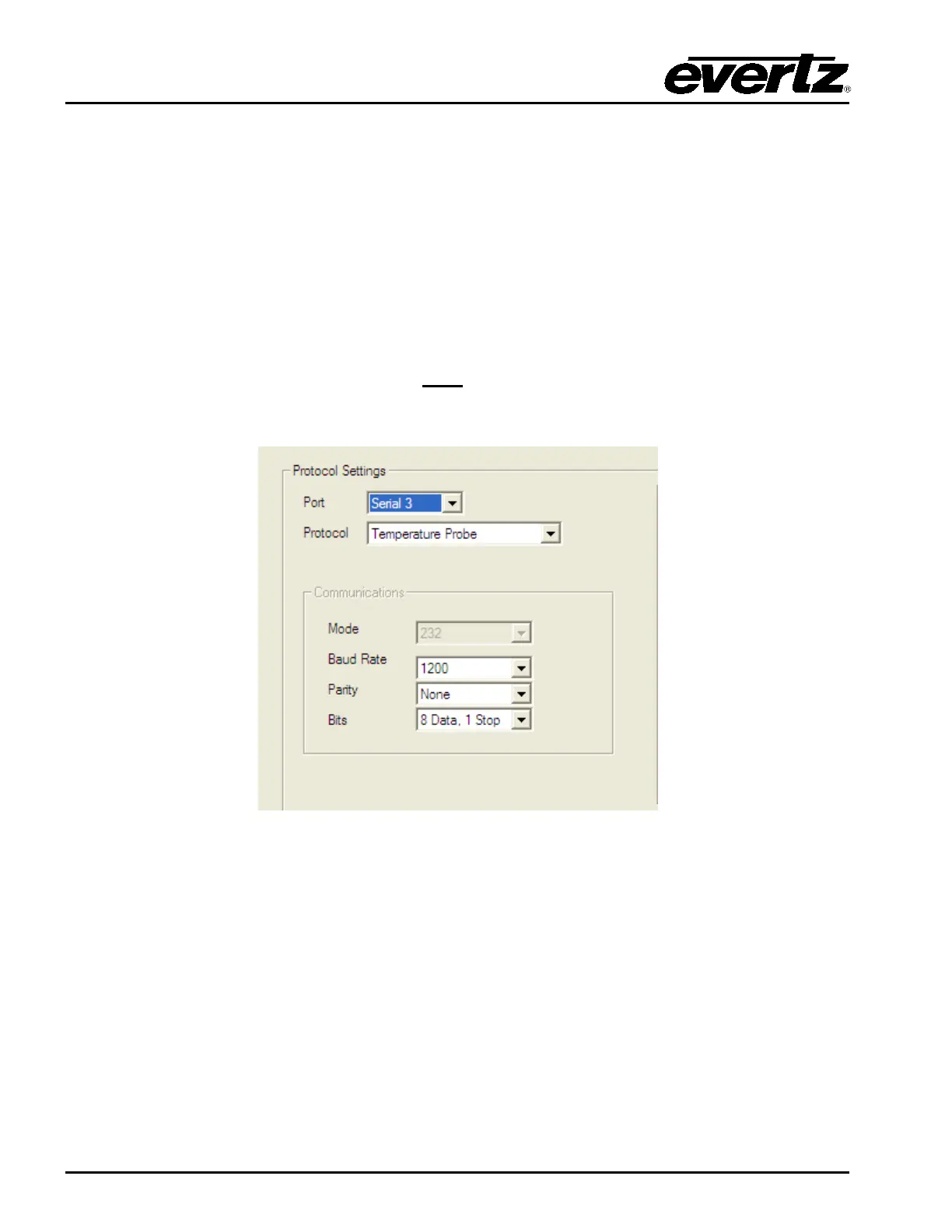
the 3025SW. The serial port on the 3025SW must
be set for RS-232 operation, Temperature Probe
(Protocol), 1200 Baud Rate, No Stop Bits, 8 Data bits and 1 Stop bit.
Figure 8-1: Temperature Probe Settings



 To Next Page