3025SW Master Control Switching & Channel Branding
Page 76 Revision 1.0
The system logging IP address is only required if the syslog over IP is needed. The Serial logging, IP
logging (enable/disable) and the logging level is configured using a syslog.conf file that is present in the
“config” folder of the 3025SW’s CF card. A syslog.conf will be loaded to the CF prior to the 3025SW
leaving the factory.
The 3025SW is constantly monitoring the content of the syslog.conf file and will reconfigure the logging
automatically based on the content of this file, i.e. to change the logging levels you only need to transfer
an updated syslog.conf file to the 3025SW channel. An EMC-Setup upload is not required to the
3025SW to change the logging configuration.
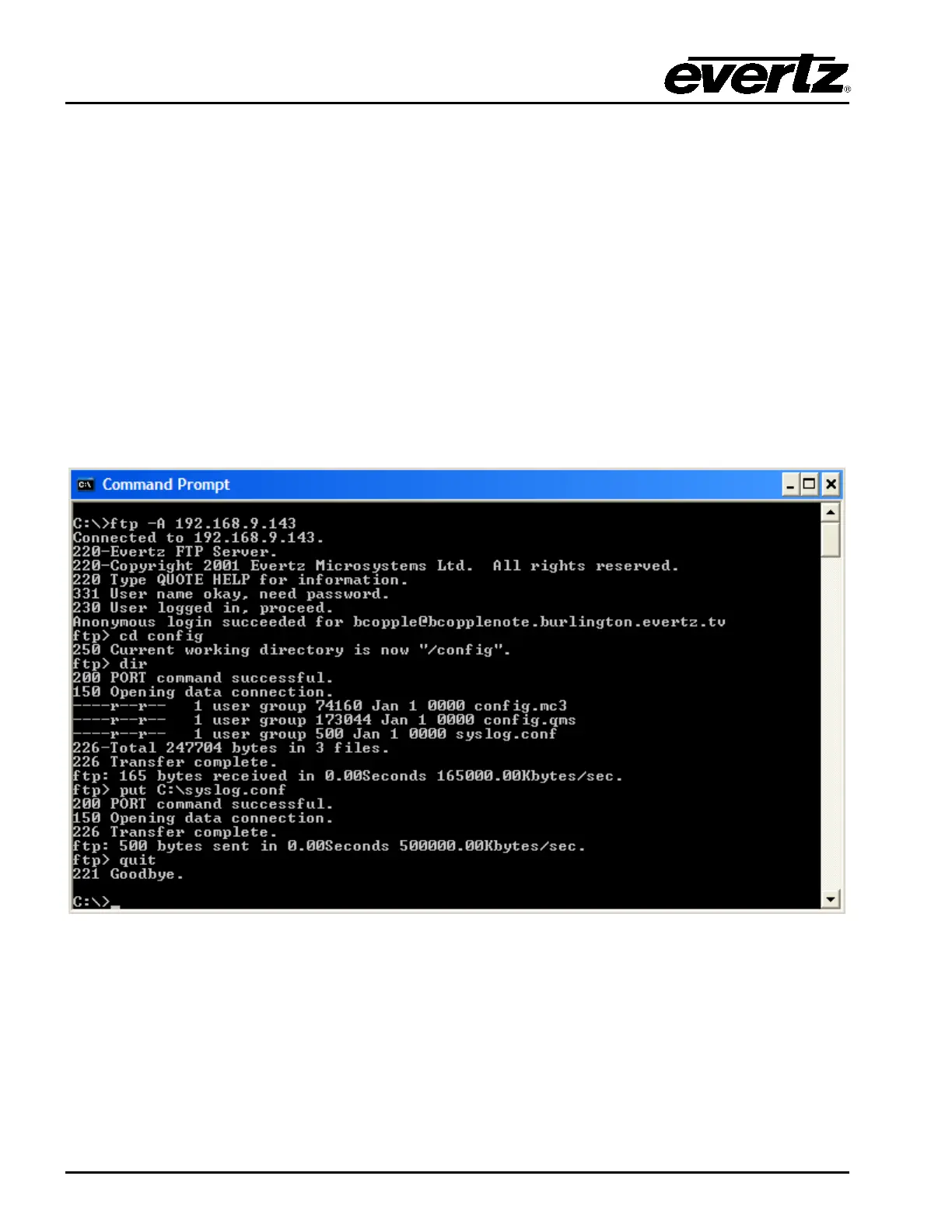
The syslog.conf file is transferred to the 3025SW CF card using ftp (file transfer protocol). Using a
Command Prompt this is how the syslog.conf would be transferred to the 3025SW…
- Open an anonymous ftp connection to the 3025SW channel, ftp –A [ip address].
- Type “cd /config”.
- Type “put [space] then drag the syslog.conf file into the Command Prompt window.
- When the transfer is complete type “quit” to close the ftp connection to the 3025SW.
Figure 4-26: FTP Upload of syslog.conf file
The syslog.conf file can be edited using a text editor (e.g. Notepad). A copy of the current syslog.conf file
can be copied from the 3025SW’s CF card by using the “get” command when connected to the 3025SW
via ftp. A syslog file with all of the available logging ports/functions will look like the following:
# this is an example syslog configuration file
#ftp.emerg syslog,console
#netlink.alert syslog,console
#netcmd.crit syslog,console
#com1.err syslog,console



 To Next Page