3025SW Master Control Switching & Channel Branding
Revision 1.0 Page 155
8.3.2. Connecting the Serial Port
Connect a straight-through RS232 cable (shipped with unit) to serial 3, 4 or 6 (if the additional AUX I/O
breakout is connected to the 3025SW). The other end of the cable will connect to the EAS decoder.
(See the section specific to your encoder manufacturer). For a permanent installation, you will require a
custom length cable that fits between the EAS decoder unit and the 3025SW. You can purchase any off
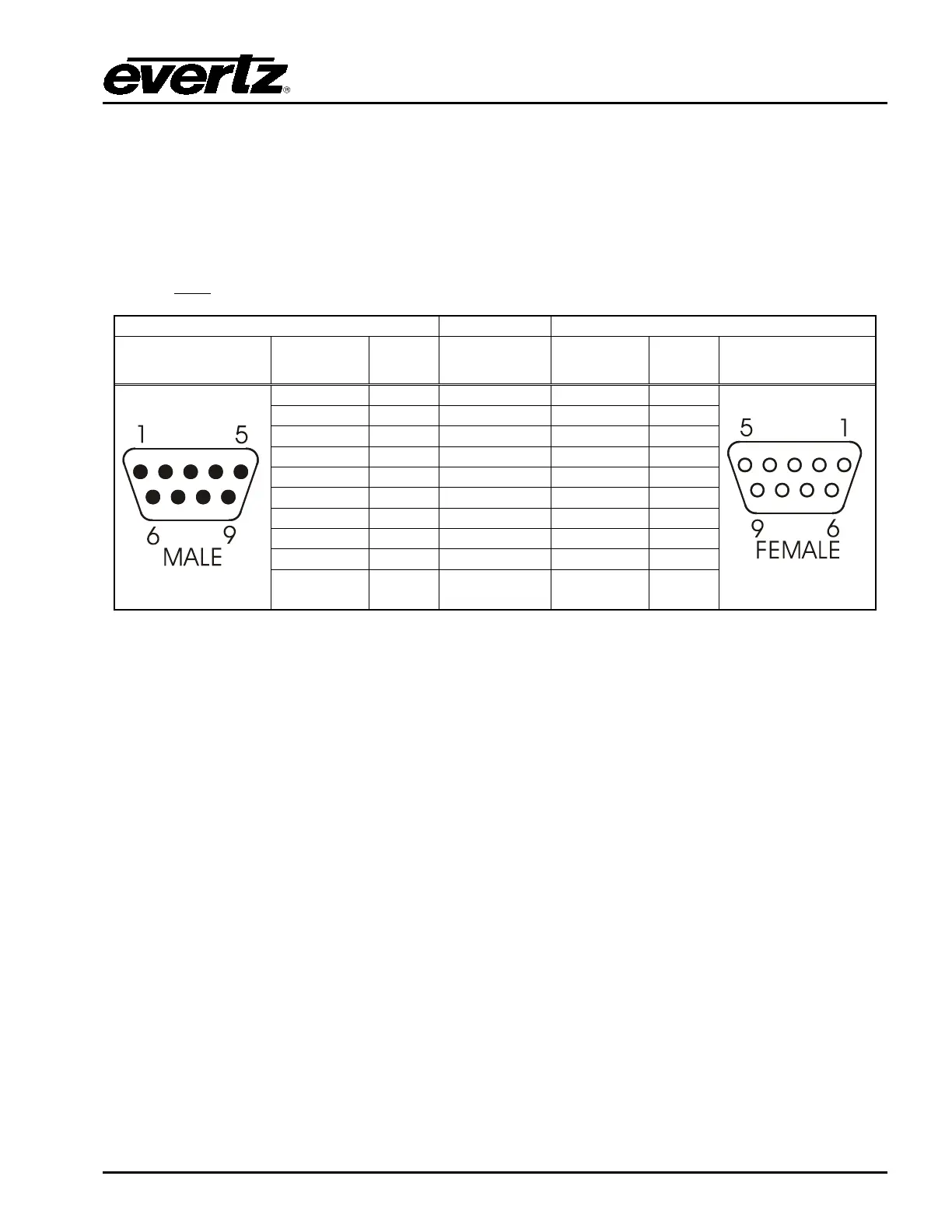
the shelf 9 pin straight-through serial cable, or you may make this cable yourself according to the cable
drawing in Table 8-2. This cable should not exceed 50 feet. Note that an RS232 serial port on the
3025SW must
be used.
9 pin D
Male
Pin
Belden
9729
9 pin D
Female
Pin
Shield
---drain 2----
Shield
Table 8-2: EAS Decoder Extender Cable
If you are using a Sage model EAS decoder please see section 8.3.3 for port configuration information.
If you are using a TFT model EAS decoder please see section 8.3.4 for port configuration information. If
you are using a DASDEC model EAS decoder please see section 8.3.5.
8.3.3. Sage Decoder Configuration
The Sage provides six serial ports that can be used for a variety of purposes. Each serial port is wired
like a standard PC 9-pin connector. Refer to the Sage manual for specific port pin outs. (They are
contained in section 12 of their manual at the time of this writing.) Plug the female end of the straight-
through RS232 cable into the COM 2 port of the Sage decoder. If this port is already in use, you may
use the COM 6 port.


 To Next Page