3025SW Master Control Switching & Channel Branding
Page 184 Revision 1.0
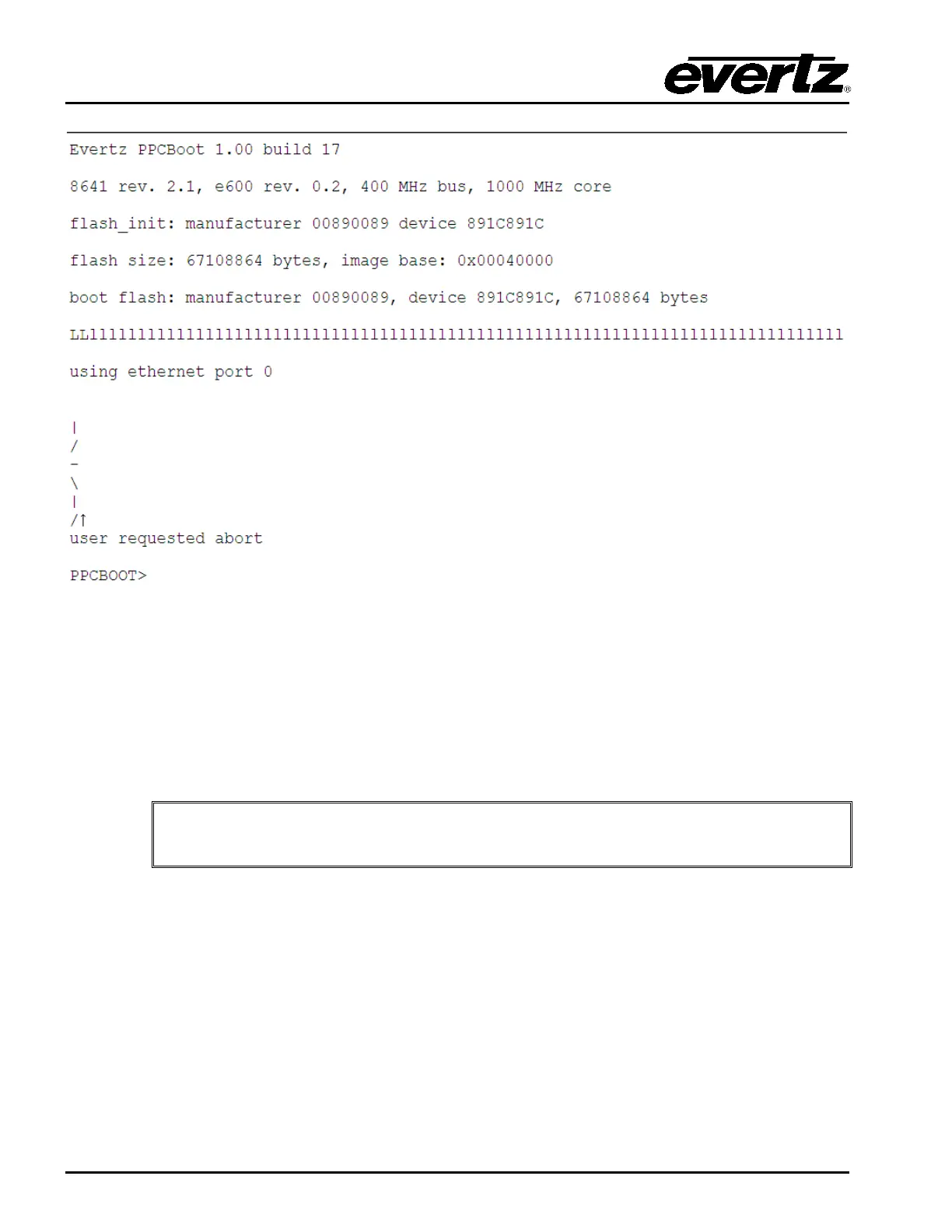
Figure 9-2: Serial Boot Sequence (Upgrade)
6. Next, type “upgrade” and press “Enter”. Confirm that the 3025SW responds with “upload
product firmware now”.
7. You now need to send the file to the 3025SW using Xmodem Protocol. Navigate to the
firmware.bin file and then confirm and the serial upload process will begin.
8. When complete type “boot” and press “Enter” and the unit will boot using the new firmware.
It is recommended that the serial upgrade is performed only if Ethernet upgrade is
unavailable. The serial upgrade process will take approximately 45 minutes.


 To Next Page