3025SW Master Control Switching & Channel Branding
Revision 1.0 Page 37
4.3. GENERAL CHANNEL INFORMATION
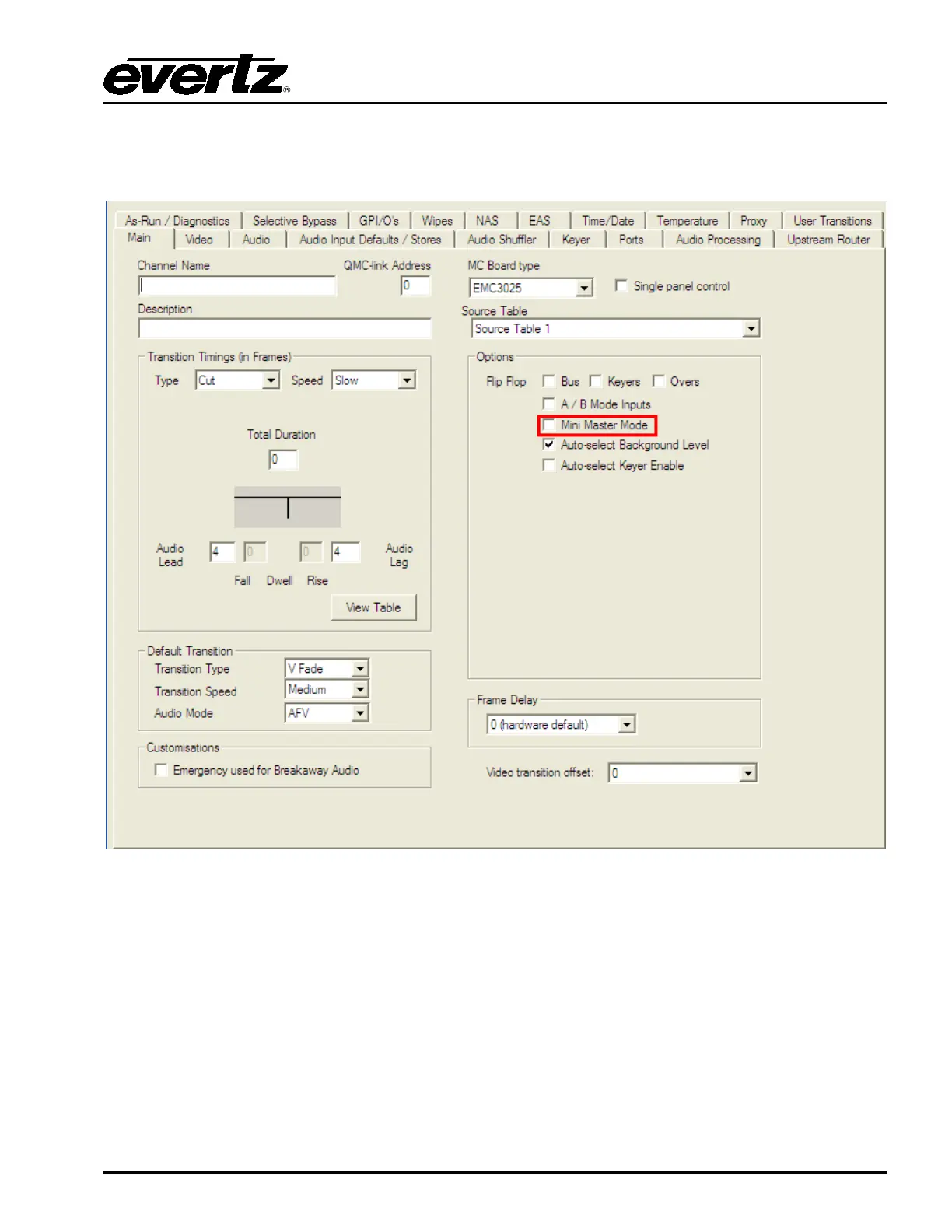
This section describes the general parameters that are required for the channel behaviour.
Figure 4-6: Main Tab
4.3.1. Mini Master Mode
IMPORTANT: Before proceeding any further with the configuration of your 3025SW channel, ensure that
in the Options dialogue the Mini Master Mode checkbox is visible. If this is not visible, please follow the
steps below:
1. Left-click “Cancel” and then when you return to the Systems Channels dialogue left-click “OK”.
2. Close the EMC-Setup application. If prompted to save the configuration choose “NO”.
3. Navigate to the folder that contains the EMCsetup.exe executable.
4. Inside this folder there will also be a file called EMCsetup.INI. Right-click on this file and then
when prompted select “Open”. This file can be viewed/edited using either Notepad or WordPad.



 To Next Page