3025SW Master Control Switching & Channel Branding
Page 80 Revision 1.0
4.13.2. View Table
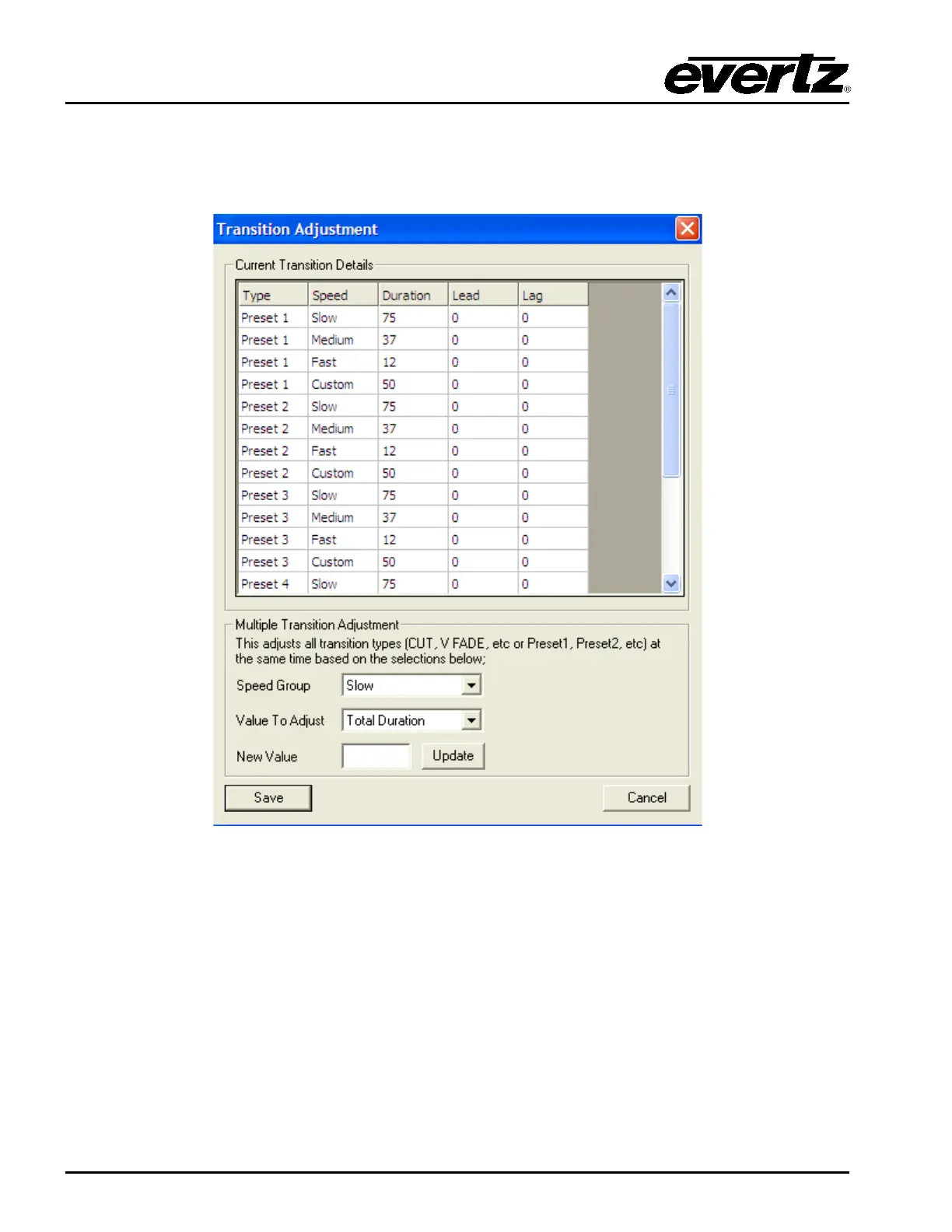
Selecting this button will open the “Transition Adjustment” window as illustrated in Figure 4-29. This
window enables you to view your current transition details for each transition.
Figure 4-29: Transition Adjustment Window
4.13.3. Multiple Transition Adjustments
The “Multiple Transition Adjustment” section enables you to adjust transition options at the same time.
Speed Group: Enables you to select the speed of multiple transitions. Options include:
Slow, Medium, Fast and Custom.
Value to Adjust: Enables you to select the desired values to be adjusted. Options include:
Total Duration, Audio Lead and Audio Lag.



 To Next Page