3025SW Master Control Switching & Channel Branding
Page 114 Revision 1.0
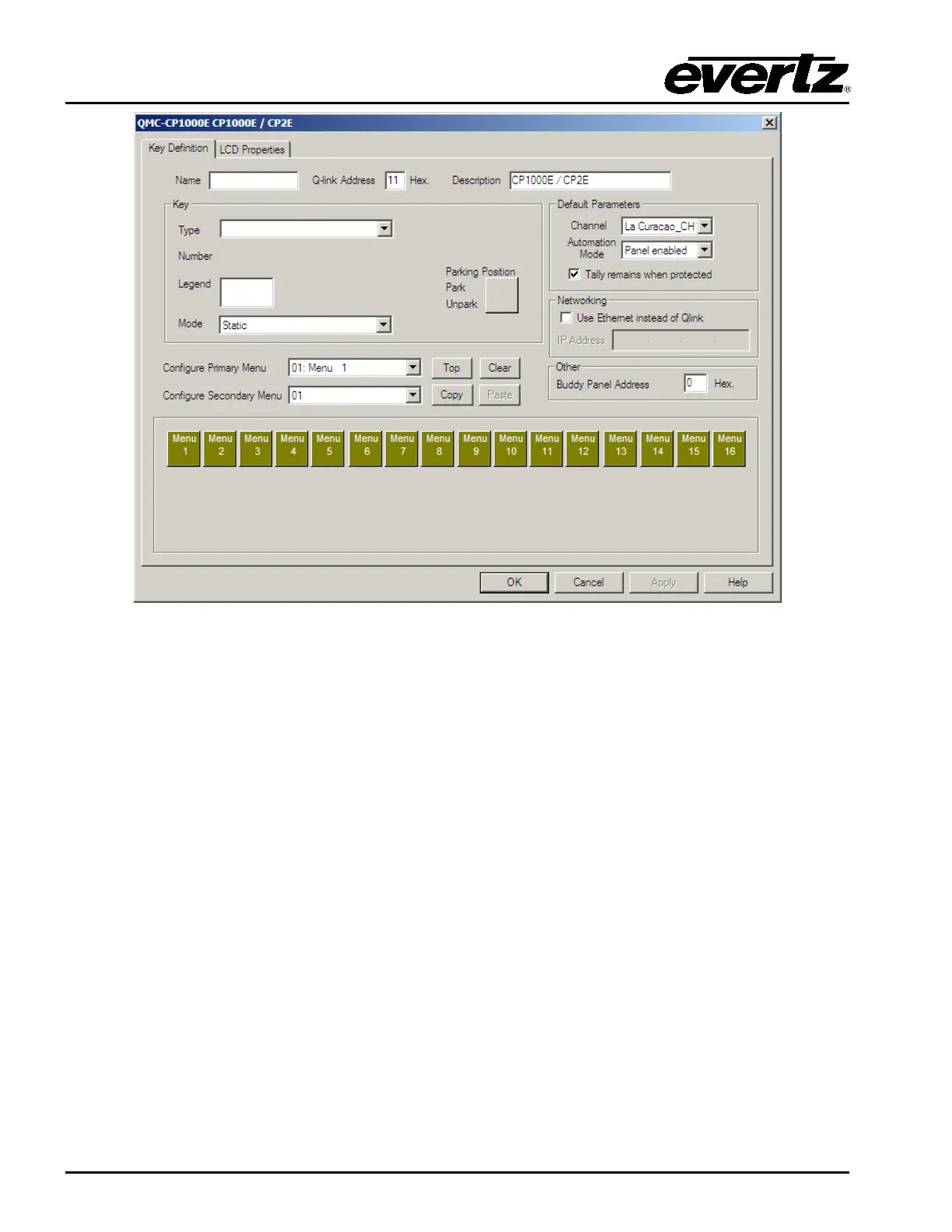
Figure 6-6: QMC-CP-1000E Key Definition Tab
This is the configuration of the panel and the LCD button layout it will use. Under the Key Definition tab
you have the following:
Name: This allows for a name to be configured for the panel.
QLink Address (in Hex): This is the Q-Link Address of the panel. Similar to QLink addressing for
the EMC to communicate with an Evertz router, the panels use the same
scheme to interact with the 3025SW channels. This Q-Link address has
to match the Q-Link set on the control panel itself.
Description: This allows for a description to be configured for the panel.
6.3.1.1. Key Parameters
This section is used to configure the behavior of the panel buttons. On the QMC-CP-1000E the 16
buttons are shown on the lower half of the configuration window. When selecting one of the buttons,
the Key Parameters will allow the user to set the behavior of the key:
Type: This sets the button to a particular function type. The list of function types is available
later in this manual.
Number: This is secondary choice based on the “Type” selection. For example, if the user
selected “Channel” to be the button’s function type, the field selects the channel
number.



 To Next Page