3025SW Master Control Switching & Channel Branding
Page 60 Revision 1.0
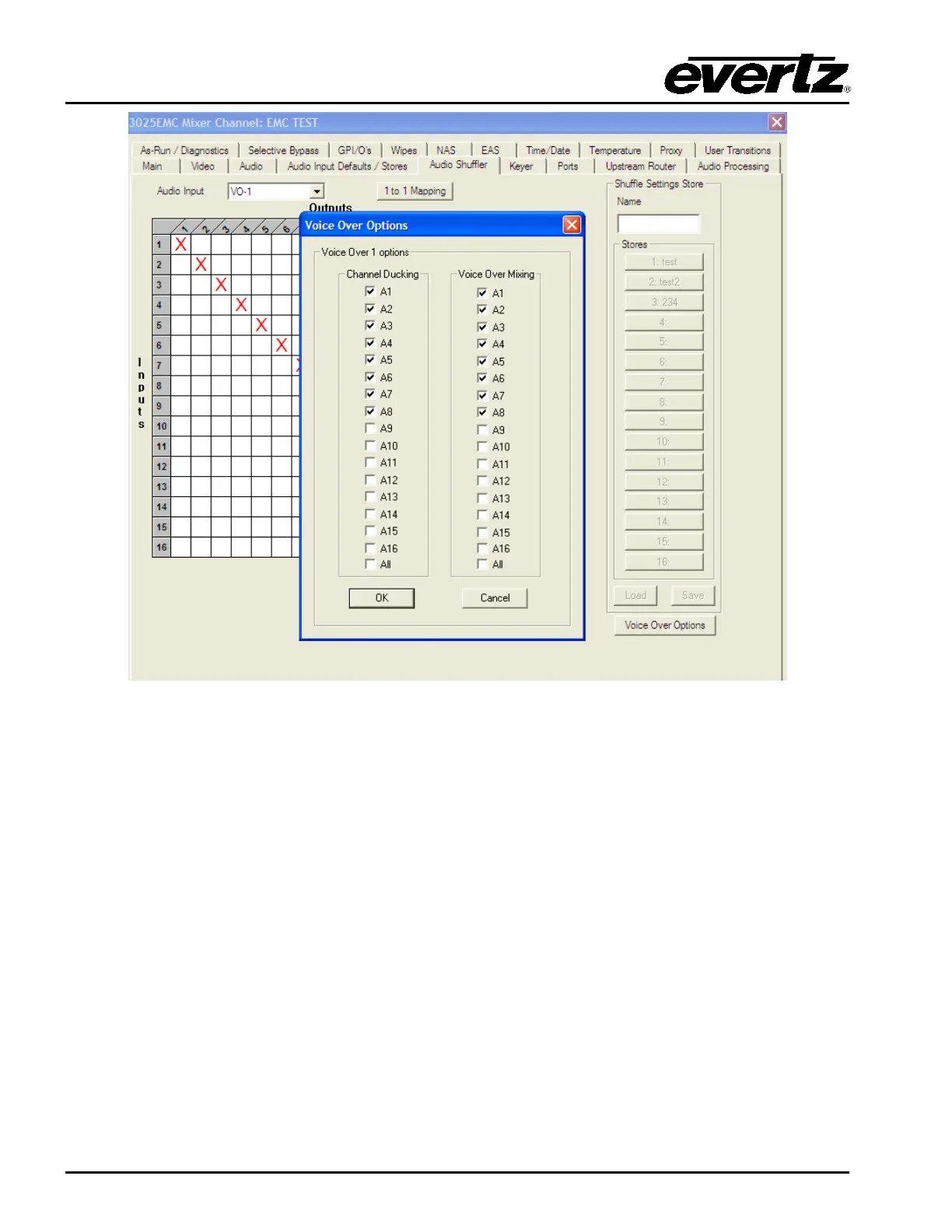
Figure 4-19: Voiceover Duck & Mix
This allows the user to configure the mixing and ducking channels for each voiceover.
For the previous example (Figure 4-19), VO1 has been configured so that when VO1 is applied channels
A1 to A8 of the PGM/PST audio will be ducked (to the level specified in the PGM/PST ratio setting in the
Audio Input Defaults/Stores configuration tab). Only channels A1 to A8 of the VO1 bus will be mixed in
with the PGM/PST audio and these will be mixed in with the VO1 ratio specified in the Audio Inputs
Defaults/Stores configuration tab.
If voiceover 4 is configured to take its audio input from Audio Clip then this is special case which is
different to any other mixing and ducking scenario. If voiceover 4 is configured this way then the shuffler
mapping would look like the following.



 To Next Page