3025SW Master Control Switching & Channel Branding
Page 42 Revision 1.0
Auto-select Keyer Enable: With this option enabled the Keyer Transition Enable state will be
enabled automatically when a Keyer is preset (level is enabled).
Mini-Master Mode: This must be enabled when using the 3025 as an SW master control switcher.
When this setting has been enabled the user should click “OK” the go back into
the channel configuration to continue configuring the channel.
4.3.9. Frame Delay
Frame Delay: Enables you to select a frame delay for the input to output of the EMC. This
allows users to fix the delay that the EMC will introduce in the program path.
When set to 0(hardware default), the EMC will use the minimum delay based on
the hardware fitted. Additional frames added in this drop-down menu will be in
addition
to this minimum delay.
NOTE: The default I/O frame delay (no Dolby-E processing) for the 3025EMC is 2
Frames.
4.3.10. Video Transition Offset
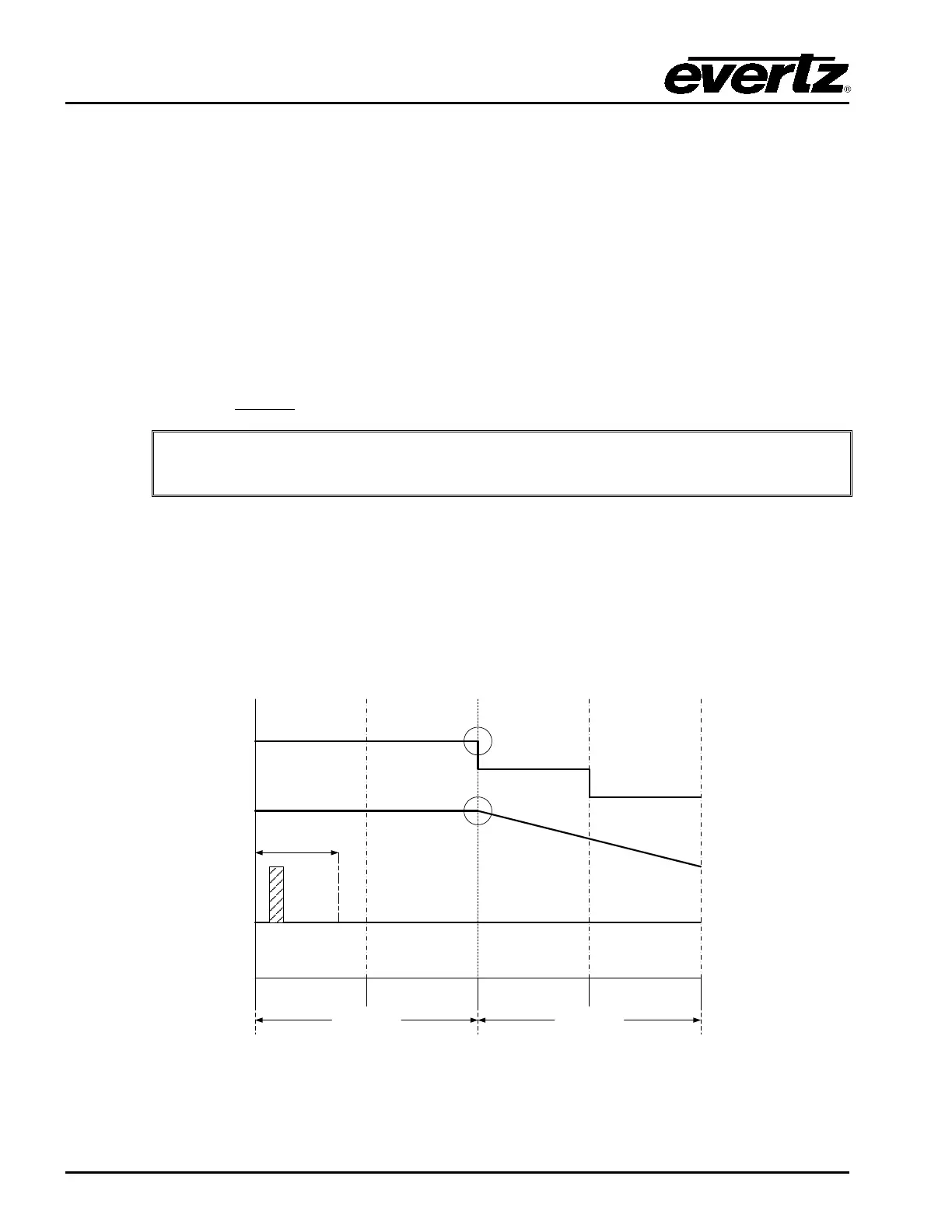
Video Transition Offset: The default value for the Video Transition Offset is 0. When this parameter
is 0 the video and audio transitions will start with default timing. Using a V-Fade
transition as an example, both the audio and video will begin to fade at exactly the
same time with respect to when the transiton start command was received from
automation.
ODD FIELD
EVEN FIELD
ODD FIELDEVEN FIELD
FRAME
FRAME
AUDIO TRANSITION
STARTS HERE
VIDEO TRANSITION
STARTS HERE
TX START RECEIVED
DURING FIRST 13mS
OF THE FRAME
VIDEO
M2100
AUDIO
Figure 4-8: Video Transition Offset 0
If the Video Transition Offset is 1 there will be an offset between the video
transition start and audio transition start. The audio transition will start at the



 To Next Page