3025SW Master Control Switching & Channel Branding
Revision 1.0 Page 117
Save Default: This will save the current colour settings as the default for any LCD panels that are
created subsequently.
Disable Learn mode on Primary Source Keys: This option allows for learn mode programming of
Primary Source Keys to be enabled/disabled on this panel.
6.3.3. QMC-CP-E Key Definition
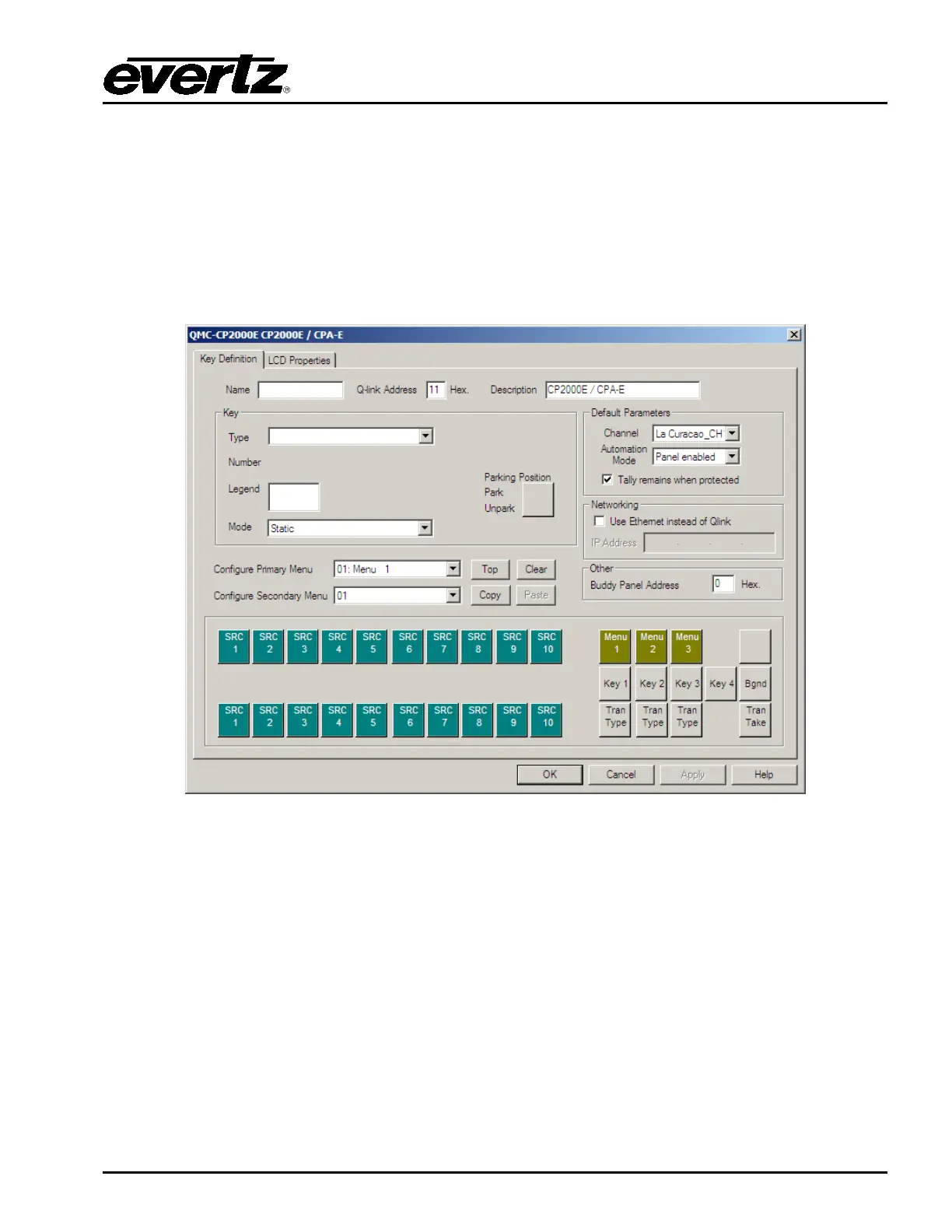
When the QMC-CP-E panel is selected, the following configuration window will appear:
Figure 6-8: QMC-CP-E Key Definition Tab
This is the configuration of the panel and the LCD button layout it will use. Under the Key Definition tab
you have the following:
Name: This allows for a name to be configured for the panel.
QLink Address (in Hex): This is the QLink Address of the panel. Similar to Q-Link addressing for
the EMC to communicate with an Evertz router, the panels use the same scheme to
interact with the 3025SW channels. This Q-Link address has to match the Q-Link set
on the control panel itself.
Description: This allows for a description to be configured for the panel.



 To Next Page