EasyManua.ls Logo

evertz 3025SW - Gpo Scripts; Table 4-9: GPO Functions

evertz 3025SW
208 pages
Print Icon
To Next Page IconTo Next Page
To Previous Page IconTo Previous Page
Loading...
3025SW Master Control Switching & Channel Branding
Revision 1.0 Page 93
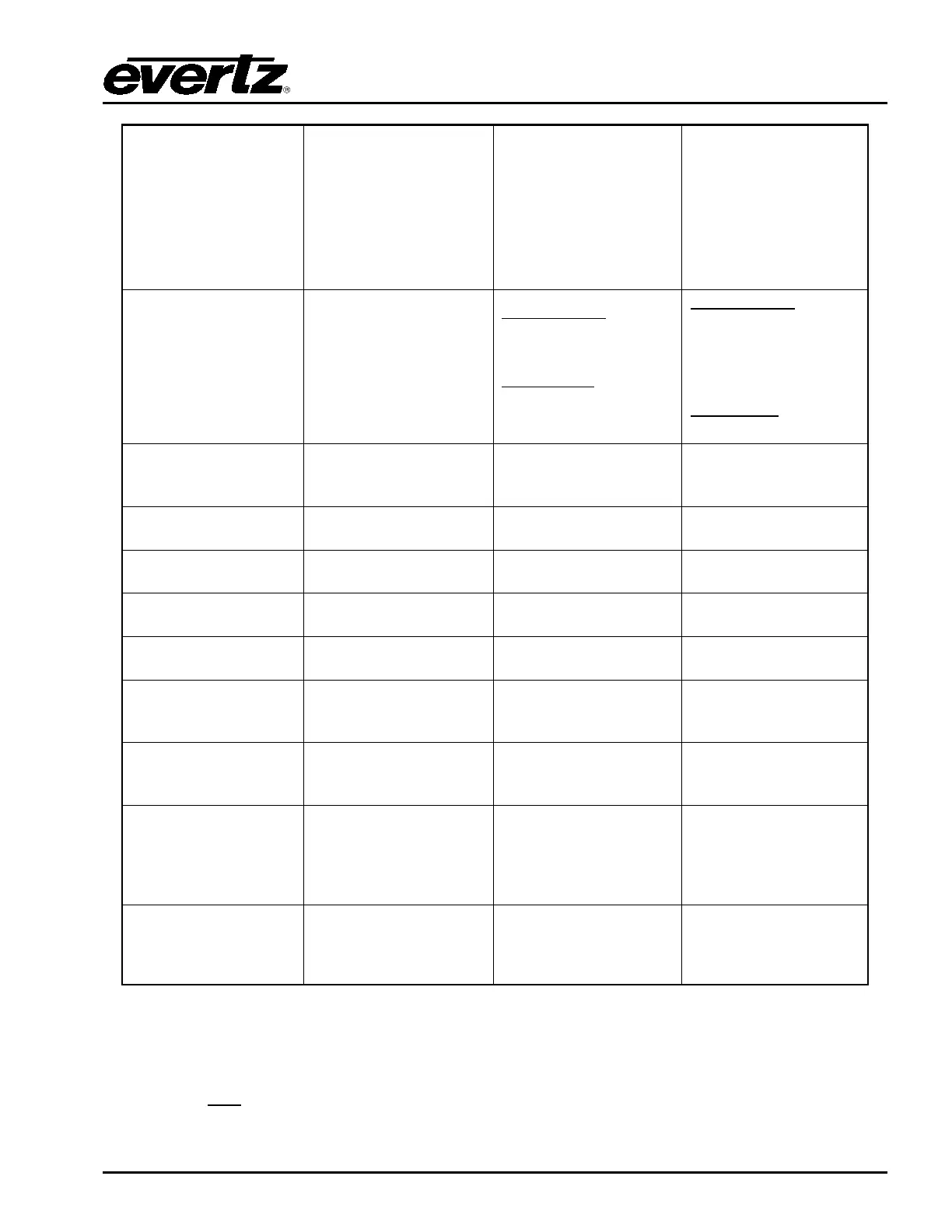
Manual GPO
Used with
corresponding “GPI/O
Toggle” & “GPO
Activate” buttons on
QMC-DCP/EMC-DCP
panels.
Also used for GPO
trigger for preroll takes.
N/A N/A
GPO System Event
Used with GPO
Trigger Macro and for
debugging ATC
switching
Macro Trigger
4 = enable
ATC Debug
4 = enable for GPO #3
ONLY.
Macro Trigger
Number of frames for
GPO to stay active
low when triggered.
ATC Debug
N/A
Start Macro
Active when the Macro
is the same as
parameter 1
Macro. 1 for macro 1,
2 for macro 2, etc.
N/A
Dolby decoder loss
of signal
Not Supported on SW N/A
N/A
Dolby Encoder
Active
Not Supported on SW N/A
N/A
Genlock signal is
present
Not currently
supported.
Video signal is
present
Not currently
supported.
Automation On
Active when
automation button on
panel is On
N/A
N/A
EAS Active
Active when an EAS
message is being
displayed by the EMC
N/A
N/A
MG Script
Use the GPO script
that is configured for
the GPO. The script is
stored on the EMC’s
compact flash.
N/A N/A
A/B Mode State
GPO active when in
A/B mode.
GPO not active when
in B/A mode
N/A N/A
Table 4-9: GPO Functions
4.15.4. GPO SCRIPTS
There is only one
GPO related script that can be loaded onto the 3025SW’s CF card (in the logos
folder). Within this script the GPOs are configured to be active based on the state of named media.

Table of Contents

Related product manuals