3025SW Master Control Switching & Channel Branding
Revision 1.0 Page 135
7.2.2. Creating a DVE Move
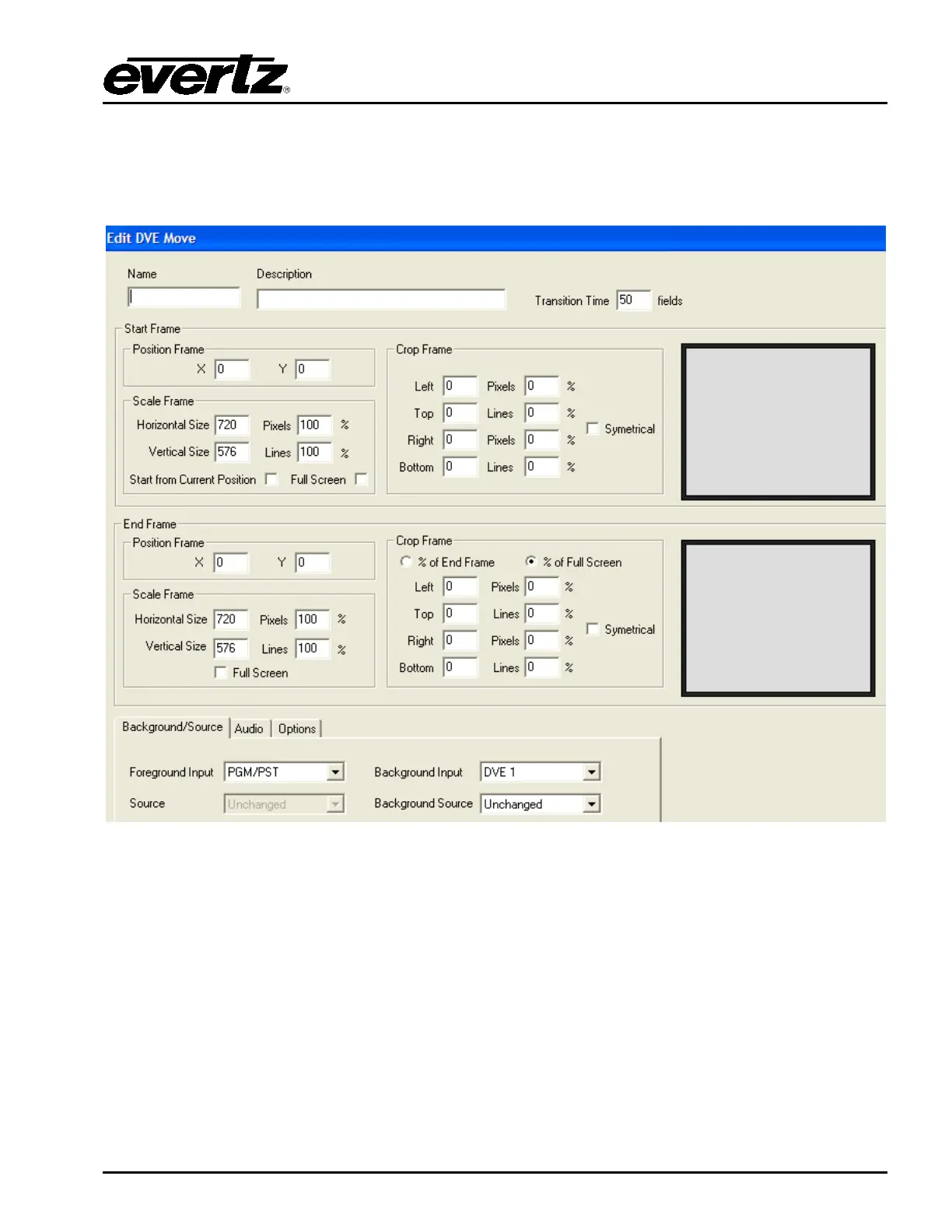
When choosing either New or Edit from the main DVE manager, the user will see the main DVE move
creation window (screen capture from EMC-Setup 5v111c). This is where the DVE move is created.
Figure 7-2: Edit DVE Move Window
The functionality of the parameters used for a DVE move is as follows:
Name: This is the name of the DVE move. This is the name that will show up on the control panels.
A maximum of 10 characters can be used. 5 characters for the top row of the key and 5 for
the bottom row.
Description: This is a more in depth description of the DVE move.
Transition Time: This is how long the DVE move will take. This value is fields for interlaced video
standards and frames for progressive standards.



 To Next Page