4. Commissioning positioning systems
4−69
Festo P.BE−SPC200−WIN−PISA−CD−EN en 0901d
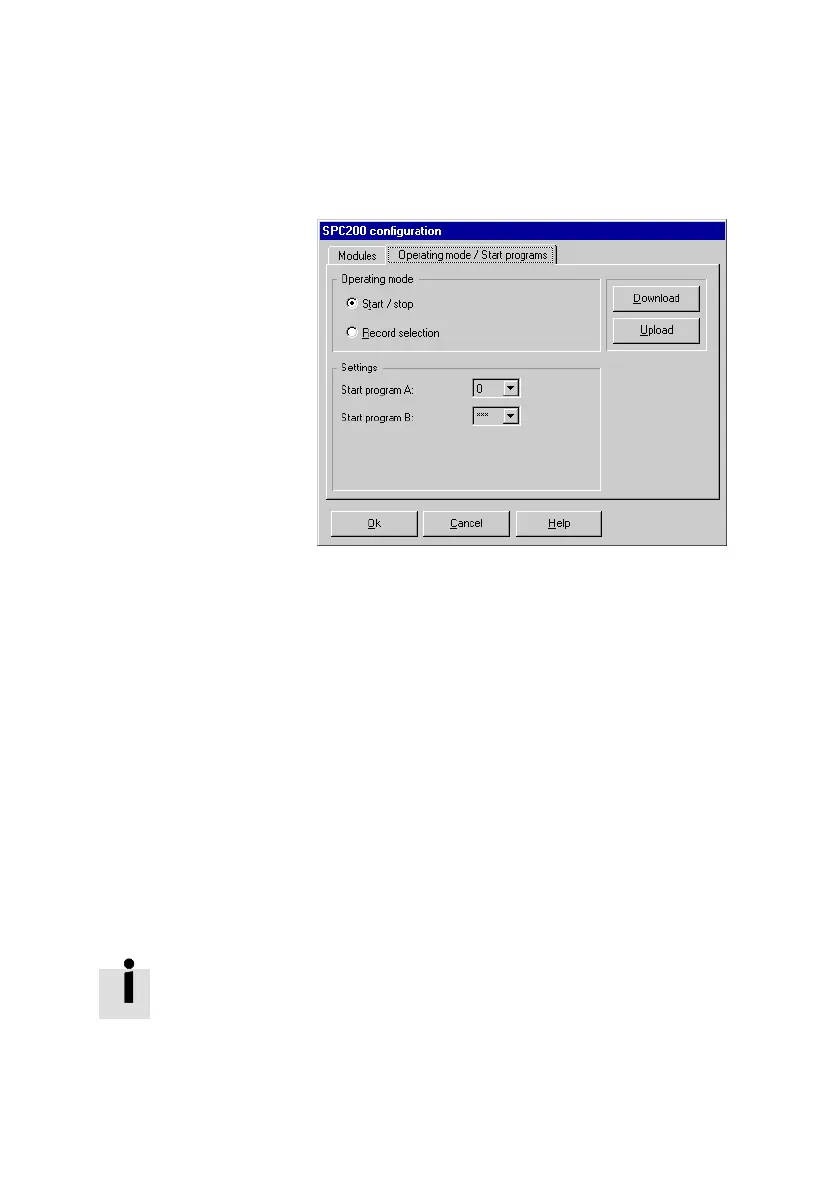
Fig.4/23: Setting the operating mode and start programs
4. Select the desired operating mode of the SPC200 under
Operating mode".
Recommendation: select the option Start/stop" in order
to commission the SPC200.
5. Select the number of the start program for task A under
Start programs" in the list box Start program A". In
order to commission the
SPC200, select here 0" (the
number of the test program).
6. Select the program number of the start program for
taskB in the Start program B" list box. Select ***"
here for commissioning purposes. The entry ***"
means No start program defined". The SPC200 will work
in co−ordinated mode.
In the list boxes Start program
task ..", all the program
numbers from 0" to 99" will be offered. If a program
number, which does not exist in the SPC200, is selected, an
appropriate error message will be shown when the settings
are loaded into the SPC200.
If necessary, check to see which programs exist in the SPC200
(e.g. with
[Online] [Upload] [Programs]).











 To Next Page