1. Installation and general user information
1−26
Festo P.BE−SPC200−WIN−PISA−CD−EN en 0901d
1.5.2 Working with WinPISA
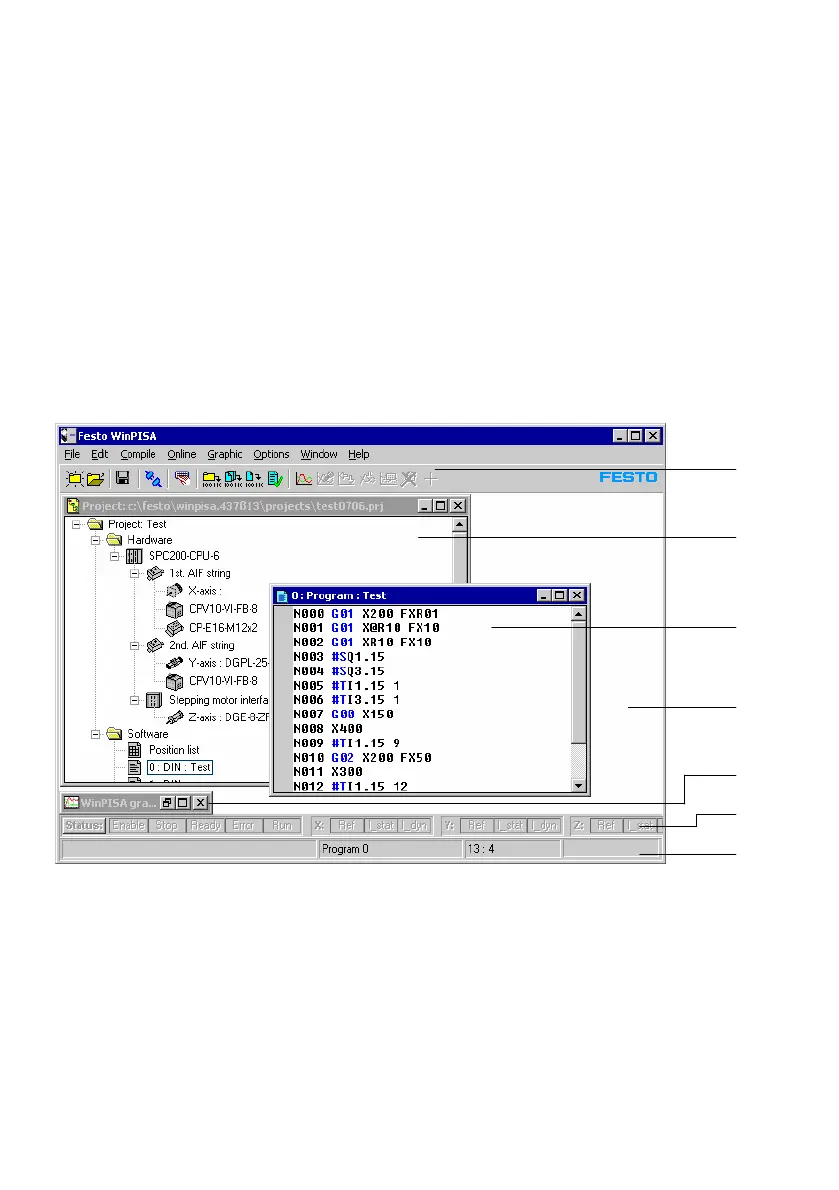
The following is a short overview of the areas of the WinPISA
window and how to work with windows.
WinPISA elements
In WinPISA windows you will find the following elements:
1
2
3
4
5
6
7
1 Toolbar
2 Project window
3 Program window
4 Working area
5 Minimized window (icon)
6 Online status display
7 Status line
Fig.1/12: The WinPISA desktop user interface











 To Next Page