5. Programming
5−10
Festo P.BE−SPC200−WIN−PISA−CD−EN en 0901d
5.1.1 The Program editor
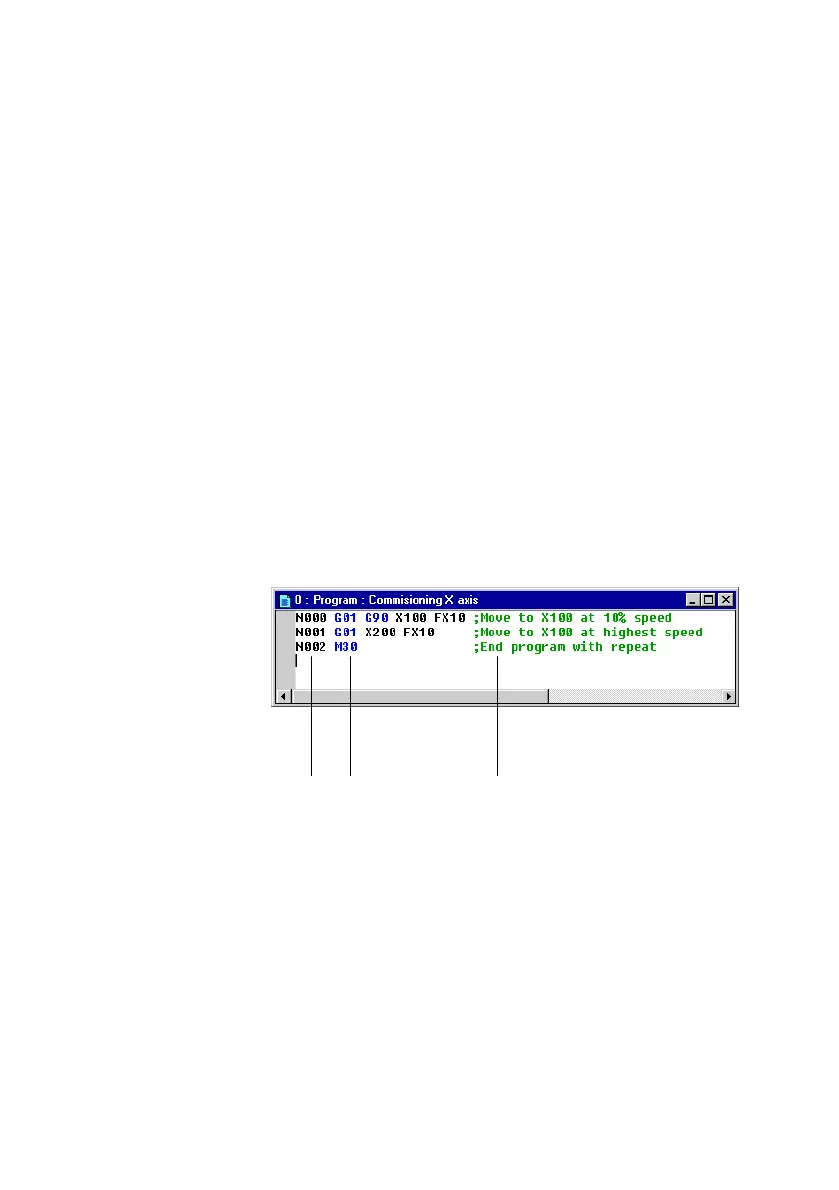
The WinPISA program editor is a tool for creating and editing
user programs for the SPC200.
When you open a program, its content appears in a program
editor window within the WinPISA window. You can open any
number of programs and display them simultaneously in the
WinPISA window.
To switch between programs, open the
[Window] menu. All
open windows will be shown as menu items. Select one of the
items in order to move to the relevant window.
All modifications made to the program content are known as
edits.
1 Record numbers,
positions and
parameters
(black)
2 NC commands
(blue)
3 Comment text
(green)
12 3
Fig.5/2: Program editor











 To Next Page