1. Installation and general user information
1−31
Festo P.BE−SPC200−WIN−PISA−CD−EN en 0901d
1.7 Online mode
You will need to activate the Online mode to communicate
between WinPISA and the SPC200. This opens a connection
between the PC and the SPC200 over the RS232 serial inter
face.
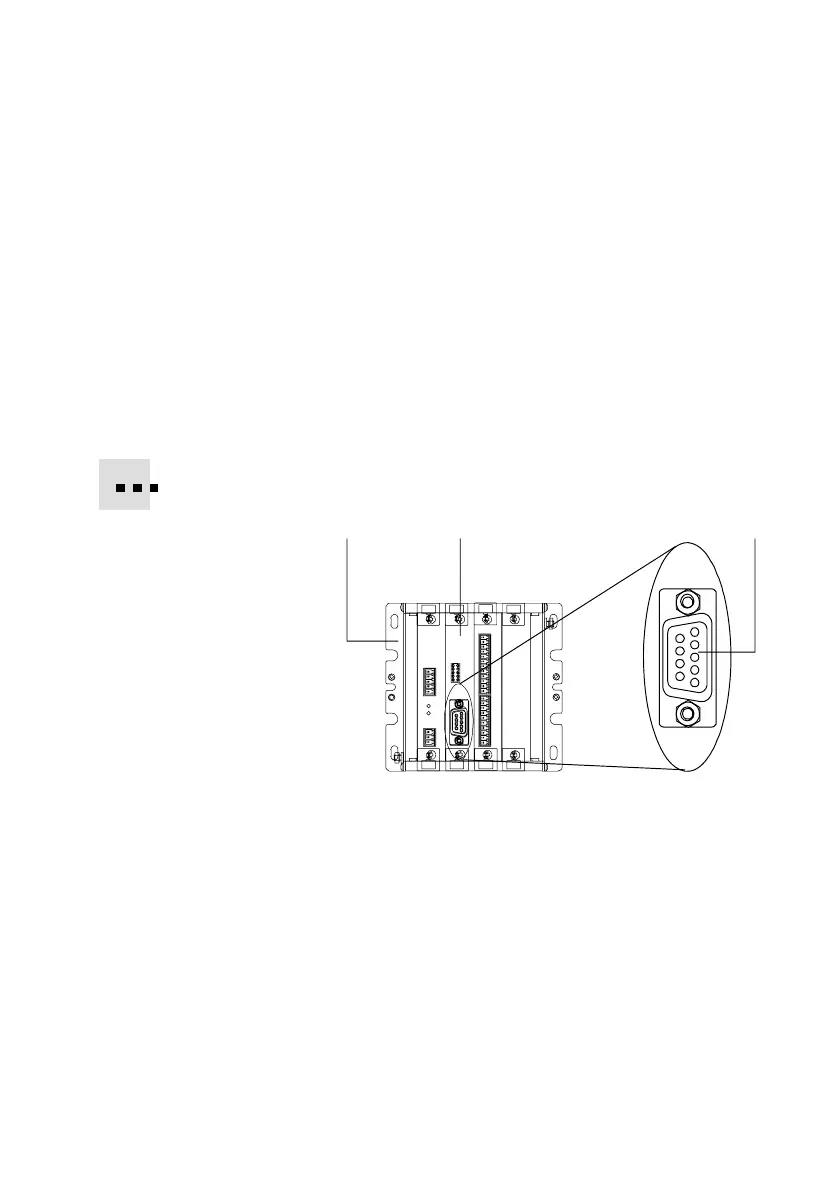
PC SPC200 connection
Connect your SPC200 to a free serial port on your PC.
Use the diagnostic cable KDI−PPA−3−BU9 intended for this
purpose.
12 3
1
SPC200
2 Diagnostic module SPC200−MMI−DIAG
3 Diagnostics interface RS232 (X4) 9−pin port
Fig.1/15: Diagnostic interface











 To Next Page