1. Installation and general user information
1−32
Festo P.BE−SPC200−WIN−PISA−CD−EN en 0901d
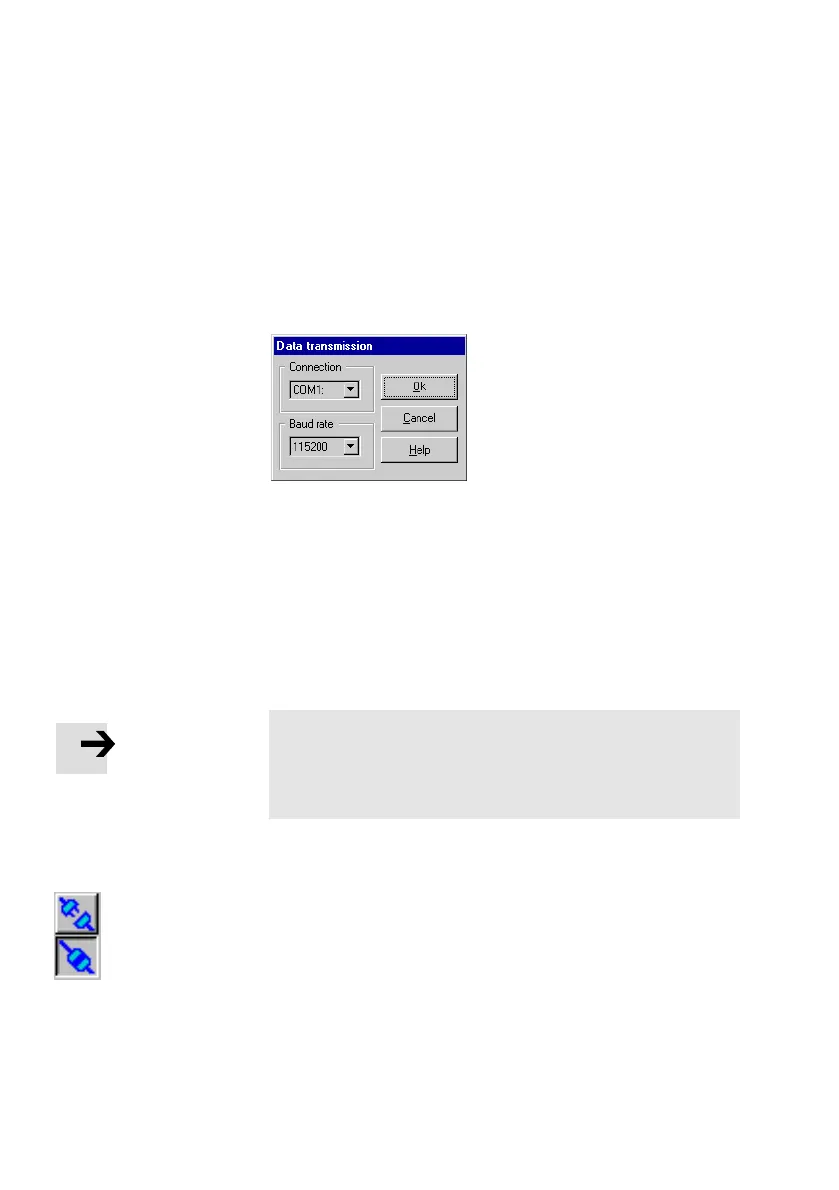
Configuring data transmission
Once you have connected the PC and the SPC200 you will
have to configure communications through the serial inter
face.
Fig.1/16: Configure data transmission
1. Select the command [Data transmission] from the [Online]
menu.
2. Specify the interface used (COM1 to COM4) and the data
transmission rate (baud rate) for the connection.
3. Confirm the settings with OK".
Please note
After power−on the baud rate of the SPC200 is preset to
9600 Baud. When online mode is concluded, WinPISA
restores this baud rate.
Activating or deactivating the Online mode
· Activate or deactivate the Online mode with the command
[Online mode] in the menu [Online] or by clicking the but
ton Online mode on" or Online mode off" in the toolbar.
· If functions requiring the online mode are accessed, the
online mode will be activated automatically (e.g. upload,
download, commands in the [Online] menu).











 To Next Page