6. Diagnostics and optimization
6−20
Festo P.BE−SPC200−WIN−PISA−CD−EN en 0901d
Tracing I/Os
You can trace the status of the available inputs and outputs.
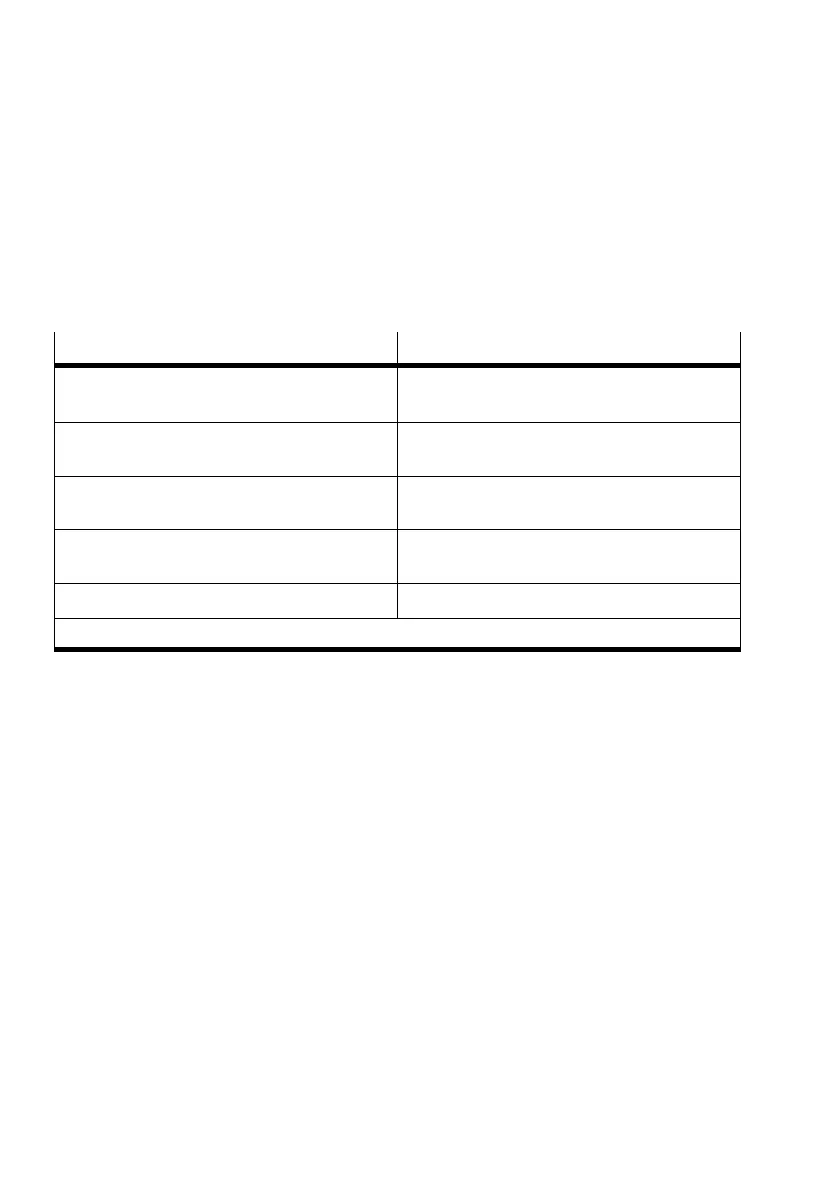
Depending on the hardware configuration, these are:
Menu command
Description
[I/O module] [Address range ...]
1)
Inputs and outputs on the I/O module with the
appropriate address range
[Field bus module] [Address range ...]
1)
Inputs and outputs on the field bus module with
the appropriate address range
[I/O module in 1st. AIF string]
1)
Inputs and outputs of the modules on the 1st.
axis interface string (address range 1.0 ... 1.15)
[I/O module in 2nd. AIF string]
1)
Inputs and outputs of the modules on the 2nd.
axis interface string (address range 3.0 ... 3.15)
[Stepping motor module]
1)
Inputs of the stepping motor module
1)
The menu commands for non−available modules are inactive.
The status of the inputs and outputs are shown by means of
check boxes in the windows for I/O observation. In addition,
the inputs and outputs are summarized as input and output
words in hexadecimal format.
The addresses which cannot be modified are represented as
inactive (grey).
To display the status of the inputs
and outputs:
· Select the appropriate command, depending on the de
sired address range, in the menu [Online] [Observe]. The
relevant observation window will be shown.









 To Next Page