6. Diagnostics and optimization
6−19
Festo P.BE−SPC200−WIN−PISA−CD−EN en 0901d
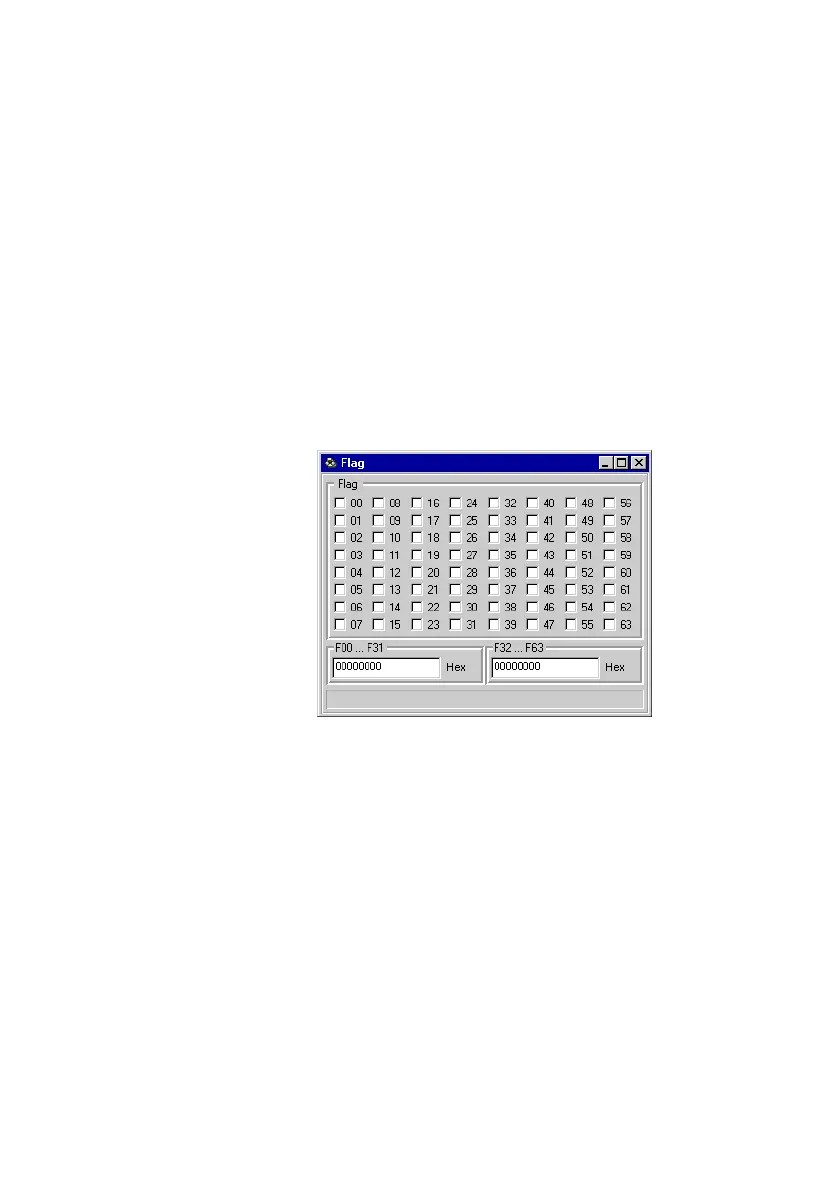
Tracing the flags
To display the status of flags:
· Select [Flag] from the [Online] [Observe] menu.
The status of flags F0 to F63 is displayed in check boxes in
the Flag" dialogue window. Set flags (logic 1") are shown
by activated check boxes. In addition, flags F0 to F31 and F32
to F63 are displayed as hexadecimal flag words.
Fig.6/10: Tracing the flags
You can modify the contents of the flags as follows:
· In order to modify an individual flag, click the relevant
check box or select this and press the SPACER key.
· In order to modify several flags, enter the (hexadecimal)
input or output word. Confirm this with the ENTER KEY.









 To Next Page