1. Installation and general user information
1−20
Festo P.BE−SPC200−WIN−PISA−CD−EN en 0901d
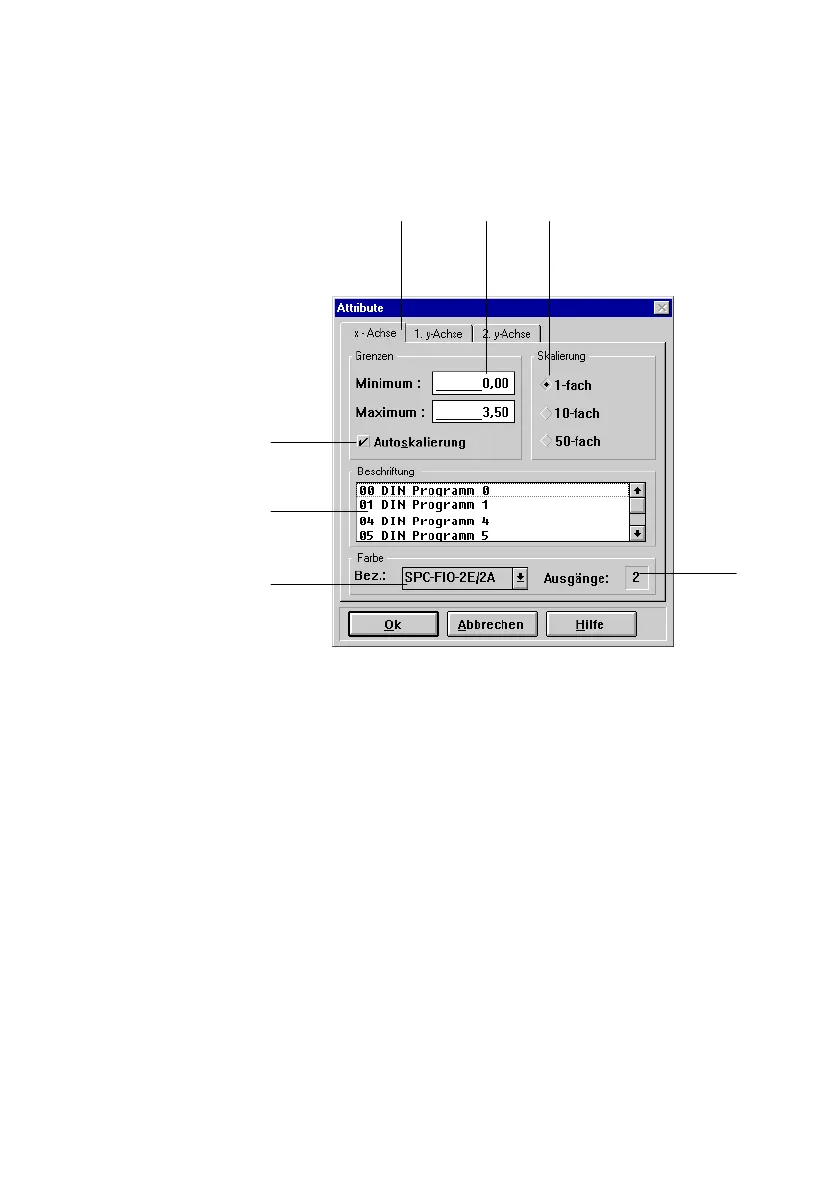
1 Tab card
2 Text box
3 Option button
4 Display field
5 Drop−down list
box
6 List box
7 Check box
23
4
5
6
7
1
Fig.1/11: Windows dialogue window (example)
Text boxes Text boxes are the fields in dialogue windows in which you
can enter information via the keyboard. You can therefore
enter directly file names or program numbers. Entries are
often limited to numbers or a certain number of characters.
Insertion point The flashing vertical line shows the position of
the insertion
point. Text is added at this position in entry fields and editor
windows.
When a text area is marked, it will be replaced by the new
entry.
Display field Information will be shown in display fields. Display fields
cannot be edited.
List boxes You can select an entry from a list in a list
box. This can be
e.g. a program name.











 To Next Page