EasyManua.ls Logo

Fostex DMT-8VL - Setting the Preroll Time for the Locate Operation (Prlirolltime)

Fostex DMT-8VL
158 pages
Print Icon
To Next Page IconTo Next Page
To Previous Page IconTo Previous Page
Loading...
DMT-8VI.
Owner's
Manual
(SETUP
mode)
7.
Setting
the
preroll
time
for
the
Locate
operation
("PREROLL
TIME")
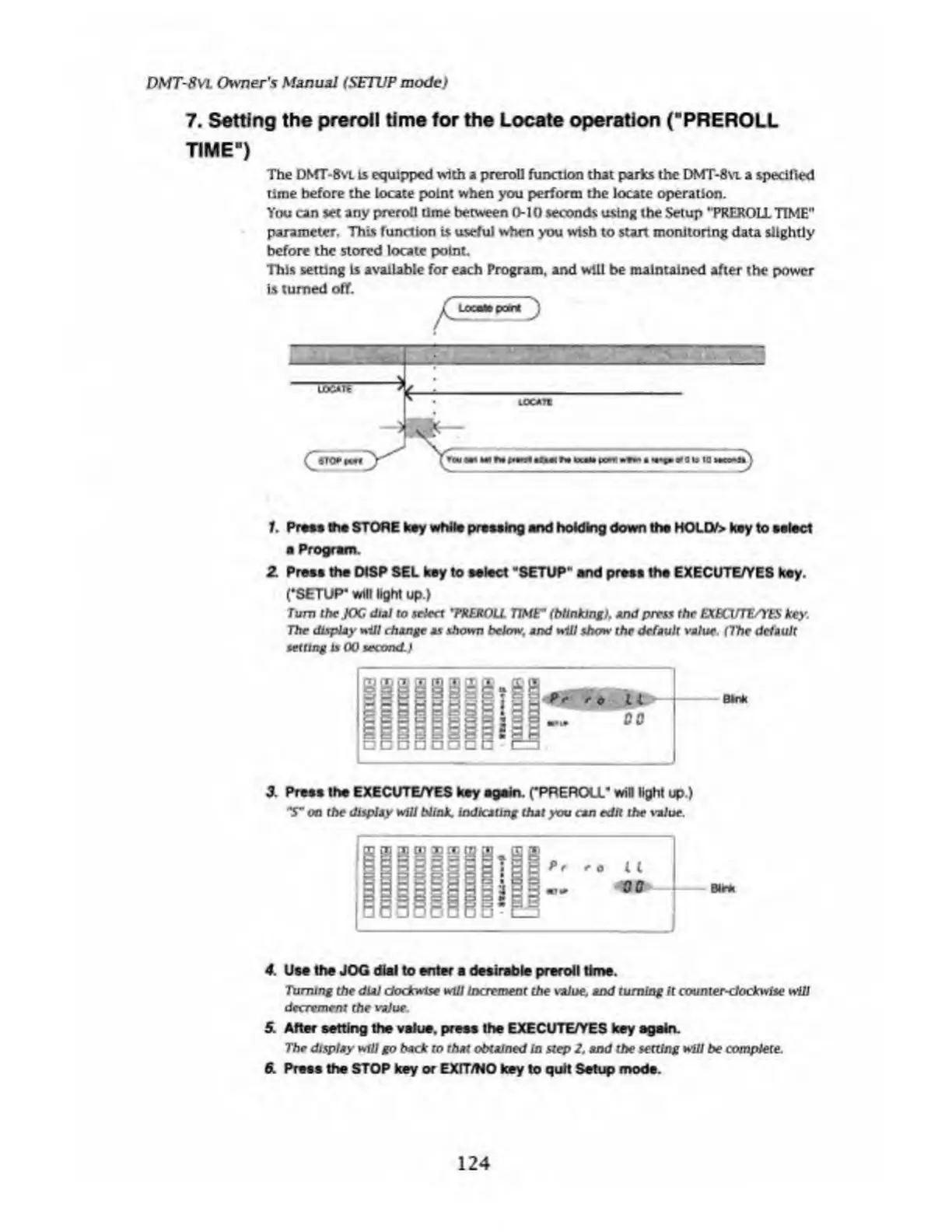
The
DWT-8
vl
Is
equipped
with
a
prcroli
function
that
parks
the
DMT-8
vl
a
specified
time
before
the
locate
point
when
you
perform
the
locate
operation.
You
can
set
any
preroll
time
between
0-10
seconds
using
the
Setup
"PREROLL
TIME"
parameter.
This
function
is
useful
when
you
wish
to
start
monitoring
data
slightly
before
the
stored
locate
point
This
setting
is
available
for
each
Program,
and
will
be
maintained
after
the
power
is
turned
off.
1.
Press
the
STORE
key
while
pressing
and
holding
down
the
MOLD/>
key
to
select
a
Program
Z
Press
the
DtSP
SEL
key
to
select
"SETUP"
and
press
ths
EXECUTE/YES
key.
('SETUP*
will
light
up.)
Turn
the
JOG
dial
to
select
*PRER0LL
TIME"
(blinking),
And
press
the
EXBCUTE/YtS
key.
The
dispUy
nill
change
as
shown
below,
and
Hill
show
the
default
value.
(7he
default
setting
is
00
second.)
9S»9l
*
o
Hill-'
1
DO
Bln
k
3.
Press
the
EXECUTE/YES
key
again.
(’PREROLL*
win
light
up.)
on
the
display
will
blink,
indicating
that
you
can
edit
the
value.
4.
Use
the
JOG
dial
to
enter
a
desirable
preroll
time.
Turning
the
dial
dodewise
will
Increment
the
value,
and
turning
It
counter-clockwise
will
decrement
the
value
.
5.
After
setting
the
value,
press
the
EXECUTE/YES
key
again.
The
display
will
go
back
to
that
obtained
In
step
2
,
and
the
setting
will
be
complete.
6.
Press
the
STOP
key
or
EXIT/NO
key
to
quit
Setup
mods.
124

Table of Contents

Related product manuals