EasyManua.ls Logo

Fostex DMT-8VL - Recording;Playback (Basic Guide)

Fostex DMT-8VL
158 pages
Print Icon
To Next Page IconTo Next Page
To Previous Page IconTo Previous Page
Loading...
DMT-8VL
Owner's
Manual
(Recording/Playback)
Recording/Playback
(Basic
Guide)
This
section
explains
basic
recording
and
playback
on
the
DNfT-8vu
To
become
familiar
with
the
operation
of
the
DMT
Svi,
please
read
and
comprehend
this
basic
section
before
proceeding
to
advanced
operations.
1.
The
default
settings
on
the
DMT-8VL
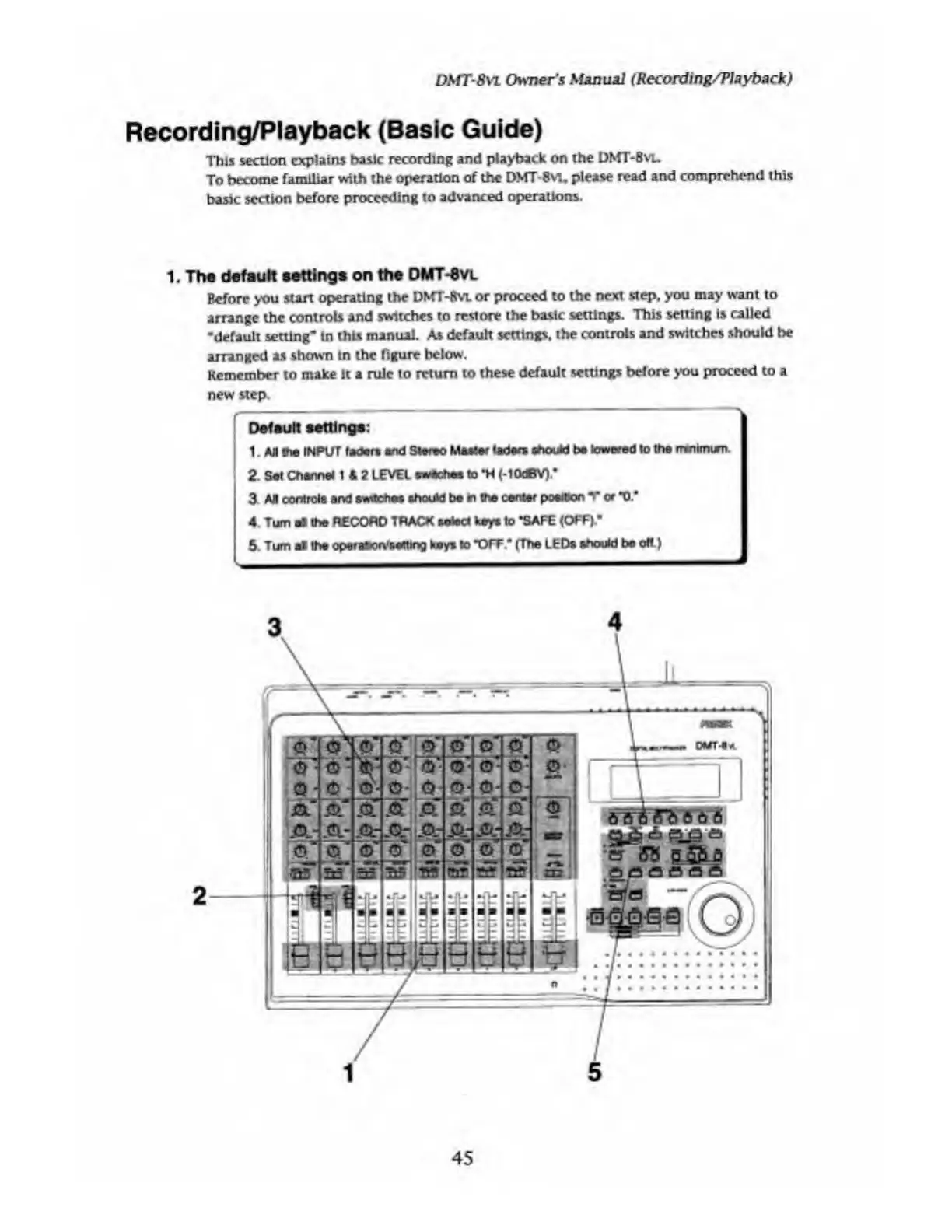
Before
you
start
operating
the
DMT
-8vl
or
proceed
to
the
next
step,
you
may
want
to
arrange
the
controls
and
switches
to
restore
the
basic
settings.
This
setting
is
called
•default
setting*
in
this
manual.
As
default
settings,
the
controls
and
switches
should
be
arranged
as
shown
in
the
figure
below.
Remember
to
make
it
a
rule
to
return
to
these
default
settings
before
you
proceed
to
a
new
step.
KCHEiB
ESES?2£1I
OElpEJi
,
—;
«—
At
Default
settings:
1AJI
me
INPUT
feders
and
Stereo
Master
laden
tfKxJd
be
lowered
to
the
mnimien.
2.
Set
Channel
1
4
2
LEVEL
sweehes
to
*H
(-lOdBV).*
3
AH
controls
and
switches
should
be
In
the
center
position
T
or
"0."
4
Turn
all
the
RECORD
TRACK
select
keys
to
"SAFE
(OFF)"
5.
Turn
el
the
operabon'seltlng
keys
to
'OFF
'
(The
LED*
should
be
oft
)

Table of Contents

Related product manuals