EasyManua.ls Logo

Fostex DMT-8VL - Formatting a hard disk

Fostex DMT-8VL
158 pages
Print Icon
To Next Page IconTo Next Page
To Previous Page IconTo Previous Page
Loading...
DMT-Svl
Owner's
Manual
(Before
operating
the
DMT-Svl)
Formatting
a
hard
disk
After
installing
or
replacing
the
hard
dLsk
unit,
follow
this
procedure
to
format
the
disk.
When
you
turn
The
power
on
to
a
DMT-Svl
that
has
an
unformatted
disk,
the
unit
automatically
enters
Setup
’FORMAT'
mode.
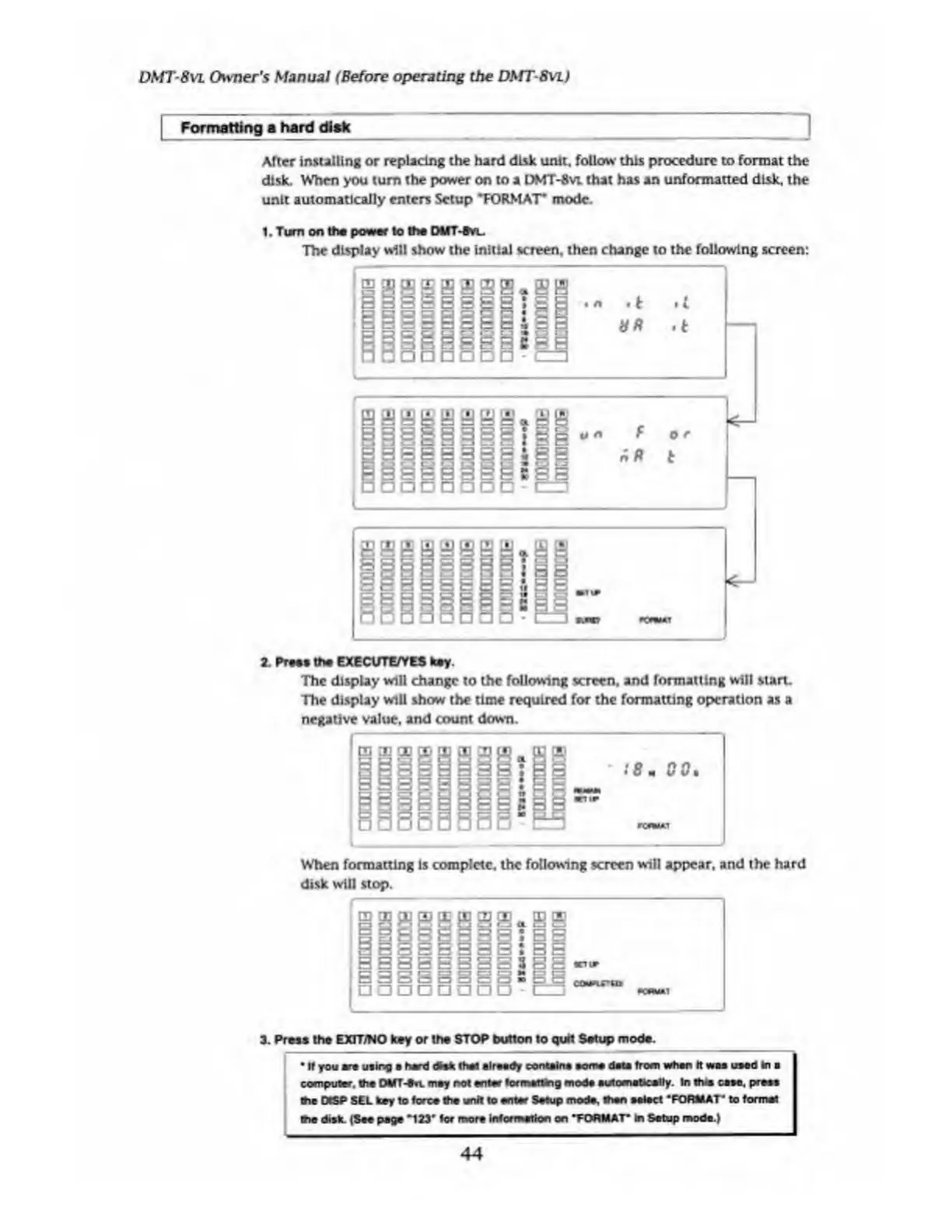
1.
Turn
on
the
power
to
the
DMT-Svl.
The
display
will
show
the
initial
screen,
then
change
to
the
following
screen:
2.
Frees
the
EXECUTE/YES
key
The
display
will
change
to
the
following
screen,
and
formatting
wilt
start.
The
display
will
show
the
time
required
for
the
formatting
operation
as
a
negative
value,
and
count
down.
When
formatting
is
complete,
the
following
screen
will
appear,
and
the
hard
disk
will
stop.
3.
Press
the
EXfT/NO
key
or
the
STOP
button
to
quH
Setup
mode.
If
you
ere
using
herd
dfck
thaf
already
contains
some
dais
from
whan
It
was
used
in
a
computer,
the
DMT-tn.
may
not
an
tar
lor
matting
mod#
automatically.
In
this
case,
press
(he
OtSP
SEL
key
to
force
the
unit
to
entar
Setup
mode,
than
aalact
‘FORMAT*
to
format
me
disk.
(Sac
page
"123‘
for
more
information
on
‘FORMAT'
in
Setup
moda.)
44

Table of Contents

Related product manuals