EasyManua.ls Logo

Fostex DMT-8VL - Storing the Punch In;Out Point

Fostex DMT-8VL
158 pages
Print Icon
To Next Page IconTo Next Page
To Previous Page IconTo Previous Page
Loading...
DMT-8VL
Owner’s
Manual
(Punch
In/Out)
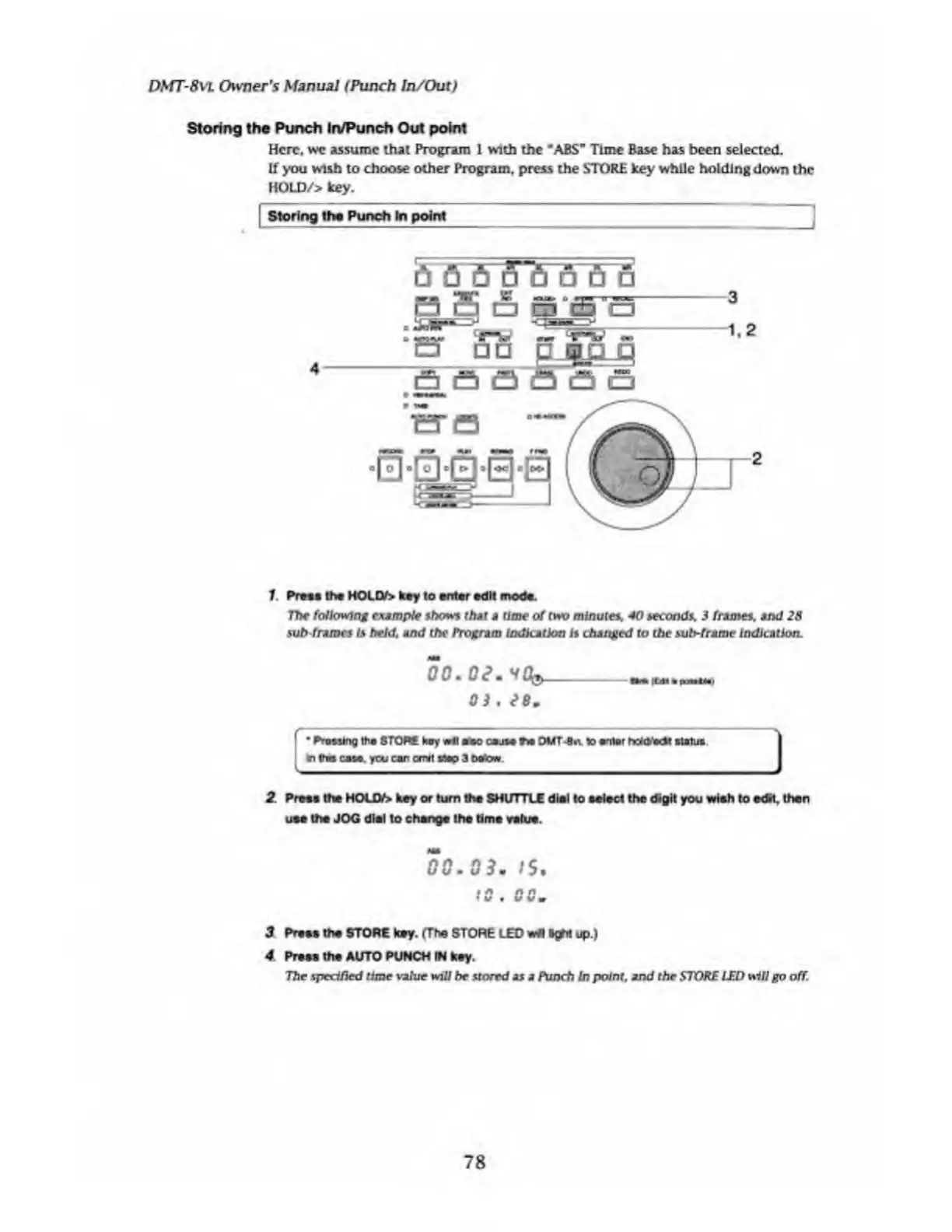
Storing
the
Punch
In/Punch
Out
point
Here,
we
assume
that
Program
1
with
the
*ABS"
Time
Base
has
been
selected.
If
you
wish
to
choose
other
Program,
press
the
STORE
key
while
holding
down
the
HOLD/>
key.
Storing
tha
Punch
In
point
4
1.
Press
the
HOLD/>
key
to
enter
edit
mods.
The
following
example
shows
(hat
a
time
of
two
minutes,
40
seconds,
3
frames,
and
28
sub
frames
Is
held,
and
the
Program
indication
is
changed
to
the
sub-frame
indication.
00.
Oe.
Vffc,
_ltd.
a
poattai
0
)
,
88
.
1
Pressing
the
STOPS
kuy
*11
a
so
cause
Tw
OUT-
8
*.
to
antor
hotetoSt
status
I
In
9m
casa.
ytxj
car
exist
stop
3
doom
2
Press
the
HOL
Df>
key
or
turn
the
SHUTTLE
dial
to
soled
the
digit
you
wish
to
edH.
then
use
the
JOG
dial
to
change
the
time
value.
00.03.
tS.
to
.
00.
3
Pr*»»
the
STORE
toy.
(The
STORE
LED
wit
ftgfii
up.)
4
Pt*m
the
AUTO
PUNCH
IN
key.
The
specified
time
value
will
be
stored
as
a
Punch
In
point,
and
the
STORE
LED
will
go
off
78

Table of Contents

Related product manuals