EasyManua.ls Logo

Fostex DMT-8VL - Switching the Time Base Display Using the EXHT1 TE;YES Key and DKP SEL Key

Fostex DMT-8VL
158 pages
Print Icon
To Next Page IconTo Next Page
To Previous Page IconTo Previous Page
Loading...
DMT-8VL
Owner's
Manual
(Names
and
Functions)
If
-RAR/jJ
/CLK”
is
selected
for
the
timebasc
(explained
later),
the
DISK
REMAIN
indication
will
show
a
value
(in
terms
of
the
number
of
measures)
calculated
based
on
the
last
beat/tempo
dau
on
the
tempo
map
of
the
recorded
song.
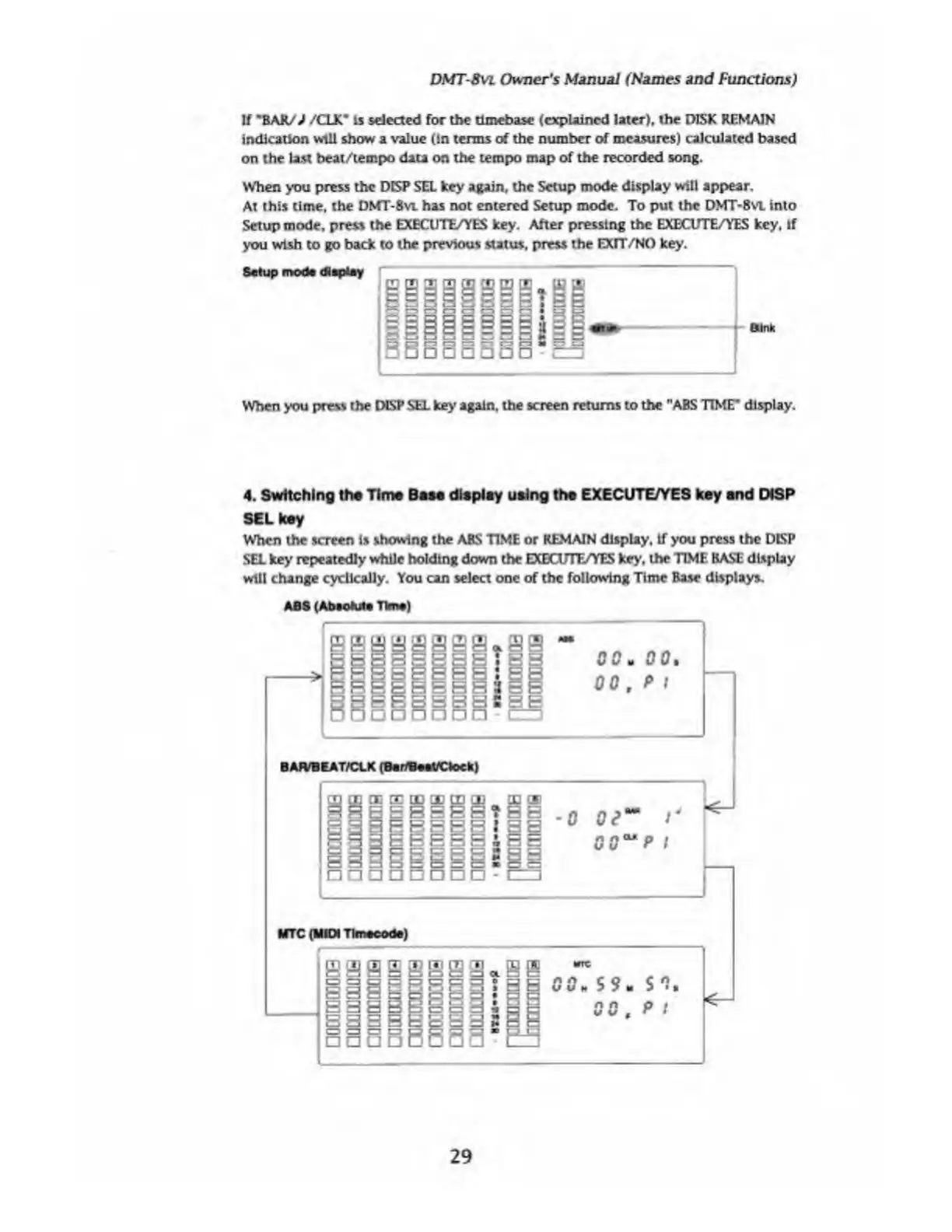
When
you
press
the
DISP
SEl
key
again,
the
Setup
mode
display
will
appear.
At
this
time,
the
DMT-8vi
has
not
entered
Setup
mode.
To
put
the
DMT-8VL
into
Setup
mode,
press
the
EXECUTE/YES
key.
After
pressing
the
EXECUTE/YES
key,
if
you
wish
to
go
back
to
the
previous
status,
press
the
EXIT/NO
key.
When
you
press
the
DLSP
SEL
key
again,
the
screen
returns
to
the
"ABS
TIME*
display.
4.
Switching
the
Time
Bam
display
using
the
EXECUTE/YES
key
and
DiSP
SEL
key
When
the
screen
is
showing
the
ABS
TIME
or
REMAIN
display,
if
you
press
the
DISP
SEL
key
repeatedly
while
holding
down
the
EXECUTE/YES
key,
the
TIME
BASE
display
will
change
cyclically.
You
can
select
one
of
the
following
Time
Base
displays.
ABS
(AbsoMt
Time)
29

Table of Contents

Related product manuals