EasyManua.ls Logo

Fostex DMT-8VL - Multitrack recording using overdubbing

Fostex DMT-8VL
158 pages
Print Icon
To Next Page IconTo Next Page
To Previous Page IconTo Previous Page
Loading...
DMT-8VL
Owner's
Manual
(Recording/Playback)
4.
Multitrack
recording
using
overdubbing
Now
that
you
understand
how
to
record
and
play
back
on
the
DMT-8VL.
we
will
create
a
multi
crack
recording.
Mulcitrack
recording
is
a
series
of
operations
in
which
you
record
sound
sources
to
multiple
tracks
and
combine
these
recordings
into
two
mixes
(L,
R).
In
this
process,
the
most
Important
step
is
“ovcrdubblng."
'Ovcrdubbing*
means
to
record
a
new
sound
source
to
another
track
while
monitoring
the
sound,
and
also
while
listening
to
the
playback
of
the
pre-recorded
sound
(that
is,
playback
monitoring).
r-
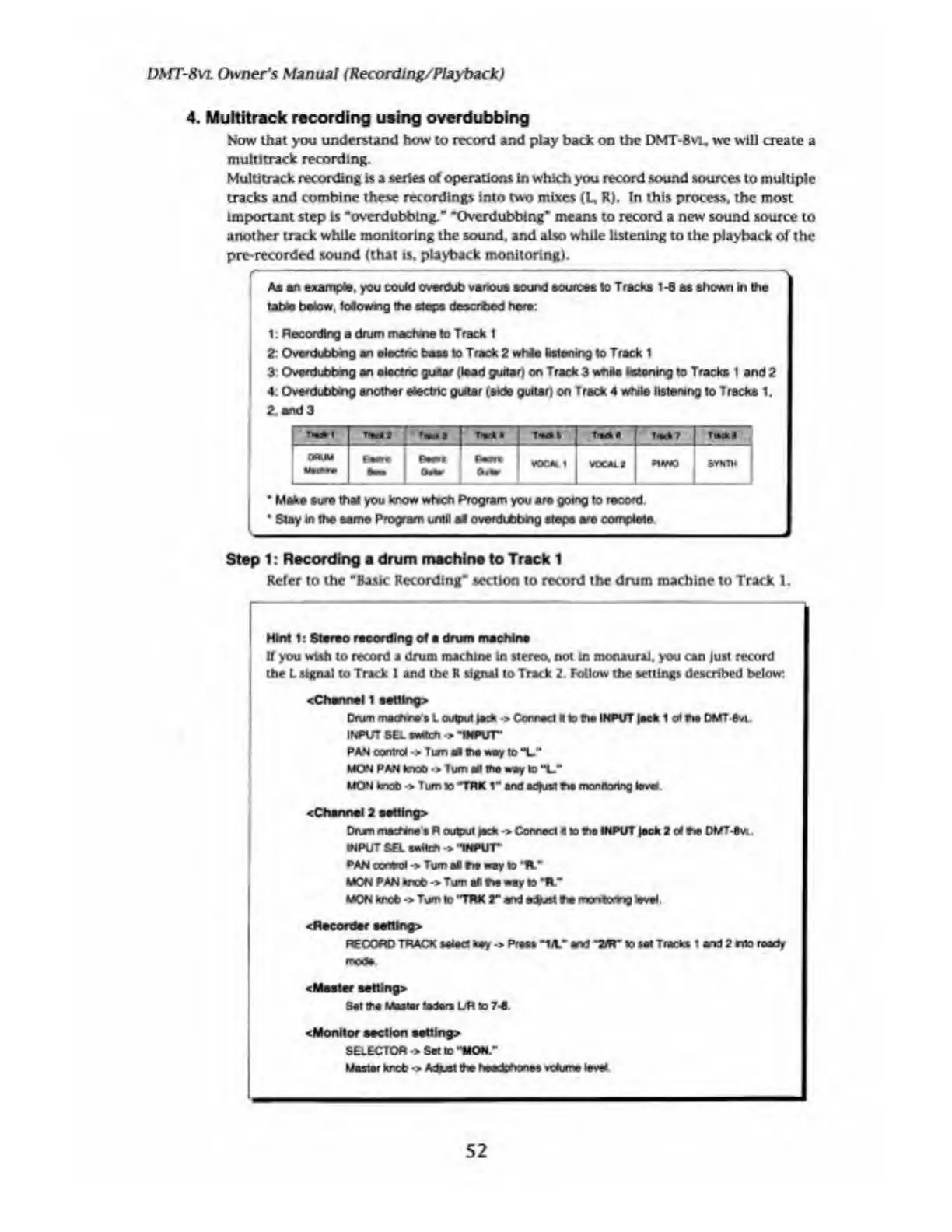
As
an
example.
you
could
overdub
various
sound
sources
lo
Tracks
1-8
as
shown
in
the
table
below.
Mowrg
the
slope
deserted
here:
1:
Recording
a
drum
machine
lo
Track
1
2
Ovordubbng
an
electric
bass
lo
Track
2
whie
listening
lo
Track
1
3
Overdubbng
an
o
tact
nc
guitar
(lead
guitar)
on
Track
3
while
fastening
to
Tracks
1
and
2
4.
Oerdubbng
another
etoctrtc
guitar
(side
guitar)
on
Track
4
while
listening
lo
Tracks
1,
2,
and
3
WIW*
1
_
1
Eemr
;
f-isi
i
*->
|
f
*+r\
Bwn<
Bmoc
.oMI
vtXAL
2
*MWO
•*»
|
[
fm
*
§
SYkT*
_1
*
Make
sure
that
you
know
wtech
Program
you
are
going
to
record
*
Stay
in
the
same
Program
until
atf
overdubbhg
steps
are
complete
Step
1:
Recording
a
drum
machine
to
Track
1
Refer
to
the
“Basic
Recording**
section
to
record
the
drum
machine
to
Track
1.
Hint
1:
Stereo
recording
of
a
drum
machine
If
you
wish
to
record
a
drum
machine
in
stereo,
not
in
monaural,
you
can
just
record
the
L
signal
to
Track
1
and
the
R
signal
to
Track
2.
Follow
the
settings
described
below:
<Chann«l
1
set1lng>
Drum
mafhee’s
L
output
jack
->
Connect
It
lo
ho
INPUT
lack
1
at
fie
DMT
Svi
INPUT
SE1.
VMtcft
•>
‘INPUT"
PAN
oantrd
•>
Turn
Ml
the
way
to
“L."
MON
PAN
knob
•>
Turn
all
the
way
to
"L."
MON
knob
•>
Turn
to
*TRK
1
M
and
actual
too
monftortng
level.
cChannel
2
eetting>
Drum
machine
s
R
output
jack
->
Conrad
4
to
too
INPUT
lack
2
of
fie
DMT-fvi.
INPUT
SEL
safe*
->
-INPUT*
PAN
coned
->
Turn
all
fie
way
to
ft"
MON
PAN
fcneb
->
Tom
an
fie
way
to
It*
MON
knob
->
Tom
to
‘TRK
2"
end
adust
fe
mo
n
tomg
level.
^Recorder
setting*
RECORD
TRACK
select
key
->
Press
"til*
end
-*ir
to
set
Tracks
t
and
2
nta
ready
mode
<Master
setting*
Sat
the
Master
laden
UR
to
7-S
<Monltor
section
setting:*
SELECTOR
•>
Set
to
••MON."
Master
kreb
->
Adust
he
haedthonee
vdume
level
52

Table of Contents

Related product manuals